
Archive for 2014
-
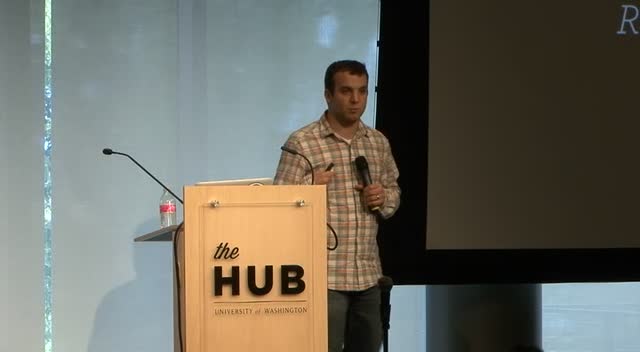
Andrew Nacin: Keynote WordCamp Seattle 2014
WordCamp Seattle 2014Speaker: Andrew NacinAugust 12, 2014 — Andrew Nacin: Keynote WordCamp Seattle 2014
-

WordCamp.org Site Tools Orientation
WordCamp CentralSpeaker: Ian DunnAugust 12, 2014 — Scratching your head over how to get the most out of your WordCamp website? Join Ian Dunn to learn how to use WordCamp.org tools efficiently and get some pro tips for making your site extra-special cool.
-

Fish Bowl Interactive Group Discussion
WordCamp Calgary 2014Speaker: Group DiscussionAugust 12, 2014 — The fishbowl was an open group discussion covering a range of topics that attendees posted on an idea board through out the WordCamp event.
In this final session, the conversation evolves as different speakers and audience members rotate in and out of this 4 person discussion.
-

Setting up SEO in WordPress
WordCamp Dayton 2014Speaker: Nathan DriverAugust 12, 2014 — While “content is king” in the SEO world it does help if your content is SEO-friendly: from permalinks to alt and title tags on images and PDF’s. Then, show how to set-up one of the most popular SEO plugins used on WordPress. I’ll also show how to create better call-to-actions for search engine result pages (SERP’s).
-

The Right Way to Customize a Plugin
WordCamp Dayton 2014Speaker: Ian DunnAugust 12, 2014 — It’s very common for developers to customize and extend existing plugins to fit their own needs — which is one of the great advantages of using open-source software — but they often do it by making their changes directly to the plugin, which creates a security vulnerability and becomes a maintenance hassle.
-

Loops on Loops
WordCamp Dayton 2014Speaker: John HartleyAugust 12, 2014 — The loop is an essential part of WordPress but it may be something you’ve never thought of changing. In this talk we’ll take a look at all the ways you can create a loop, query posts and add arguments to your queries. After we’ve covered the main event, we’ll get into creative solutions for manipulating the loop and some issues that may arise. Mainly for developers or those looking to start theme development.
-

Front-end Performance Optimization
WordCamp Dayton 2014Speaker: Ben ByrneAugust 12, 2014 — Data from major Internet providers like Google, Amazon and Akamai has shown that how fast a website loads significantly affects user behavior. And because users don’t like slow sites, Google uses load time as a factor in computing PageRank results. In short: It pays to be fast.
There are a lot of factors that can affect your site’s performance. While some are dependent on your hosting environment, there are plenty of factors beyond server/internet speed (and the obvious sheer number of bits to be loaded) that affect your page load time, such as HTTP connections, DNS lookups, and asset load sequencing.
If you’re a front-end developer and you’re serious about building websites that load as fast as possible, come learn about techniques (such as non-blocking Javascript) you can use in your markup and themes — whether on WordPress or some other system — to help things load as quickly as possible. We’ll also review tools you can use to assess whether your site is doing all it can to load quickly.
-

Portable Social Profile Links Using Custom Nav Menus
WordCamp Dayton 2014Speaker: Chip BennettAugust 12, 2014 — Social profile links are a common feature for many WordPress Themes. Unfortunately, they are usually implemented using custom Theme options – meaning that users are forced to re-enter their social network profile information every time they switch Themes. Also, some Themes use custom Theme options, while others add custom Widgets, or other ways for users to add their social network profile information – which can potentially lead to confusion and poor user experience.
-

Take WordPress Beyond Posts & Pages
WordCamp Dayton 2014Speaker: Dustin FilippiniAugust 12, 2014 — Plugins and Customizations that can take your WordPress site to the next level!
You may know that WordPress is a great Blogging System and Content Management software allowing you to easily create and manage pages, but do you know the full capabilities of WordPress? We’ll look through a series of plugins that provide app-like functionalities to your WordPress site that you’d expect to pay thousands of dollars for and then we’ll discuss a little about how WordPress accomplishes this and how you can learn to create even more awesomeness with WordPress.
-

Kailey Lampert: Hidden Treasures of WordPress
WordCamp Seattle 2014Speaker: Kailey LampertAugust 11, 2014 — There are a lot of hidden, little-known, and under-documented parts of core that can be really handy to have in your toolkit. Let’s take a look at several of the most-loved and under-used parts of core that will make us all better developers.

An  Creation
