
Author Archive
-
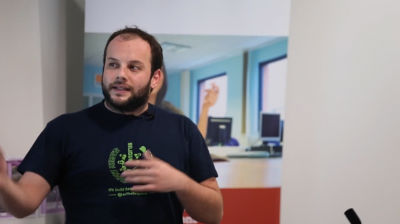
Konstantinos Kouratoras: Testing In WordPress – Building High Quality Products
WordCamp Manchester 2015Speaker: Konstantinos KouratorasDecember 18, 2015 — Testing process is very important as it helps to speed up your development workflow, keep your source code away from bugs, improve user experience and build high quality products.
In this session I talk about:
– Testing tips and tools
– Automated tests
– Usability tests and how to get the most out of users feedback -

Liz Hannaford: Developing Your Content Strategy
WordCamp Manchester 2015Speaker: Liz HannafordDecember 18, 2015 — So you’ve got a blog, chosen a great-looking theme, added some plug-ins. Now you “just” need to write some content that people are going to want to read and share with their network. That means having a content strategy. It doesn’t have to be complicated but you need to think about that strategy every time you sit down to write a blog post. I’ll be drawing on journalistic skills to help you devise your own content strategy including:- – Deciding what to write about. And when. And where. And how. – Making it easier for people to find your content. – Engaging with your target audience
-

Nicole Arnold: More Core Functions You (Maybe) Don’t Know Exist
WordCamp NYC 2015Speaker: Nicole ArnoldDecember 18, 2015 — The WordPress codebase contains thousands of functions, including many hidden gems that are often overlooked, virtually unknown, or just not talked about. We’ll cover a variety of WordPress core functions that you may not know exist. Regardless of your experience as a developer, you’ll learn a variety of new gems you can use every day. If you’ve enjoyed the “Core Functions You (Maybe) Don’t Know Exist” sessions in the past, come back to explore even more new functions.
-

Lauren Pittenger: Intro to the Command Line for Designers
WordCamp NYC 2015Speaker: Lauren PittengerDecember 17, 2015 — Do you walk the line between designer and developer? Are you more comfortable using a Graphical User Interface (GUI) and find the black screen that is the command line a bit intimidating? This session will look at some of the basic commands needed to get comfortable using the command line. Though designers may need the command line for little more than version control or compiling SASS, having a basic understanding of the command line can help speed up your workflow.
-

Beth Soderberg: Empowering Users – Modifying the Admin Experience
WordCamp NYC 2015Speaker: Beth SoderbergDecember 17, 2015 — One of our goals as WordPress developers should be to build user friendly websites and admin interfaces. In many cases once we’ve added custom post types, taxonomies, plugins, and other features required by a site’s design and structure, the WordPress admin panel can become unwieldy and may be confusing to site managers. In this session we’ll explore a number of strategies and techniques that will help make site administration an empowering experience for your clients. We’ll discuss modification of the admin panel, strategic use of custom fields, managing permissions, use of labels and help text, and more, all with the goal of making hand offs to non-technical website managers stress free.
-

Chelsea Louise Haden: Top Tips For Web Agencies To Collaborate With Freelance Content Writers More Efficiently
WordCamp Manchester 2015Speaker: Chelsea Louise HadenDecember 17, 2015 — As a content writer who has collaborated with various web agencies on a freelance basis, I’ve experienced some issues that have made my role harder than it should be and problematic for the client. I’d like to talk about how web agencies can work with content writers more efficiently to assist with speedier projects and happier clients. In my talk, I would like to cover these main areas: attitudes towards content writing / content writers, communication and the systems to put in place to aid it positively and how your client and content writer can work together to assist a successful project.
-

Michael Cropper: Tracking Your Content Marketing Results Accurately
WordCamp Manchester 2015Speaker: Michael CropperDecember 17, 2015 — Without a clear tracking strategy you should not be investing time in content marketing. Tracking your digital marketing activities accurately will enable you to justify the time you are investing, see a clear return on your investment and direct you efforts in the future based on past results. Reviewing the core tools to track your digital marketing activities accurately, how to integrate these tools into a effective process and how to deal with the growing Google Analytics referral spam problem.
-

Graham Armfield: Assistive Technology (AT) Demo (Accessibility)
WordCamp Edinburgh 2015Speaker: Graham ArmfieldDecember 17, 2015 — In this presentation I’m going to demo two pieces of assistive technology, and show you how they are actually used by people who rely on them to access the web.
Featured assistive technology (AT):
Dragon NaturallySpeaking – voice recognition software, typically used by those with motor impairments for whom using mouse and keyboard is not an option.
NVDA – a free, open source screen reader, typically used by those who are blind, or with poor eyesight, but also sometimes used by dyslexics and others with cognitive impairments.
Come and learn what it’s like to browse the web from a different perspective. -

Mark Wilkinson: A Year In Freelancing – Lessons Learned, Tips and Tricks
WordCamp Manchester 2015Speaker: Mark WilkinsonDecember 17, 2015 — After freelancing for just over a year now and having left a well paid job this talk outlines lessons I have learned from taking the plunge to being a freelancer and some tips and tricks I have learned along the way. This talk will benefit anyone looking to become a freelancer or any current freelancers that are looking for some tips and tricks on getting by.
-

Andrew Villeneuve: WordPress Security 101
WordCamp Seattle 2015: Beginner EditionSpeaker: Andrew VilleneuveDecember 17, 2015 — Steps every business owner should take to safeguard their business’ virtual presence

An  Creation
