
Language: English
-

Dustin Yoxall: Let The Robots Win! How to Utilize Task Automation to Speed Up Your Workflow
WordCamp Baltimore 2015Speaker: Dustin YoxallSeptember 21, 2015 — In this talk I will showcase some of the tools I use to speed up my development process and some of the reasoning behind the way I have things set up. I will touch on subjects like developing locally, using git, the benefits of Sass and why everyone should be using it, running grunt tasks to compress your css, js, and images as well as using autoprefixer. I can also briefly touch on using frameworks if time and interest allow for it.
-

Elana Rudick: Themes That Make You Go Hmmmm – Theme Strategies for Designers
WordCamp Montréal 2015Speaker: Elana RudickSeptember 21, 2015 — If you want to make money designing WordPress sites, it’s crucial to know when to go custom and when to stick with a ready-made solution. In this session geared to designers looking to make profitable WordPress websites, learn how to assess when to use a premade theme, how to pick the right one, and when to start from scratch.
Prerequisites:
There are no prerequisites to attend this talk. This session is intended for designers, beginner WordPress users, bloggers and anyone looking to profit from designing WordPress websites. -

Anthony D. Paul: War Room Collaboration Across the Internet Canyon
WordCamp Baltimore 2015Speaker: Anthony D PaulSeptember 20, 2015 — In this talk, I share how our work-from-home team overcomes technical and social hurdles, to mirror natural, in-person creative ideation (sketching, wireframing, etc.) with a mashup of hardware and cloud tools. This talk is best for teams allowing or considering telework, as well as freelancers who want to impress their clients.
-

Cameron Campbell: Training Day – Preparing Clients for Their WordPress Experience
WordCamp Asheville 2015Speaker: Cameron CampbellSeptember 20, 2015 — Once you’ve designed, coded, and deployed your clients amazing new WordPress site, the job feels “done”. We’ve all dropped the ball here, so my goal is to provide a guide to efficiently training your clients on how to use and maintain their new site. This makes for happier clients with more successful businesses. Oh, and you don’t get a call 6 months later because they “broke” their site.
Takeaways
Learn how to efficiently train clients on how to use & maintain their WordPress site
See how getting the client “into the dashboard” early on makes a huge difference
Get a glimpse of my process for providing training in person or remotely -

Zac Gordon: PHP for WordPress
WordCamp Baltimore 2015Speaker: Zac GordonSeptember 20, 2015 — This talk introduces a important things to know about learning PHP as it relates to WordPress. The talk covers coding standards, best practices and important concepts in both PHP and WordPress that new and intermediate developers will find helpful.
-

Bill Gadless: Moving Up the Food Chain: Finding, Landing and Executing on 5 and 6-figure Projects
WordCamp Baltimore 2015Speaker: Bill GadlessSeptember 20, 2015 — Once perceived as a mere blogging or small website tool, WordPress is an enterprise-grade CMS … stable, secure and scalable enough to be used on large websites. emagine is a leader in at acquiring large, lucrative WordPress projects and would like to provide insights and considerations for doing so.
-
Dana Salman: How to Create a Website That Doesn’t Suck (Using SMART Objectives, Personas and Wireframes)
WordCamp Montréal 2015Speaker: Dana SalmanSeptember 20, 2015 — How to create a website that doesn’t suck (using SMART objectives, personas and wireframes).
Set S.M.A.R.T Objectives for your personal or business WordPress site
Creating personas to represent your target and existing customers
Researching competitors and samples and creating a swipe file
Sketching a wireframe
Creating a wireframe using online toolsPrerequisites:
A clear idea of what you are trying to achieve and for whom. Both advanced developers and beginning bloggers can benefit from setting an effective website strategy to make sure their website achieves the intended objectives. -

Jonathan Daggerhart: Database Interactions with WP_Query and $wpdb
WordCamp Asheville 2015Speaker: Jonathan DaggerhartSeptember 20, 2015 — This session teachs developers how to write custom WP_Query loops, the different functions available for interacting with WP_Query objects, and how to use each function appropriately. We discuss the cases where WP_Query doesn’t fit your needs, and how to deal with the global $wpdb object directly. And we look at the most useful methods available with the $wpdb object, and discuss responsible usage and implementation there of.
-
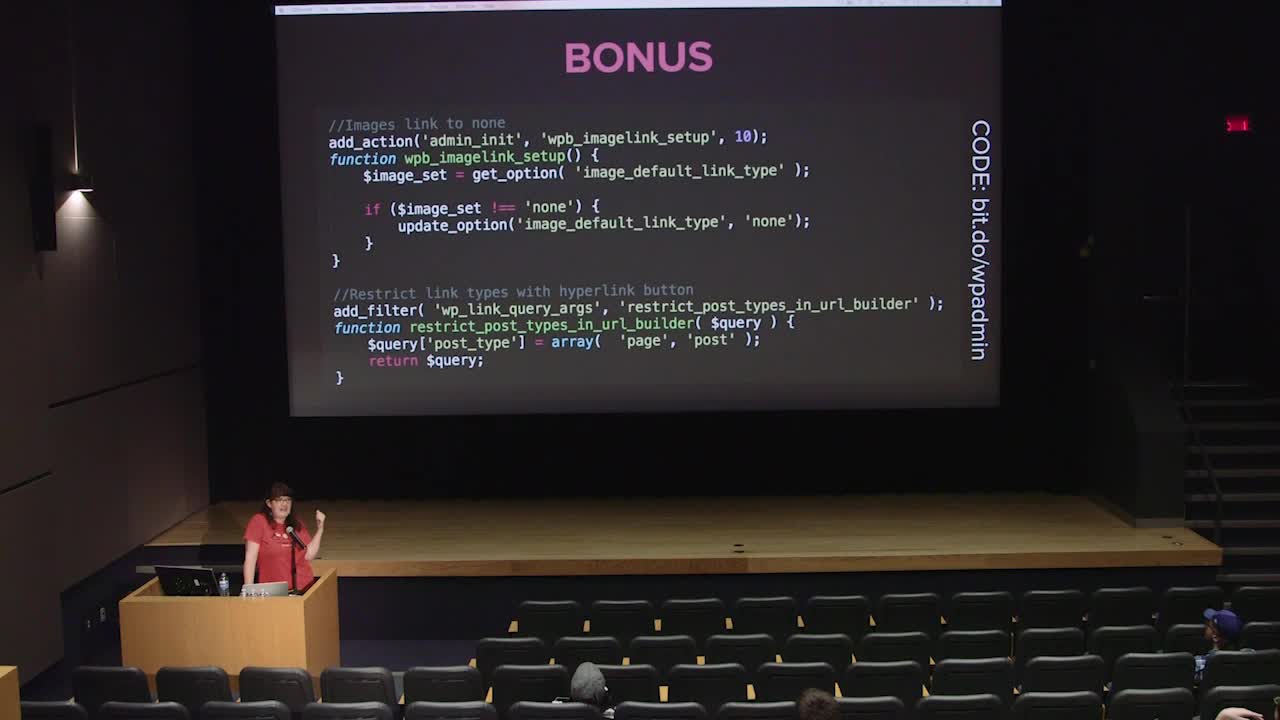
Sarah Hines: Be a Customer Service Superstar with Customized WP-Admin
WordCamp Montréal 2015Speaker: Sarah HinesSeptember 20, 2015 — When you work in WP-Admin every day, it’s wicked easy to navigate. But for users who are new to WordPress or only update their sites occasionally, the admin area can be full of WordPress-centric-lingo and not very intuitive. If you’ve created a customized front-end experience, why not take a few extra moments and tighten up the admin? It’s not difficult to make users happier and reduce the number of questions you get! We’ll cover customizing via both plugins and code, adding your own help documentation to the admin, and current best practices.
Prerequisites:
This talk is for individuals who are developing sites for other editors. The focus is directed at intermediate developers who wish to create their own WordPress admin customizations, but will touch on appropriate plugins to mimic the same functionality. -
Kelly Dwan: Jetpack for Theme Developers
WordCamp Montréal 2015Speaker: Kelly DwanSeptember 20, 2015 — Jetpack has a lot of features for users, but did you know that it can make your life as a developer easier, too? With infinite scroll, featured content, and various custom post types, Jetpack can save you time in creating commonly requested features. Use a CSS preprocessor for easy-to-use customization options. In this talk, I’ll explore all the secret developer features in Jetpack that can give you a head start on your next site, and how to use them in only a few lines of code.
Prerequisites:
This talk will be most beneficial if you’ve dabbled in WordPress code before – themes, child themes, or plugins – and know what Jetpack is.

An  Contraption
 WordPress.tv