
‘a11y’ Videos
-

WordPress Community Interview With Amanda Rush
WordPress Community Interview SeriesSpeaker: Amanda RushJanuary 16, 2017 — Amanda Rush designs websites and web applications using various content management systems including WordPress, as well as testing websites for accessibility according to the W3C standards and for Section 508 compliance. She checks for usability with Jaws for Windows, Non-Visual Desktop Access, (NVDA), Window Eyes, System Access, and VoiceOver at Customer Servant Consultancy.
For the full description of the interview, go to: https://blog.wordpress.tv
-

WordPress TV Shortz Episode 5
Speaker: John ParkinsonNovember 15, 2016 — This episode I cover updates from the CoreTeam concerning WordPress 4.7 Beta and the upcoming Release Candidate.
The recent Global WordPress Translation Day event and petty Tweeted the stats.
The Accessibility Team explains that there are 112 a11y ready themes in the repository and 80 still needing to be updated.
Finally I discuss a solution for my issues with timezones.
-

Heather Migliorisi: Make WordPress Accessible
WordCamp Pittsburgh 2016Speaker: Heather MigliorisiSeptember 29, 2016 — WordPress is secretly running so many sites we use today. WordPress is amazing, heavily distributed, and loved by many. Heather Migliorisi explains how they can be made even better when accessibility is added into the mix.
Topics include:
-Quick and easy fixes you can do right now (contrast, colors, and :focus)
-Common mistakes we make (images, icons, placeholder text vs. label, semantic faux pas, and roles)
-Choosing accessible themes and plugins
-Where to go for help
-Giving back to the community -

Graham Armfield: Assistive Technology Demo
WordCamp Europe 2016Speaker: Graham ArmfieldJuly 4, 2016 — While speaking about accessibility I’ve realised that for some people the key to understanding why accessibility is so important comes from experiencing how people with disabilities actually use the websites we build. So I’ll be demoing two pieces of assistive technology (AT): Dragon – voice recognition software and NVDA – a screen reader.
-

Arley McBlain: Accessible for Anyone: The Law, User Experience, and Your Theme
WordCamp Hamilton 2016Speaker: Arley McBlainJune 21, 2016 — Accessibility (a11y for short) on the web has become law in Ontario, and yet there are still so many easily-overlooked details developers often miss. Discover some of the legal responsibilities developers have for today (and tomorrow), how improving the User Experience for all people will also improve your site’s search engine ranking, and practical steps and tools to help you upgrade your theme’s accessibility score.
-

Cemal Tashan: Designing for Seniors
WordCamp Orange County 2015Speaker: Cemal TashanJanuary 7, 2016 — An American turns 50 every 7 seconds. The senior age group is now, for the first time, the largest in terms of size and percent of the population in the U.S. Those aged 50 and older represent 45% of the U.S. population. One-third of the internet users in the U.S., are adults aged 50+ representing the Web’s largest constituency.
WordPress sites must be designed with this in mind. You will learn how to meet seniors’ needs from one of their own.
-
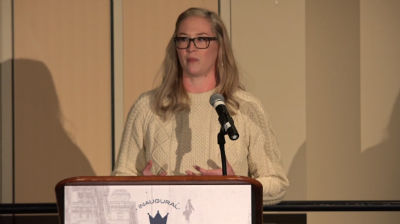
LeeAnn Kinney: Unintentional Exclusion – Web accessibility and How We’re Failing Our Users
WordCamp US 2015Speaker: LeeAnn KinneyDecember 13, 2015 — LeeAnn will give you a brief overview on the principles of accessible front-end design and show you how easy it is to start building a better web experience for everyone. We will cover what accessibility means in WordPress design and development and go over a few simple steps to audit a website for accessibility. You will be provided with tools and tips on how to easily add accessibility into your workflow and will walk away with a better understanding of how you may be excluding certain users from your sites and immediate actions to prevent it from happening.

An  Medley
