
Author Archive
-

Randy Hoyt: Structured Data in WordPress
WordCamp Toronto Developers 2012Speaker: Randy HoytJuly 9, 2013 — Learn about structured data features, custom plugin and theme development, and mobile device optimization.
-

Arley McBlain: Breaking The Mould With Scoped CSS
WordCamp Toronto Developers 2012Speaker: Arley McBlainJuly 8, 2013 — This presentation talks about using Scoped CSS to create striking exceptions for various content elements in WordPress.
-

Paul Bearne: Case Study: How I Built hirshhorn.si.edu
WordCamp Toronto Developers 2012Speaker: Paul BearneJuly 7, 2013 — This presentation shows fragments of code that was used to create the slider as well how I extended the tinyMCE editor to provide the boxy layout used on the hirshhorn.si.edu site.
-

Erick Hitter: The Power of WordPress Roles and Capabilities – Understanding map_meta_cap
WordCamp Toronto Developers 2012Speaker: Erick HitterJuly 7, 2013 — This presentation discusses the true power behind WordPress’ roles and capabilities system, map_meta_cap. Starting with an overview of how it relates to the system as a whole, then some real-world examples to demonstrate how the map_meta_cap function and filter can be properly used to fully leverage WordPress’ capabilities system.
-

Christopher Ross: Creating Your First Plugin, The Easy Way
WordCamp Toronto Developers 2012Speaker: Christopher RossJuly 6, 2013 — This presentation covers: What is a plugin? When to use a plugin for your WordPress project vs. a theme function; Best practices for plugin structure, unique naming conventions; Creating a secure settings page for your plugin; Sanitizing and storing your plugin data, the WordPress way; Safely retrieving data from your plugin and using it in a theme; What to do when a plugin is deactivated, or uninstalled; Structuring a WordPress readme.txt file; Submitting a plugin to the WordPress.org repository.
-

Marko Heijnen: Improved Image Manipulation in WordPress
WordCamp Toronto Developers 2012Speaker: Marko HeijnenJuly 6, 2013 — This presentation goes into several code examples starting with a simple one what explains how to create a new re-sized image from a random file on disk, explaining how you can write your own implementation and shows code on how to implement WPThumb as the WordPress main image manipulator.
-

Chris Van Patten: Developing a Client-Focused Admin Panel
WordCamp Toronto Developers 2012Speaker: Chris Van PattenJuly 5, 2013 — Learn how to add custom TinyMCE styles and remove unnecessary buttons (or add new ones), customize admin menus, add custom dashboard widgets, and more. A client-tailored admin area is the perfect way to minimize broken websites and maximize client happiness.
-

Martin Kuplens-Ewart: Being Mobile: The How and Why of The Mobile Webs
WordCamp Toronto Developers 2012Speaker: Martin Kuplens-EwartJuly 5, 2013 — This presentation explores a variety of strategies for mobile web development including responsive design, dedicated mobile sites, and server-side adaptive sites.
-
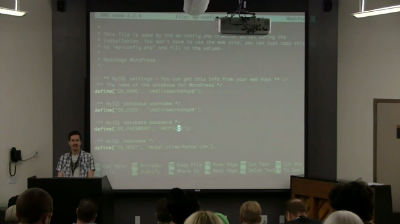
Kira Song: Introduction to Command Line
WordCamp Orange County 2013Speaker: Kira SongJuly 4, 2013 — Learn the basics of the command line in a hands-on walk-through! Learn to connect and manage files and directories, including downloading, unzipping, and installing plugins manually.
-

Patrick Johanneson: The Big Move: Brandon University (Case Study)
WordCamp Toronto Developers 2012Speaker: Patrick JohannesonJuly 4, 2013 — A study of some of the challenges encountered, and solutions discovered, in moving the Brandon University websites from IIS/ASP to WordPress.

An  Medley
