
Language: English
-

Brandon Dove: Newbies – You are not alone
WordCamp Las Vegas 2012Speaker: Brandon DoveJanuary 8, 2013 — In this presentation, Brandon Dove identifies key parts of the WordPress community, highlights some core features of WordPress, and gives resources for new users of WordPress.
-

Michael Toppa: Dependency Injection for WordPress Plugin Development
WordCamp Nashville 2012Speaker: Michael ToppaJanuary 4, 2013 — This presentation is an in-depth look at a powerful object-oriented programming technique: dependency injection. Michael will review the basic concepts behind writing small classes for WordPress plugins and how to get your objects working together through the use of an injection container. He’ll then proceed to more advanced techniques for managing multiple object dependencies, dependencies within dependencies, and class autoloading.
-

Joel R. Norris: A Beginner’s WordPress Bootcamp
WordCamp Nashville 2012Speaker: Joel R. NorrisDecember 26, 2012 — As the title implies, this is the entry-point for all those new to WordPress. If you think posts are for fencing, and you’re wondering how it pressess all those words, you’ll be whipped into prime WP Shape and ready to hit the ground running by the close of this one session.
-

Les James: Responsive Design with the Breakpoint Framework
WordCamp Raleigh 2012Speaker: Les JamesDecember 18, 2012 — The Breakpoint framework is more than a responsive design tool, it’s a philosophy that helps you tame the complexity of responsive web development. In this presentation, we will tackle the grid, responsive images, and how you should be thinking about media queries.
If you want to check out the framework for this session it’s available on Github at https://github.com/lesjames/Breakpoint.
-

Anna Belle Leiserson: Search Engine Optimize Your Site in Three Easy Steps
WordCamp Nashville 2012Speaker: Anna Belle LeisersonDecember 17, 2012 — Anna talks about how you can optimize your WordPress site for Search Engines in 3 simple steps. She focuses on 2 main Search Engines, Google and Bing and different tools that can be used to optimize websites.
-

Brad Munro: Effective Marketing in a Digital World
WordCamp Toronto 2012Speaker: Brad MunroDecember 16, 2012 — The session will explore effective marketing practices in a digital world and how the integration of social media within the overall marketing strategy is a key success factor. We’ll look at companies like Mountain Equipment Co-op who have capitalized on the evolving digital landscape to build lasting relationships with their customers.
-

WP Mayor, The Story and the works
WordCamp Sevilla 2012Speaker: Jean GaleaDecember 16, 2012 — Jean Galea, de WP Mayor, estará con nosotros el sábado para contarnos cómo funciona una página como la suya por dentro.
Jean nos hablará de cómo empezó el blog y cómo lo hizo crecer. Nos hablará un poco acerca de cómo bloguear en un principio, dando paso después a una parte mas técnica, donde nos explicará qué plugins utiliza en el sitio, dónde está alojado, etc.
Si estás pensando en montar una web y aumentar rápidamente tu tráfico, no puedes perderte su sesión.
Sesión en inglés
-

WordPress & Genesis as your starter theme
WordCamp Sevilla 2012Speaker: Remkus de VriesDecember 13, 2012 — Durante esta sesión Remkus nos contará como utilizar el framework Genesis y cómo configurarlo para convertir WordPress + Tu tema por defecto (basado en Genesis) en tu plataforma para aplicaciones.
Esta sesión es continuación de la del año pasado, que tuvo una larga lista de preguntas tras terminar la misma.
Sesión en inglés.
-

Sean Nilsson: How to Choose a Premium Theme
WordCamp Toronto 2012Speaker: Sean NilssonDecember 13, 2012 — There are hundreds of thousands of WordPress themes floating around and a whole cottage industry built on theme selling. This presentation is about how to evaluate a premium WordPress theme and what to look for when shopping for a theme. This presentation focuses on tradition themes and will not go into detail on frameworks such as Headway, Thesis, etc. The presentation assumes participants are fairly new to WordPress.
-
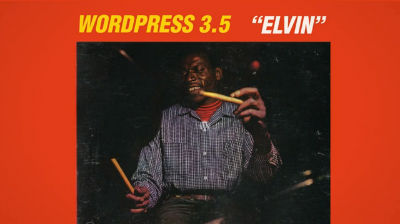
Introducing WordPress 3.5 “Elvin”
December 11, 2012 — Read more about this release on WordPress.org.

An  Thingamajig
