
Language: English
-

John Victoria: 10 Reasons Why Your Site Is Nowhere To Be Found On Google (And What To Do About It)
WordCamp D.C. 2017Speaker: John VictoriaNovember 11, 2017 — Are you frustrated that you’ve spent hundreds to thousands of dollars on your website and you’re getting no business from the internet? Have you been burned in the past by companies who have said they could bring in more website traffic to your site but saw no results? Or are you someone who is trying to do all of the internet marketing yourself and you are absolutely confused with the glut of information on the web?
If you said “yes” to any of these questions, then this workshop is for you.
The Organic Internet Marketing Strategy Successful Companies Are Using To Drive Hundreds Of Leads To Their Site
The Difference Between Google Sponsored Ads/Organic (And Which You Should Use)
My Shortlist of Mistakes Website Designers Will Make When Building Your Site
The Three Most Critical Elements To Focus On In A Google Organic Campaign
How You Can Easily Vet An Internet Marketing Company Who Does “Google” Stuff
The power of what will be shared in this talk can transform your business forever. Whether you sell a product, offer a service, owant to grow your readership for a blog, differentiate yourself from your competitors, or lead generation…this talk could be crucial to your business’ future success as we move even deeper into the digital age. -

Tom Whitaker: Building SaaS On WordPress
WordCamp Toronto 2017Speaker: Tom WhitakerNovember 11, 2017 — Have a great idea for an app? Did you know that WordPress and it’s ecosystem can help you rapidly develop a prototype or even a production system? See how we’ve leveraged WordPress to create a successful SaaS business and get tips on how to get your own project started.
-

Gilles Gagnon: Secrets to a Successful Website Building Business
WordCamp Toronto 2017Speaker: Gilles GagnonNovember 11, 2017 — In this interactive session, Gilles will share the secrets of starting, managing and maintaining a successful website design/development business. Whether you’re thinking of starting a business or you’re currently managing one, you’re likely to learn valuable tips. Although the session is web business-centric, the lessons can be applied to many types of businesses.
In this dynamic session, audience participation amplifies the learning possibilities. Come learn the secrets and have fun!
-
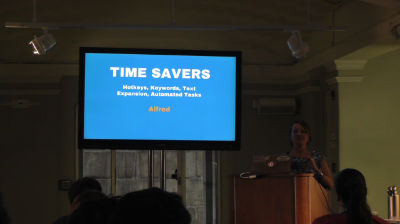
Tara Claeys: Essential Tools For Productivity (and knowing when to try the new toy)
WordCamp D.C. 2017Speaker: Tara ClaeysNovember 10, 2017 — The number of tools available to speed up, streamline and organize tasks can be overwhelming, and new apps and software seem to be launched every day. A combination of “Fear of Missing Out” on the latest and greatest things, and “Shiny Object Syndrome” can result in hours of distraction and rabbit holes, playing with, trying out and testing new “toys.”
This talk will review some of the best tools to help general productivity, as well as some tools specific to the web design/development workflow. We will discuss tasks that need tools and those that may not, as well as how to know when a tool is not worth using or when it is/is not time to switch to a something new.
-

Tracy Schorn: How To Build A Popular Blog and Master WordPress Even If You’re A Liberal Arts Major
WordCamp D.C. 2017Speaker: Tracy SchornNovember 10, 2017 — I’ll tell you what worked for me, and offer some trial-tested advice of what NOT to do.
Topics include:
– SEO — you don’t buy it, you earn it. How to build it organically using your theme and plug-ins.
– Finding your niche (i.e., the world does not need another mommy blog). How to distinguish yourself in a world clogged with content.
– Slaying trolls. Popularity comes at a price. How to moderate your site with help from the Discussion settings.
– Plug-ins — What happens when they don’t place nicely together? How many do you really need anyway?
– How much traffic do I need before I can monetize this thing?
– Reader engagement — how to lure timid commentators to your site
– What I Really Want Is a Book Deal — can a blog make that happen? (No, your writing makes that happen, but your platform can help a lot.)
– Social media, you don’t need to join every single thing, just master one or two and let WordPress help you.
– Graphics, you need them — make your own, or buy it. Never steal it. Always attribute. -

Aaron Jorbin: An Exploration Of Users And Roles
WordCamp D.C. 2017Speaker: Aaron JorbinNovember 9, 2017 — Once your site scales beyond a single user, you need to think about the role that they have. First we will look through the user system of WordPress to understand what each role means out of the box. Then, armed with that knowledge we will look at customizing roles, creating our own, and even alternatives we can use. If you administer or are a product manager/owner of a multi-user WordPress site, this is your chance to better understand the User system of WordPress.
-

Shayna Diamon: Adding Functionality With Custom Post Types And Custom Fields
WordCamp D.C. 2017Speaker: Shayna DiamonNovember 9, 2017 — Custom Post types allow users to create posts that are automatically categorized for unique display and archiving. Custom Fields (improved by the Advanced Custom Fields plug-in) provide a simple user interface for adding specific content to a post, as well as an accessible mechanism for styling that information on the front end. By combining the two, you can develop custom features, including event directories, specializes menus and more. I will show how to add these features via plugins for non-developers and via code for developers who want more control.
-

Sal Ferrarello: Introduction To Post Meta
WordCamp D.C. 2017Speaker: Sal FerrarelloNovember 9, 2017 — One of the things that makes WordPress so powerful is its extensibility. While in some cases a post may consist of no more than a Title and Content, in other cases there may be a great deal of additional information associated with it. Posts can be enhanced with things like colors, external URLs, subtitles, and logos, all of which can be stored as WordPress post meta values. We’ll look at how to add these values and how to modify our theme to display them.
-

Tessa Kriesel: Beginners Guide To WordPress Workflow
WordCamp D.C. 2017Speaker: Tessa KrieselNovember 9, 2017 — Are you new to WordPress and unsure how to migrate a site manually? Do you want to start working locally but have no idea what tool to use and what needs to go where?
This session will talk about migration, local environments and how to connect everything together to find your perfect developer workflow.
Topics Covered:
-Migration
-Local Environments
-Version Control
-WP-CLI (WordPress Command Line Interface)
-Plugins that make your life easier -

Daniel Olson: Alternative Hacks: WordPress Security From The Outside Looking In
WordCamp D.C. 2017Speaker: Daniel OlsonNovember 8, 2017 — From plugins that promise a layer of security to lofty opinions about file permissions, it’s hard to tell what works. Simply put, a security plan that aims to slow down someone who’s already in your house isn’t really a plan.
I’d like to discuss security as the foundation of a site rather than an add-on and approach this idea from the outside looking in. We’ll cover a high-level process on how to enhance security with version control, hosting and access management, 3rd party integrations and more. My goal is to highlight flaws in common practices and present alternative ones to create more secure WordPress sites.
As a developer working with businesses and Universities with thousands of hacking attempts per day I’ve learned what works.

An  Production
