
Speakers: Prathamesh Palve
-

Hands-on Introduction to WP-CLI for Beginners
WordCamp Bhopal 2023Speaker: Prathamesh PalveNovember 30, 2024 — Introduction to WP-CLI:
Explain what WP-CLI is (WordPress Command Line Interface).
Highlight its importance and benefits for managing WordPress websites efficiently.Setting Up WP-CLI:
Guide the audience on how to install WP-CLI in their local environment.
Explain the requirements and compatibility with different operating systems.
Show the steps for installing and configuring WP-CLI.Basic Commands:
Introduce essential commands to interact with WordPress via the command line.
Demonstrate commands for managing plugins, themes, and core updates.
Show how to create, delete, and manage WordPress posts, pages, and users.
Explain how to perform database operations using WP-CLI.Theme and Plugin Management:
Discuss the commands for installing, activating, and deactivating themes and plugins.
Show how to search and install themes and plugins directly from the command line.
Explain how to update and delete themes and plugins using WP-CLI.Customization and Scripting:
Discuss the ability to create custom scripts and automate repetitive tasks with WP-CLI.
Introduce the concept of bash scripting and demonstrate simple script examples.
Explain how to chain multiple WP-CLI commands together to perform complex tasks.Tips and Tricks:
Share useful tips and tricks to enhance productivity with WP-CLI.
Show shortcuts and command options for faster execution.
Mention community-developed packages and plugins that extend WP-CLI’s functionality.Resources and Further Learning:
Provide references to official WP-CLI documentation, tutorials, and guides.
Recommend additional resources such as books, blogs, and video tutorials.
Encourage participation in the WP-CLI community and forums for support and knowledge sharing. -

Remote work, WordPress and life
WordCamp Kochi 2019Speaker: Prathamesh PalveOctober 14, 2022 — This 2019 talk offers some considerations about working remotely based on firsthand experience. Learn more about work schedules, time management, technical glitches, overworking, burning out, as well as eating and sleeping while working on WordPress in daily life.
-
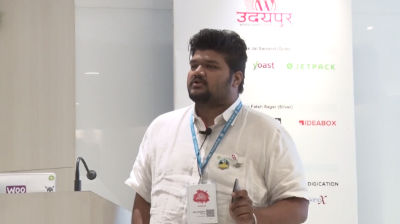
Prathamesh Palve: Managing Customers the Right Way
WordCamp Udaipur 2018Speaker: Prathamesh PalveFebruary 8, 2018 — About the Session:
Following points will be covered in the session-
1. Customer BHAGWAN HOTA HE
2. NEVER send template replies to a customer (Every Customer deserves personal attention)
3. Understand Customer queries properly.
4. Take time to replicate issues at your end.
5. Take responsibility ( Accept Mistakes, Be Polite, Request time to Fix)
6. “Converse” with your customers Because Communications is the only key to successful customer support.
7.It is more than okay to request a customer to explain issue in more detail.
8. If a ticket is in a different language than your official language, Kindly try to translate the ticket and try to understand what the customer has to say.
9. Take note of bug customer reports by making a small excel sheet and revert to them when that particular issue has been resolved.
10. If a customer asks about something which is not currently available with your product, return in a very polite way & make him feel he is heard & let him know you would surely think of it. It will surely make his day.

An  Experiment
