
‘Plugins’ Videos
-

Brian Hogg: Using Actions and Filters to Make Plugins Your Own
WordCamp Toronto 2015Speaker: Brian HoggJanuary 19, 2016 — Good plugins provide actions and filters to allow others (like you!) to modify some of their functionality without having to either create a whole new plugin from scratch or hack away at the original plugin, losing your changes when that plugin gets updated down the road. Learn how to find these actions and filters in other plugins, and use them to bend the plugin to your will.
Learning Outcomes:
Know what actions and filters are, and how they can be used.
Be able to create a functionality plugin to modify another plugin’s functionalities. -
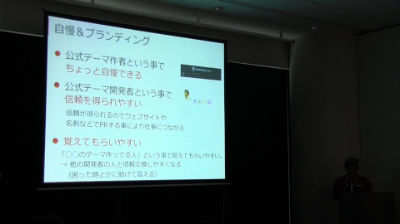
Hidekazu Ishikawa: WordPress公式ディレクトリにテーマを登録しよう- 公式テーマ登録におけるマネタイズの考察 –
WordCamp Tokyo 2015Speaker: Hidekazu IshikawaJanuary 19, 2016 — WordPressの公式ディレクトリには素晴らしいテーマやプラグインが非常にたくさん登録されていて、私達はそれらを無料で利用する事が出来ます。そうした開発者達はなぜ無料で公開しているのでしょうか?
公式テーマ作成・公開のメリットや、マネタイズ例、公式ディレクトリに登録の簡単な流れや、より多くダウンロードしてもらうにはどうすればいいのかなどお話させていただきます。
自分のテーマを公式ディレクトリに登録してみたいという方には特にお勧めです。 -
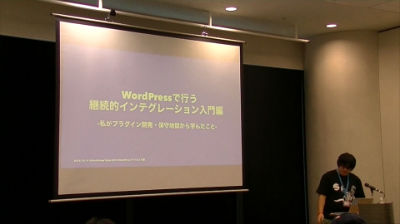
Hiroshi Urabe: WordPressで行う継続的インテグレーション 入門編 -プラグイン開発・保守地獄から学んだこと-
WordCamp Tokyo 2015Speaker: Hiroshi UrabeJanuary 18, 2016 — “継続的インテグレーション、CI(英: continuous integration)とは、主にプログラマーのアプリケーション作成時の品質改善や納期の短縮のための習慣のことです。(wikipedia引用)
約4年ほどWordPressプラグインを開発・保守してきた中で、様々なトラブルに見舞われたりしてきました。
「継続的インテグレーション」を自分の開発スタイルに導入することで、そこから抜け出した話など自分の経験と実例を交えてお話しします。* コピペプログラマーだった僕がプラグインをリリースしたその後。
* WordPress のプラグインでの具体的なテストコードの書き方。
* テスト駆動開発のススメ。
* テストをサポートするツール群の紹介。「テストコードって書いてみたいけど、どうやって書くんだろう?」、「プラグインのアップデートつらい!」などの悩みを持つ方の手助けになればと思います。”
-

Jacques Surveyer: Image Grid Plugins
WordCamp Toronto 2015Speaker: Jacques SurveyerJanuary 16, 2016 — The rallying cry for WordPress has become an Apple take-off “there is a free plugin for that”. So the premium plugins have to offer substantial value to win over developers. Here are two image grid plugins, Justified Image Grid and Essential Grid, that offer just such value.
Responsive image grids that work well on mobile and desktop screens.
Ability to incorporate portrait, landscape, and varying dimensions images in the same masonry layout image grid.
Add styled captions, links, and shortcodes to images.
Use a variety of image sources including WP gallery, NextGen, FaceBook, Flickr, Instagram, etc.
Provide an image grid of feature Posts based on taxonomy, category, or date.
Provide a variety of lightboxes for magnification of images with captions.
Allow for page or load more infinite image scrolling.
Provide filtering of images displayed in the grid with buttons along the top for All, Tagged, Category, Etc filters.
Provide a variety of styling options for individual images and the grid as a whole.
I compare the best of the free image plugins with these features.
(Disclosure: I am not now nor will be in the future be an affiliate for either of these vendors or their representatives. The motivation: several times for $28 or less these plugins saved my bacon by lowering cost of development by hundreds of dollars while delivering advanced and winning features to clients.)Learning Outcomes:
– Outline the key uses of image grids in WordPress development.
– Demonstrate the advantage of responsive grids in mobile design.
– Show how image grids can display mixed size plus portrait and landscape images well in a masonry layout.
– Create a visual sitemap for a website.
– Create an instant shopping cart grid for an array of products.
– Help answer the question when to consider a premium plugin. -

Adam Soucie: BrickPress – Merging LEGO Master Builder Techniques with WordPress
WordCamp Orlando 2015Speaker: Adam SoucieJanuary 11, 2016 — Adam Soucie will share how the LEGO Master Builder techniques apply to building WordPress themes, plugins, and full websites.
-
Dave Navarro Jr.: Advanced Plugins for the Mobile Web
WordCamp Kansas City 2015Speaker: Dave Navarro JrJanuary 9, 2016 — Take charge of your mobile web experience. Dave will demonstrate several plugins to help webmasters create better mobile sites. Including mobile menus and custom content for mobile users.
-

Kyle Maurer and Adam Silver: WP Battles: Plugins vs. Themes
WordCamp Ann Arbor 2015Speakers: Kyle Maurer, Adam SilverJanuary 7, 2016 — The classic contest. Themes against plugins. Which are better? Which can solve your problems, fix your site and grow your business? In this epic showdown we’ll explore the purposes and use cases, pros and cons, strengths and weaknesses of these two critical components of any WordPress website.
-

Mika Ariela Epstein: How NOT To Submit Your Plugin
WordCamp Orange County 2015Speaker: Mika Ariela EpsteinJanuary 7, 2016 — A tongue in cheek review of the things you can do to make your plugin submission make the review team cry, from pestering everyone and their mother about the speed of a review to simple mistakes that make the process take longer than it should.
-

Dave Jesch: Plugin Vulnerabilities – How to Secure Your Code
WordCamp Orange County 2015Speaker: Dave JeschJanuary 6, 2016 — Prevention is the key to plugin vulnerabilities! Learn what to look for in your own code to help safeguard from potential issues. A step-by-step guide will be provided on how to avoid vulnerabilities and make your code more secure. With the generosity of popular plugin authors, we will review some recent vulnerabilities found, share how they fixed the problems and discuss the best methods for getting the word out about your plugin once it’s been securely updated. Yes, there will be code.
-

Raushan Jaiswal: 10 Useful WordPress Plugins for Bloggers
WordCamp Nepal 2015Speaker: Raushan JaiswalDecember 30, 2015 — Raushan Jaiswal the founder of Codewing Solutions, a web service and digital marketing company. He talked about 10 different WordPress plugins that are useful for bloggers. His talk was from his personal experience with the plugins.

An  Brainchild
