
‘Themes’ Videos
-

Kevin Cristiano: Troubleshooting Common WordPress Problems
WordCamp NYC 2014Speaker: Kevin CristianoNovember 7, 2014 — In this session we will go through ‘common’ problems with WordPress and what to do about them. Common is way too vague, but what we will cover is the best way to troubleshoot when your site is not acting the way it is supposed to. We will aim this talk at the beginner, our goal is to stay away from code and error logs to show you what you can do to troubleshoot your site if problems arise.
-
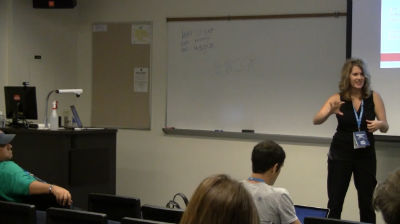
Rebecca Gill: 10 Tips for Turning Your WordPress Website Into an Traffic Driving Machine
WordCamp Grand Rapids 2014Speaker: Rebecca GillNovember 5, 2014 — Did you build it and no one came? If your website isn’t bringing in visitors like it should, join me for an educational session full of action items. We’ll walk through the ten top changes you can make to your WordPress website to begin driving traffic and converting visitors.
-

Mickey Kay: The Art of N00b – Tips for Beginners in the World of WordPress
WordCamp San Francisco 2014Speaker: Mickey KayOctober 31, 2014 — New to the world of WordPress? Wondering how best to jump in? Intimidated by all the stuff you “don’t know”? Come join the party for an action-packed flash talk covering LOADS of goodies including: simple steps to getting involved, experience-based insights for developing your skills, plenty of useful resources for your bookmarks tab, and lots more. The talk will also cover some of my own adventures in WordPress land, including some of the projects, plugins, and people I’ve been involved with. So if you’re newer to the WordPress community and want to up your game (build a plugin, code a theme, get involved, etc), come join us!
-

Corey Ellis: Anatomy of a WordPress Theme
WordCamp Dallas / Fort Worth 2014Speaker: Corey EllisOctober 29, 2014 — The theme of your site at minimum controls how your site looks and many times may offer a multitude of the functionality. The basics of understanding how WordPress themes work is understanding patterns in the 3–5 core files that are required for a theme.
This sessions walks you through a cursory overview of each of these files so you understand how they all work together to create a WordPress theme. -

Susan Ramsey: Working with Themes and Plugins
WordCamp Dallas / Fort Worth 2014Speaker: Susan RamseyOctober 28, 2014 — I this presentation Susan Ramsey discusses best practices for choosing and understanding how best to extend the functionality and design of your WordPress site using themes and plugins.
-

Marc Gratch: Your First WordPress Site
WordCamp Dallas / Fort Worth 2014Speaker: Marc GratchOctober 28, 2014 — When many of us take the dive to set up our first WordPress site, whether it’s for yourself or a client it’s easy to lose enormous amounts of time. For many veteran WordPress developers it is very easy to forget that first experience of stumbling through the dashboard, or sifting through countless plugins. Marc walks through the process of getting a domain to launching a basic site.
-

Trisha Salas: People First – Accessibility Considerations for WordPress Theme Developers
WordCamp Dallas / Fort Worth 2014Speaker: Trisha SalasOctober 28, 2014 — Accessibility is a growing concern in the WordPress community at large. Accessibility in web design means creating a site that everyone can use. The U.S. Census Bureau says that over 47 million Americans have a disability of some kind. The UN and the World Bank say this adds up to 650 million people worldwide. That’s around 10% of everyone in the world. At some point in our lives, disability will affect most of us, no matter who you are. Every decision you make as a developer affects hundreds of thousands of people (or more!).
The mission statement of WordPress is to democratize publishing through Open Source, GPL software. WordPress ‘out of the box’ is already a great way to make a website accessible. As theme developers we can do more. People who can’t see or hear, others that can’t use a mouse, people who use special assistive devices to access the web — these people need to access websites. As theme developers, we need to know about accessibility.
Accessibility Statement: “Accessibility is the degree to which a product, device, service, or environment is available to as many people as possible.” Cynthia Waddell
There are 2,655 themes in the WordPress.org theme repository. Only 12 of those themes have the tag ‘accessibility-ready’. We can meet those accessibility guidelines with just a few extras steps. We will start with basic things like creating readable headlines and adding alt text to images. From there we will cover some of the information in the Section 508 and WCAG 2.0 Guidelines.
Trisha will provide real world examples from the perspective of her visually impaired son.
We are all responsible for making our part of a project accessible. You will need to shake things and change your processes a bit in order to achieve accessibility.
-

Panel: Building Themes For Clients: What You Need To Know When Handing Over The Keys To End Users
WordCamp Calgary 2014Speakers: Aleah Dunfield, Dan Stephenson, Andrew Forbes, Connor TurnerOctober 8, 2014 — You’ve built a stunning WordPress powered theme and installed the site for a client. The code is top notch, the design is pixel perfect and you’re just about to hand it over to the client, but what now? How will the client use the site? Is your theme in a strong enough shape to allow clients to update the content on the fly? Do they know what to do? Learn from a panel of local Calgary Developers on the tips and tricks of handing over a web site to a client. Everything from how to create tutorials to what plug-ins to improve the end user experience will be answered in this panel.
-

Se Reed: Small Business – Big Website
WordCamp Los Angeles 2014Speaker: Sé ReedSeptember 24, 2014 — Awesome WordPress plugins that can help small business owners take their websites from basic to bada$$, including content development, e-commerce, and customer relations.
-

Derek Springer: Good to Great
WordCamp Los Angeles 2014Speaker: Derek SpringerSeptember 19, 2014 — Did you know that WordPress is great for blogging!? I’ll be discussing some easy tips to boost your blog from good to great. Topics include enriching your posts with images and other media, sharing your posts via social media, and a few tips to supercharge your site.

An  Creation
