
Archive for 2014
-

Cory Miller: Keynote – What It Means To Click Publish
WordCamp Dallas / Fort Worth 2014Speaker: Cory MillerOctober 28, 2014 — Cory Miller is a former newspaper journalist turned full-time entrepreneur. In 2008, he started iThemes, which builds web design software and offers cutting-edge web design training for thousands of customers around the globe.
Named the 7th fastest growing company in Oklahoma City in 2011 by the Metro 50, iThemes employs over 20 people around the globe with headquarters in Edmond, Oklahoma.
-

Susan Ramsey: Working with Themes and Plugins
WordCamp Dallas / Fort Worth 2014Speaker: Susan RamseyOctober 28, 2014 — I this presentation Susan Ramsey discusses best practices for choosing and understanding how best to extend the functionality and design of your WordPress site using themes and plugins.
-

Brandon Dove: Development Environments in Distributed Teams Using Vagrant
WordCamp Dallas / Fort Worth 2014Speaker: Brandon DoveOctober 28, 2014 — In a distributed working environment with employees spanning multiple countries, it’s very important to get everyone using the same tools for stable development and deployment. In this presentation, Brando Dove walks through the vagrant provisioning process, 3rd party services, and home grown tools that are successful with enterprise clients.
-

Marc Gratch: Your First WordPress Site
WordCamp Dallas / Fort Worth 2014Speaker: Marc GratchOctober 28, 2014 — When many of us take the dive to set up our first WordPress site, whether it’s for yourself or a client it’s easy to lose enormous amounts of time. For many veteran WordPress developers it is very easy to forget that first experience of stumbling through the dashboard, or sifting through countless plugins. Marc walks through the process of getting a domain to launching a basic site.
-

Trisha Salas: People First – Accessibility Considerations for WordPress Theme Developers
WordCamp Dallas / Fort Worth 2014Speaker: Trisha SalasOctober 28, 2014 — Accessibility is a growing concern in the WordPress community at large. Accessibility in web design means creating a site that everyone can use. The U.S. Census Bureau says that over 47 million Americans have a disability of some kind. The UN and the World Bank say this adds up to 650 million people worldwide. That’s around 10% of everyone in the world. At some point in our lives, disability will affect most of us, no matter who you are. Every decision you make as a developer affects hundreds of thousands of people (or more!).
The mission statement of WordPress is to democratize publishing through Open Source, GPL software. WordPress ‘out of the box’ is already a great way to make a website accessible. As theme developers we can do more. People who can’t see or hear, others that can’t use a mouse, people who use special assistive devices to access the web — these people need to access websites. As theme developers, we need to know about accessibility.
Accessibility Statement: “Accessibility is the degree to which a product, device, service, or environment is available to as many people as possible.” Cynthia Waddell
There are 2,655 themes in the WordPress.org theme repository. Only 12 of those themes have the tag ‘accessibility-ready’. We can meet those accessibility guidelines with just a few extras steps. We will start with basic things like creating readable headlines and adding alt text to images. From there we will cover some of the information in the Section 508 and WCAG 2.0 Guidelines.
Trisha will provide real world examples from the perspective of her visually impaired son.
We are all responsible for making our part of a project accessible. You will need to shake things and change your processes a bit in order to achieve accessibility.
-

Matt Mullenweg: State of the Word 2014 Q&A
WordCamp San Francisco 2014Speaker: Matt MullenwegOctober 26, 2014 — Town Hall at WordCamp San Francisco 2014. See also: State of the Word 2014 Presentation.
-
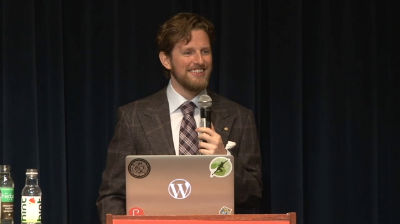
Matt Mullenweg: The State of the Word 2014
WordCamp San Francisco 2014Speaker: Matt MullenwegOctober 26, 2014 — State of the Word WordCamp San Francisco 2014
See also: Q&A that followed and summary post on Matt’s site.
-

Diane Kinney: Designing and Developing for Content
WordCamp Tampa 2014Speaker: Diane KinneyOctober 26, 2014 — Stop plopping text on a page and think about new ways to present content. Create a library of design patterns that you can reuse (portfolios, testimonials, staff directories, and more) and pair them with Custom Post Types, Taxonomies, and the Custom Field Suite. With a bit of prep work, you can create a reusable toolkit for building sites that more functional and purposeful while making your own work more efficient.
-
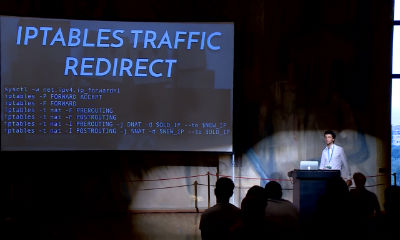
Daniel Kanchev: WordPress Migrations Done Right
WordCamp Europe 2014Speaker: Daniel KanchevOctober 26, 2014 — Everybody needs to migrate a WordPress site between servers every now and then. Daniel showed how to avoid the common and not so common pitfalls of moving our sites.
-

Syed Balkhi: Tools to Better Manage and Grow Your Blog
WordCamp NYC 2014Speaker: Syed BalkhiOctober 26, 2014 — Choosing the right blogging tools can save you time and help you grow. Which tools and plugins should you be using? In this session, Syed Balkhi reveals his favorite tools that can help you dramatically improve your workflow and grow your blog. Take away practical tips that you can implement on your blog literally within hours.

An  Contraption
