
Archive for 2014
-

Jeff Matson: Choosing a WordPress Host
WordCamp Philly 2014Speaker: Jeff MatsonAugust 19, 2014 — Choosing a WordPress host can be a challenge in itself. With millions of hosts out there and new ones appearing every day, users from novice to advance can often be confused in which host to choose from. In this session, Jeff discusses the best methods for finding a host that appropriately suits your needs.
-

WordPress TV Moderator
Speaker: Michael WigintonAugust 18, 2014 — Moderating WPTV content is a fairly simple process but wordpress.tv has a few custom features and there are some manual tasks that you will need to perform.
This video covers some basic guidelines for moderating a WordCamp video.
-

Community Team Chat
WordCamp CentralAugust 18, 2014 — Our community team chat hangout!
Streamed live on Feb 27, 2014
-

Zack Tollman: Speed as a Feature – Getting a Handle on Page Load Time
WordCamp Seattle 2014Speaker: Zack TollmanAugust 18, 2014 — Understanding why your page is rendering slowly is the first step to improving your page load speed. The faster your pages load, the better the site will convert and the happier your clients will be!
-

Seto Takahiro: 世界の最前線!VagrantやWP-CLIなどで開発環境をパワーアップ!
WordCamp Kansai 2014Speaker: Seto TakahiroAugust 18, 2014 — VagrantやWP-CLIなど、開発環境を劇的にパワーアップさせる
どうやったら作業効率できるのか?コードを減らし他人でもわかりやすく!同じことは繰り返さない!自動化できるところは自動化!それらを実現できるのがVagrant、Grunt、Sass、WP-CLI などのツールです。
これらのツールの概要と、なぜ効率化できるのかについてお話しします。
敷居が高そうだけど使うだけなら簡単!デザイナーさん、エンジニアさん幅広い人を対象のセッションです。 -
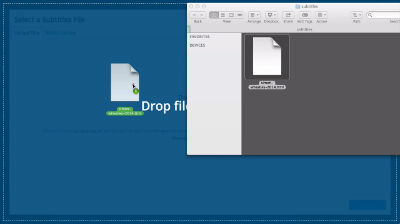
How to update subtitles on WordPress.tv
Speaker: Jerry BatesAugust 17, 2014 — On WordPress.tv it is only possible to have one subtitle file (per language) associated with any video.
If you have an updated subtitle file, you will first need to break the videos “connection” with the existing file before you can upload it.
However, deleting the subtitle file in the media library is not enough to resolve this issue. You will need to edit the media details for the video instead, as shown in this screencast.
-
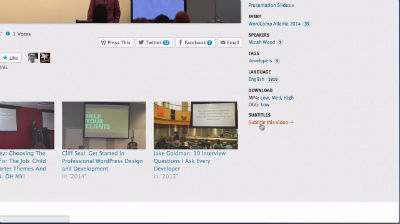
How to fix the error: “You can not subtitle this video”
Speaker: Jerry BatesAugust 17, 2014 — For some older WordPress.tv video, it may not be possible to upload captions properly.
This is due to a problem in the past where videos not being attached to posts correctly; however, this is easy to fix by manually attaching the video to the post.
This screencast will show you how to resolve this error so captions can be successfully added to the video.
-
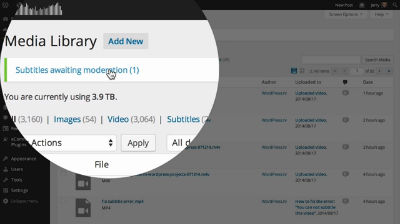
Approving Subtitles on WordPress.tv
Speaker: Jerry BatesAugust 17, 2014 — Subtitles (or translations) submitted for videos on this site will need to be moderated before they can appear on the video.
This screencast shows you how to moderate and approve subtitles and translations for videos on WordPress.tv
-

Preparing your AVCHD video files for WordPress.tv
Speaker: Jerry BatesAugust 17, 2014 — Your Foundation video camera is set to record in the AVCHD format,
Which produces great quality video and audio, but can be difficult to work with.Unfortunately, these will need to be converted to .MP4 format before they can be uploaded to WordPress.tv. The first step is to access the .MTS files contained within the AVCHD package, as these are the video files we will need to edit and convert..
This video will show you how to access the AVCHD package and locate the .MTS files found within, as well as how to use the VLC Media Player to preview them.
-
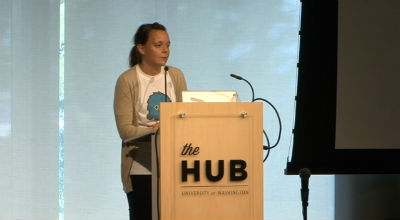
Kate Stull: Free and Low-Cost Ways to Grow an Amazing Blog
WordCamp Seattle 2014Speaker: Kate StullAugust 17, 2014 — When you’re on a budget, you don’t have the time or money to waste on growth tactics that go nowhere. Learn strategies for growing your blog that just plain work. We’ll go over ways to boost traffic through targeted content, how to apply keyword research, how to build an email list of loyal readers, and even how to start leveraging your content to make you money. Find out how to make your amazing content work for you, whether you’ve got $1 to spend or $1000.

An  Joint
Joint
