
Archive for 2018
-

Miriam Schwab: Content Security Policies – List Your Trusted Sources and Prevent Attacks
WordCamp US 2018Speaker: Miriam SchwabDecember 29, 2018 — Content security policies (CSPs) are a relatively new security element on the web horizon. CSPs use browsers to detect and mitigate certain types of attacks like cross-site scripting (XSS), clickjacking and other code injection attacks resulting from execution of malicious content in the trusted web page context. CSPs can be used for simple purposes like enforcing https on SSL-enabled sites, to more sophisticated uses like authorizing only truly trusted sources and blocking others.
Most sites do not have CSPs installed, but it’s important to be aware of them and how they can be used to add an additional layer of security to your website.
-

Miina Sikk: How we extended Gutenberg core blocks to build in AMP support
WordCamp US 2018Speaker: Miina SikkDecember 29, 2018 — As developers we have an opportunity to start working with the new Gutenberg editor and bring it into projects where it can positively impact the editorial workflow. In this talk I’ll be sharing our team’s experience in extending Gutenberg core blocks with our work on the AMP for WordPress plugin.
In working with Gutenberg, often block functionality needs to be customized. We’ve found that it makes more sense to reuse and extend existing editor blocks as opposed to creating new ones. From a user experience perspective it’s important to avoid confusing users by just duplicating blocks and cluttering up the block inserter.
Through real examples I will showcase our experience extending core blocks as we added custom features to the AMP plugin. I’ll also address some issues and pain-points we ran into during the process and share the workarounds used.
Since Gutenberg is still a work in progress, this presentation is not intended as the absolute truth for extending core blocks, however it is a practical example of how we were able to add AMP features to a plugin by extending the core editor blocks. If you’re interested in developing for Gutenberg you’ll be able to learn from our experience and pick up practical tips for moving forward.
-

Rian Rietveld: Who’s afraid of ARIA
WordCamp US 2018Speaker: Rian RietveldDecember 29, 2018 — WAI-ARIA means Accessible Rich Internet Applications. These are attributes you add to your HTML5 to (for example) inform blind visitors what is happening on your site.
How do you use ARIA and why? And why is the first rule of ARIA: “Don’t use ARIA”?
In this talk Rian will show you how to
– announce changes and error messages
– use the JavaScript function wp.a11y.speak()
– tell if a menu or accordion is closed or open
– give feedback on what’s happening on a one page website
– get the right documentation and examplesDiscover that ARIA isn’t that complicated and is very useful for those visitors that use your site in another way than you do.
-

Adam Silver: The Proper Care, Growth and Feeding of Your WordPress Website in 2019 (and Beyond)
WordCamp US 2018Speaker: Adam SilverDecember 29, 2018 — A website is a living and breathing piece of your overall business & marketing plan. You need to feed it! This presentation will cover why a website isn’t a “set it and forget it” entity.
Learn about content creation types, determine the need for enhanced features (eCommerce, membership, LMS), ways to encourage visitor engagement, website security and site backups and when it might be time to redesign the site itself.
-

Morteza Geransayeh: Add Persian Calendar and Date to WordPress – Intro
Speaker: Morteza GeransayehDecember 28, 2018 — In this video, I’ll show you how to easily add Persian calendar and date to the WordPress.
I do this with the Parsidate plugin, and I’ll explain to you the main settings of this plugin. -
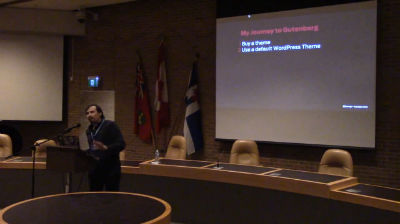
Juan Pablo Gomez: CSS Grid, Gutenberg and the future of Layouts
WordCamp Toronto 2018Speaker: Juan Pablo GomezDecember 28, 2018 — Released last year, CSS Grid changes everything for the web and the WordPress communityIt means that, for the first time, we can think of layout on posts and pages as two-dimensional and fully responsive. CSS Grid is not another plugin hack or bootstrap patch. Quite simply, it’s the solution for which designers have been asking. It is here to stay and right now is the perfect time to learn it.
Why CSS Grid? How to use Grid? When to use Grid? Demos! -
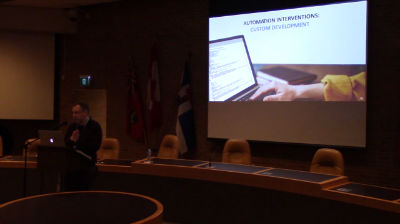
Ryan Moore: Building and Automating WordPress Workflows
WordCamp Toronto 2018Speaker: Ryan MooreDecember 28, 2018 — Do you have a complex WordPress eLearning, eCommerce or membership site that uses lots of plugins? You’ve probably run into challenges getting them all working together. When a user makes a purchase, how do you give them access to 2 things? Or, when a user completes 3 actions, how can you automatically trigger a fourth? In this session, we’ll look at ways that tools can help you build and automate workflows like these to make your user experience as seamless as possible as well as keep your admin effort to a minimum. We’ll also look at the implications arising from the release of WordPress 5.0 and Gutenberg.
Some of the common challenges faced by users setting up complex websites that use a lot of plugins or require frequent admin intervention
An approach to solving these problems using plugins, CRMs and other applications -
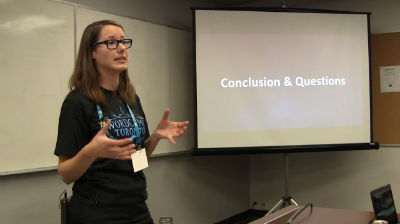
Christie Witt: Migrating 1,300 websites from HTML to WordPress, a business process case study
WordCamp Toronto 2018Speaker: Christie WittDecember 28, 2018 — We migrated 1,300 websites from HTML to WordPress. Learn how I assessed the business processes beforehand, conducted a company-wide process audit and implemented improvements involving the client services, business account managers, sales, finance, marketing and IT teams. I will also discuss how I built the CRM requirements and worked directly with the CRM developers to track and automate reporting of the various website statuses such as cancellations, suspensions, and brand new website build requests. Finally, learn how I would have evaluated the impact of Gutenberg on the migration had it been released prior to the project.
• How to assess the big picture around website processes • How to work with different teams within a large corporation to educate them on business process updates • How to work with the older generation on selecting website templates for migrations • How a multi-site instance was set up for the migration of 1,300 websites -

Troy Fawkes: The One Stop Marketing Shop: Gutenberg’s Marketing Toolbox
WordCamp Toronto 2018Speaker: Troy FawkesDecember 28, 2018 — Can WordPress be the one stop shop for your marketing needs? Is it going to be there for you as you grow from a small business to a large one or will it let you down along the way? This session covers four critical digital marketing categories and how WordPress & Gutenberg support them through various stages of complexity.
Business owners, marketers, developers and designers will take away:The growth stages of the four critical digital marketing categories: SEO, paid ads, email and marketing automation, conversion rate optimization and UX.
WordPress’s support of your business through your growth stages, with a case study.
Powerful ways to leverage Gutenberg’s modular thinking for marketing. -
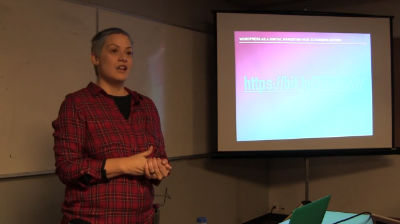
Rebeca Godin: WordPress as a Digital Marketing Hub: Gutenberg Edition
WordCamp Toronto 2018Speaker: Rebeca GodinDecember 28, 2018 — How to use your WordPress site and Gutenberg with various digital marketing plugins to grow your business.
We will discuss how your WordPress site is more than a just website. It can be a great platform to turn your website into a digital marketing powerhouse. We will cover plugins for reputation management, email marketing, social media feeds and sharing, retargeting, SEO and analytics. You will learn how to use plugins we recommend to get the desired exposure to get business growth.

An  Invention
