
Author Archive
-

Bruce Jackson: How to Seduce Google With Your WordPress Site
WordCamp Vienna 2015Speaker: Bruce JacksonOctober 2, 2015 — Tips and tricks on how to easily improve the ranking of your WordPress website in Google.
* What is important in 2015 for a top Google ranking
* Know your customer or target group
* What NOT to forget
* What to avoid – “Here be Dragons!”
* Tools to help check your website -

Kristen Symonds: 15 Cool Things You (Maybe) Didn’t Know WordPress Could Do
WordCamp Brisbane 2015Speaker: Kristen SymondsOctober 2, 2015 — This talk is aimed at users to get the most out of their WordPress publishing experience.
Kristen’s talk will include some of the overlooked parts of WordPress admin such as:– The Help menu.
– Screen Options.
– Drag & drop media.
– Inserting multiple images at once.
– Use the Edit Selection section of media dialogue.
– Page Ordering.
– Bulk Edit.
– Emoji.
– And many more! -

Ryan McCue: The WordPress REST API
WordCamp Brisbane 2015Speaker: Ryan McCueOctober 2, 2015 — The WordPress REST API is a simple but powerful way to interact with WordPress. There is also a 2.0 Beta available on Github which is being actively maintained and updated as the project works it’s way into WordPress core. Ryan started this project as a WordPress Google Summer of Code project and it has been growing in leaps and bounds since that project started.
This project will affect everyone who works with WordPress! The WordPress REST API will change the way use WordPress as it’s not only able to expose WordPress content, meta, users and media in JSON. You can easily extend the API to expose content and settings from custom post types you’ve created and plugins that you have developed. Not only can you view the data but you can perform any CRUD activities provided you’re authenticated via the API’s endpoints.
This means that you can use mobile, desktop and web applications that you create in any programming language or framework and update your WordPress data without having to login to WordPress. This will really make it a lot easier to use “WordPress as an application framework”. Ryan’s talk will cover the project goals and will make you excited about the future of WordPress! -

Steven Cooper: Once Upon An API
WordCamp Brisbane 2015Speaker: Steven CooperOctober 1, 2015 — In this session Steven will cover how you can integrate WordPress with external APIs. This will be done with the help of a creatively written story and with the help of actors who will play the part of the various stages of the API calls from retrieving the token from a server to the transaction and even the nasty old chargeback. Steven will be using the PayPal and Braintree API’s as his example API’s.
Steven’s talk will be entertainment from the very beginning, engaging young and old alike and suitable for all ages. Actors in a talk, who’d have thunk it!? Quite often developers use API’s via SDKs and don’t understand the interactions that are happening so Steven thought this would be a light hearted way to make the journey entertaining!
Steven’s talk will cover some of the following topics:
– The benefits of using the WordPress HTTP API.
– How to use the WordPress HTTP API.
– Token based authentication with an API.
– Debugging and testing APIs. -

Jo Grey: Why Isn’t My Beautiful Website Enough?
WordCamp Brisbane 2015Speaker: Jo GreyOctober 1, 2015 — 3 tips to help web designers get the right content from clients. Some easy-to-use sites designers can refer their clients to, such as building infographics, images for their blogs, and topic ideas.
Jo will cover some of the following topics during her presentation:
– Why a pretty website isn’t enough.
– Providing content slows the web designer down.
– Content generating ideas.
– Content moving with the times – not static.
– Clients start off strong, then fade when novelty of being a blogger fades.
– Strategies and tips to help clients manage their content
– Ways web designers can help get the right content the first time.
– Repurposing existing content.
– Engagement.
– Personality in content.
– Stories matter. -

Brandon Kraft: Developing With Jetpack
WordCamp Dallas / Fort Worth 2015Speaker: Brandon KraftOctober 1, 2015 — Jetpack brings features from WordPress.com that either need cloud infrastructure or aren’t ripe for core to your site. But did you know it has over 400 action and filter hooks allowing you to trick it out to you and your client’s delights?
In this session, we’ll look at some of the features of Jetpack, examples of how they can be extended, and how to request added flexibility if you’ve found something we haven’t added hooks to yet!
-

Filip Dřímalka: WordPress jako ideální nástroj pro chytré marketéry
WordCamp Prague 2015Speaker: Filip DřímalkaOctober 1, 2015 — Přednáška Filipa Dřímalky na téma WordPress jako ideální nástroj pro chytré marketéry.
-

Guga Alves: Campos Personalizados Like a Pro Conheça o Advanced Custom Fields
WordCamp Belo Horizonte 2015Speaker: Guga AlvesSeptember 30, 2015 — Muitos falam bem do Advanced Custom Fields, mas nunca vimos uma palestra que deixe bem claro para todos porque o utilizar, quais seus benefícios e detalhes técnicos sobre este aclamado plugin. Nesta palestra, pretendo elucidar o uso do plugin e mostrar alguns exemplos de boas coisas que podem ser resolvidas com ele de forma simples e rápida.
-
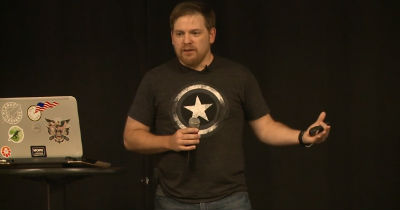
Kyle Bondo: Monsters of WordPress
WordCamp Asheville 2015Speaker: Kyle BondoSeptember 30, 2015 — The WordPress Multisite — what I call Monster Sites — is an often misunderstood creature.There is plenty of documented reasons why you should never use it, and beyond the knowledge of how to install and administer a Monster Site, there is little understanding of what it should and should not be used for. Often, it is only when a developer ventures into using a Monster Site installation do they find out just why “monster” is an appropriate label. Without proper planning or preparation for its use, a multisite installation can be a disaster waiting to happen. But what if you could prevent a multisite from becoming a monster by knowing why certain configurations work better than others? This is why I would like to approach WordPress Multisite from a strategic point-of-view by illustrating potential strategies, industries those strategies could serve, and some lessons learned in experimenting with some of these strategies. Additionally, I would like to describe these approaches without the interference of heavy, technical details in anticipation of a broad audience. My hope is that I can help start a new conversation regarding a more strategic use of WordPress Multisite and tame Monster Sites once and for all!
-

Charlie Carter: Make WordPress Accessible
WordCamp Brisbane 2015Speaker: Charlie CarterSeptember 30, 2015 — Following on from Global Accessibility Awareness Day, Charlies’ talk will discuss the many options that developers can do to improve accessibility within the WordPress platform. His presentation aims to offer practical insight and advice into making your WordPress more inclusive without the bloat.

An  Medley
