
Language: English
-

Scott Fennell: Dependence Day – The Power and Peril of Third-Party Solutions
WordCamp Portland ME 2018Speaker: Scott FennellFebruary 2, 2019 — “Why don’t we just use this plugin?” That’s a question I started hearing a lot in the heady days of the 2000s, when open-source CMSes were becoming really popular. We asked it optimistically, full of hope about the myriad solutions only a download away. As the years passed, we gained trustworthy libraries and powerful communities, but the graveyard of crufty code and abandoned services grew deep. Many solutions were easy to install, but difficult to debug. Some providers were eager to sell, but loath to support.
Years later, we’re still asking that same question—only now we’re less optimistic and even more dependent, and I’m scared to engage with anyone smart enough to build something I can’t. The emerging challenge for today’s dev shop is knowing how to take control of third-party relationships—and when to avoid them. I’ll show you my approach, which is to ask a different set of questions entirely.
-

Adam Warner: Making Security Make Sense to Clients
WordCamp Portland ME 2018Speaker: Adam WarnerFebruary 2, 2019 — As someone who builds WordPress websites for clients, you’ve probably learned that offering (or requiring) monthly maintenance contracts is smart business. It’s likely you’re including core software, plugin and theme updates as part of your maintenance plan, which ensures a steady income stream you can rely on and helps with your financial forecasting. But are you including website security as part of your project proposal and scope?
The security of your clients’ websites is often not a priority or is left till the end of a project (or sale?) as an optional add-on for the client to consider after going live. The value of a strong website security posture can be difficult to explain to clients, but when put in the context of their business and possible loss of revenue, it can become an integral part of your offering that separates you from the rest.
In this session, Adam will cover simple website security best practices that you can implement immediately for your own site and those of your clients. In addition, he’ll also offer advice and examples on how to best present the importance of website security during the proposal, scope, and maintenance package stages to your clients. Not only does this ensure your maintenance plans offer what every website needs, but also presents an additional revenue stream opportunity for your business.
-

Liz Coursen: Write Right, Right NOW! The Ultimate Writing Boot Camp for Content Writers
WordCamp Portland ME 2018Speaker: Liz CoursenFebruary 2, 2019 — Psst! Hey, buddy, do you have questions about quotation marks? Issues about italics? Concerns about commas?
If so, join award-winning author and editor Liz Coursen for this fun, fast-paced workshop that will have you writing like an Einstein after 50 minutes! Using real-world internet content, you will learn how to recognize, identify, and avoid the most common editing mistakes made every day by web content writers.
If you were playing hooky the day your high school English class reviewed punctuation and grammar, you will learn most of what you need to know about modern editing if—IF—you come in with one thing: the belief that you can learn the fundamental rules. Come in with an open mind and leave a better writer than 90% of the population! Come in with an open mind and leave a better, more confident writer! Come in with an open mind and leave with portable, permanent skills, actionable skills that will give you a significant edge over your competition!
-

Sarah Hines and Jen Ecker: Getting the Job Done – WordPress Developers’ Toolkit
WordCamp Portland ME 2018Speakers: Sarah Hines, Jen EckerFebruary 2, 2019 — Curious how other WordPress professionals build sites, and what tools they use to get the job done? Two seasoned developers, one frontend, one backend, will go take you through how they approach building WordPress business sites from scratch (including from a starter themes), what priorities matter to them and why, and what software/techniques they use to build great sites.
-
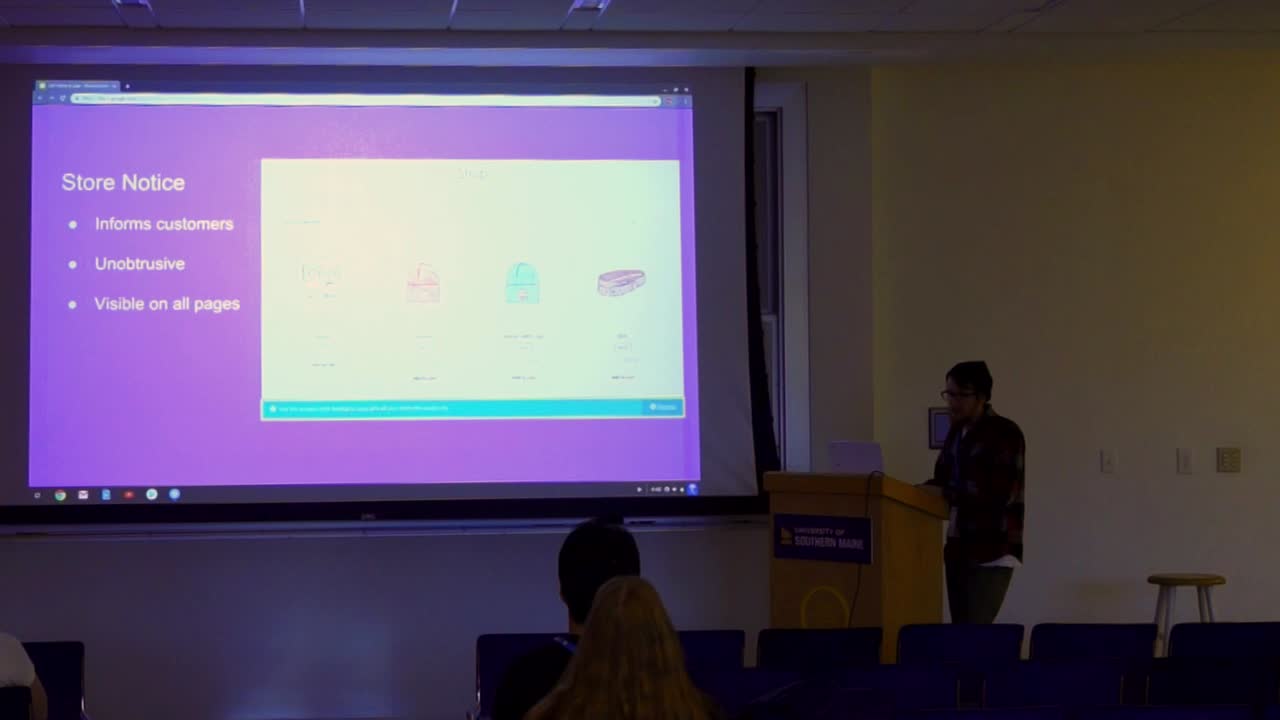
Tim Howe: Promote Products and Increase Conversions with WooCommerce Core Features
WordCamp Portland ME 2018Speaker: Tim HoweFebruary 2, 2019 — The topic will cover WooCommerce core features that help store owners improve their site performance and sales. Often underutilized or overlooked we are going to look at these features, how to use them, and empower store owners.
-

Alain Schlesser: Design Patterns through Practical Examples
WordCamp Porto 2018Speaker: Alain SchlesserFebruary 1, 2019 — Design Patterns in software engineering are a huge help for developers, providing a common, shared vocabulary across languages and platforms that facilitates communication and reasoning. Due to their very nature, they are rather abstract and difficult to properly assimilate and apply in a practical context. This session will discuss the construction of a real WordPress plugin while using several of the more common Design Patterns to demonstrate their real-world usage and highlight the benefits they provide.
-

-

Pratik Ghela: Our 6 months journey around AMP, WordPress and AMP Stories
WordCamp Portland ME 2018Speaker: Pratik GhelaFebruary 1, 2019 — Google AMP was announced in 2015 and has been in the headlines for past few years. Many developers find it pretty difficult to adapt this latest technology. Pratik aims to make it simple and easy to understand Google AMP and will walk you through his journey where he and his team built a website using Native AMP and now developing a product that helps you build AMP Stories.
-

Tara Johnson: How to Keep Your Clients on Track, Engaged and Singing Your Praises
WordCamp Portland ME 2018Speaker: Tara JohnsonFebruary 1, 2019 — Do you struggle to hold your clients’ interest and keep them on task? Do you suffer from scope creep, money chasing and project fatigue (aka, the project the NEVER ENDS!)?
Clients need (and crave!) boundaries, deadlines and – dare I say – gentle harassment. Learn how to automate the process of content collection, nurture your clients throughout the entire web build process and protect your business from committing to another project that never ends!
-

Bradley Maravalli: WP Time Management
WordCamp Portland ME 2018Speaker: Bradley MaravalliFebruary 1, 2019 — At my job as a web developer at GreenBananaSEO, the senior web developer without notice left the company due to stress. It was now up to me to take on his work and lead the web department. My time management skills were put to the test in order to become the most productive web developer I can possibly be.
The first half of the lesson will be the tips & tricks learned from from the popular time-management books ‘Getting Things Done’ by David Allen and ‘Eat That Frog’ by Brian Tracy. These tips & tricks can be used by anybody – designers, bloggers, designers, developers, etc.
The second half of the lesson will be how I implemented time management in WordPress development: task management, web maintenance, web development, theme development, plugin use & recommendations, launching sites, creating your own checklists, and more. All of this in order to increase productivity while continuing to build quality sites.

An  Thingamajig
