
Language: English
-

Evan Stanton: Beginner’s Day – Choosing and Using Plugins
WordCamp Los Angeles 2018Speaker: Evan StantonDecember 6, 2018 — Once you have a theme chosen and have used customizer to customize it, how do you add functionality? WordPress plugins are an easy way to add functionality to your or your client’s site. How do you know which one is the best one for the feature you want? How do you know if it is good code and will stand the test of time and deal with the demands of the business? You will learn how to pick out, install, and use WordPress plugins.
-

Michael Dance: Gutenberg for Site Developers
WordCamp Philadelphia 2018Speaker: Michael DanceDecember 6, 2018 — Gutenberg is great for bloggers who want better publishing tools, but what about developers who need to craft customized CMS experiences for their clients? If you use a lot of custom fields and are horrified at the idea of giving clients any design control, this session is for you. We’ll talk about:
when to use Gutenberg, and when not to;
what should be a block, and what should stay a custom field;
how to limit a client’s color and text options;
the magic of block templates and block locking;
and how your theme development will change.
Now is the chance to create new site building best practices and drive the evolution of block editing. Let’s get excited for what’s possible! -
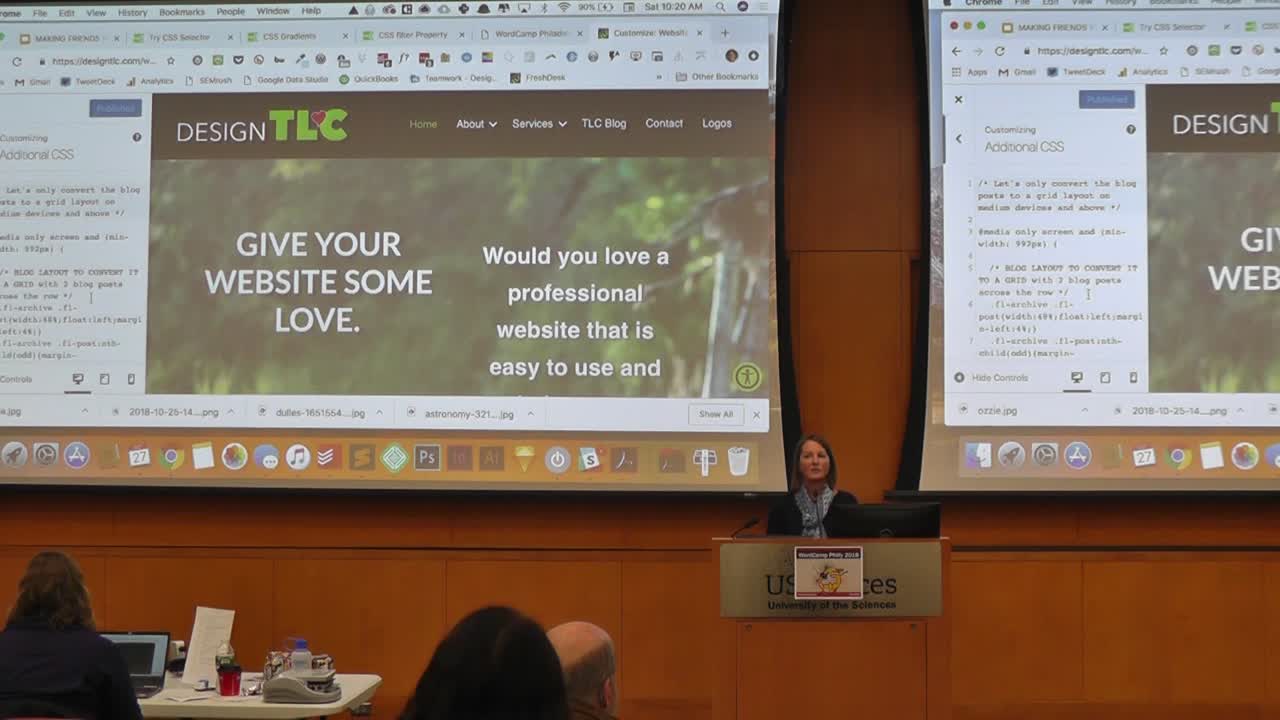
Tara Claeys: Making Friends with the Inspector – How Non-Developers Can Harmlessly Dig into Code for the 1st Time
WordCamp Philadelphia 2018Speaker: Tara ClaeysDecember 6, 2018 — When I started learning and playing with CSS, I didn’t know how to use the browser inspector (I use Chrome). The first time someone showed me how to use the Inspector, I was hooked on “playing” with code and learning how css properties relate to each other.
In this talk, we’ll focus on debugging tools in the Inspector for non-developers. We’ll play with the Inspector to edit some CSS on “live” websites without actually editing the code. We’ll discuss ways to make the most of using the inspector to save time in development by visualizing changes on the front end before editing the code in the style sheet. This talk will also be helpful for designers who want to give developers specific edits, such as font size, padding and margins.
-

Gayle Williams: How to Write Winning Website Copy
WordCamp Philadelphia 2018Speaker: Gayle WilliamsDecember 6, 2018 — How many times have you had to wrestle with clients to pull out the website copy you need to complete their website? If you are not a writer at heart you may feel hesitant to add website copy writing to your project proposal. Fear no more. Even Thomas Jefferson struggled to write the Declaration of Independence and get it past the committee’s approval, but look what good copy can accomplish!
You don’t have to be a Founding Father or a Madison Avenue whiz kid to write copy that connects the facts of the business to the needs of the customer. What you do need is an awareness of the key building blocks of effective copy: persuasive writing, the customer persona, and buying journey. In this session we will take examples of basic copy and whip them into winning website copy. Not only will you get a booster shot for your own writing skills, you will walk away with powerful tools to create a more successful website.
-

Diane Varner: Leveraging WordPress to Build Communities
WordCamp Philadelphia 2018Speaker: Diane VarnerDecember 6, 2018 — Inbound strategies require thinking through the right plugins, information architecture and template for your audience. The talk with walk through the importance of customer-centric focus with both design and content in building a digital community.
-

Laura Strader: Designing a Conversation – An Intro to UX Writing and Conversational Microcopy
WordCamp Philadelphia 2018Speaker: Laura StraderDecember 5, 2018 — We’re all humans, right? The primary way we exchange information with each other is by having a conversation and that’s what users expect from websites and apps. They want to know the how and why when they’re asked to give up valuable personal information. Everything from lead forms to loading screens are a part of the conversation and should be answering those questions. And just like a conversation, the flow of information is expected to go both ways.
In this talk, we’ll discuss the art of designing the words people see when they interact with software and how to craft a genuine conversation with your users.
-

Beka Rice: Understanding Merchants – Building Plugins for the E-Commerce User
WordCamp Philadelphia 2018Speaker: Beka RiceDecember 5, 2018 — Most of the battle in building a great software product is understanding your user’s job stories: how will your software be used, and who will be using it? This session will look at best practices in building plugins for eCommerce users, from great code foundations to excellent user experience.
-

Sibel Tasar: Let’s Talk About Using Colors
WordCamp Philadelphia 2018Speaker: Sibel TasarDecember 5, 2018 — Color plays a very important role in designing websites. Trying to find a good color scheme can be little scary if we are not sure where to start.
In this talk, we will discuss how color psychology and theory could help us in choosing the right colors for what our site or brand represents, and the do’s and dont’s while choosing colors. We’ll also look at some helpful color creation resources.
-

Tori Pugh: The Importance of Typography: Design, Usability, Cost and Loading Times
WordCamp Philadelphia 2018Speaker: Tori PughDecember 5, 2018 — The most important points of modern typography boil down to Design, Usability/Accessibility, Cost, and Loading Times. The choice between finding a harmonious balance of serifs, sans, or both shouldn’t be difficult with the vast amount of options. They can be purchased, subscribed, or free. There is something to fit every budget and design decision. Usability is a combination of selected font and size. The size is most important when it comes to the responsive nature of a site. Understanding the probably reading distances of each device helps in judging these choices. This is a big problem. People don’t understand the actual cost of good type, and may feel cheated or overwhelmed.
Good type makes a difference and is worth the investment. If this is not in your budget there are many other options to consider, not forgetting that type can become apart of a good brand and for full brand consistency might look good on a site. A good website loads in a reasonable amount of time, less than 3 seconds. When choosing web fonts, the choices you make can cause some significant load time issues. Sometimes these issue might be okay, sometimes not. Here are some things to keep in mind when making a decision, will it stop the page from loading completely, do you mind having unstyled text for a moment, adding unecessary outside calls (if using a google fonts or Typekit like service.
-

Justin Nealey: Fast Track Your Design Process
WordCamp Philadelphia 2018Speaker: Justin NealeyDecember 5, 2018 — As a fellow WordPress designer, I know how much time it takes to work with a client and get a website created. It can feel like an eternity with the initial consult, getting the pieces together, creating the rough draft to their requirements, presenting the rough draft, going back and forth with updates, and so on.
While there’s no cure to make all of this automated, there is a way to shave countless hours and throw remedial tasks out the window. In this talk, I’ll go over my approach to streamline the WordPress design process allowing you to be more efficient, build sites quicker, and even handle more clients.

An  Production
 WordPress.tv