
Language: English
-

Rebecca Gill: WordPress, SEO and You
WordCamp Ann Arbor 2016Speaker: Rebecca GillDecember 15, 2016 — In this session we look at SEO best practices and how to apply these to your WordPress website and blog. We’ll discuss what search engines want and need, so you can apply this to driving traffic via organic search.
-

Michelle Schulp: DIY Design – Think Like A Designer When Creating Your Site
WordCamp Ann Arbor 2016Speaker: Michelle SchulpDecember 15, 2016 — Learn the tricks designers use to make websites attractive and effective. We’ll teach you the Most Important Question designers ask their clients, and how you can use it to your advantage when doing it yourself. Then, learn practical ways to apply it to create attractive sites (using good design principles and simple rules for success) and effective sites (through basic exercises that help you develop and showcase your primary call to action).
-

Kyle Maurer and Adam Silver: WP Battles – Hacker vs. Webmaster
WordCamp Ann Arbor 2016Speakers: Kyle Maurer, Adam SilverDecember 15, 2016 — The Internet is a battleground. It’s true. Every minute of every day, a war is being fought. This is a war between the owners of every website in existence and the nefarious hackers seeking to circumvent any and all protective layers in order to gain control of the digital property of others to use for their own malicious intent. There is no end in sight to this struggle. It is one in which we must all engage no matter how serious or trivial our purposes may be.
This session will take you into the depths of this conflict where you will witness firsthand the tactics and strategies employed by both sides to gain the upper hand. You will learn the methods used by hackers to bypass security and compromise websites. You will also see how experienced webmasters protect and defend their sites from invisible enemies.
-
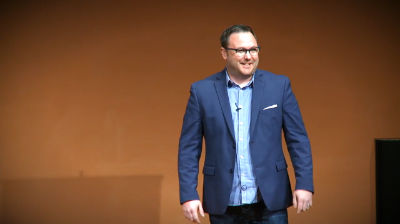
Cory Miller: How to Survive and Thrive in the Near Future
WordCamp Ann Arbor 2016Speaker: Cory MillerDecember 15, 2016 — Cory Miller gives his keynote presentation at WordCamp Ann Arbor 2016.
-

Angela Bergman: Don’t Be a Search Engine Optimist
WordCamp Ann Arbor 2016Speaker: Angela BergmanDecember 14, 2016 — Everyone hears they should be using SEO on their website, but what does that really mean? Angie walks through the important basics anyone can do to help their websites get better ranking, without the smoke and mirrors act.
-

Andrew Wikel: Ecommerce Fundamentals
WordCamp Ann Arbor 2016Speaker: Andrew WikelDecember 14, 2016 — Andrew Wikel answers audience questions and provides advice for those interested in getting started with ecommerce.
-

Alex Beaudin: A Behavior-oriented Approach to Design and Function
WordCamp Ann Arbor 2016Speaker: Alex BeaudinDecember 14, 2016 — I will discuss a user-oriented design approach from the perspective of a social scientist, rather than a designer or developer. Based on my experiences as a project manager and practicing anthropologist, I will cover what an understanding of human behavior and practice has to offer on the topics of user interface, user experience, and usability design.
-

Sonja Leix: Designing Without Color
WordCamp US 2016Speaker: Sonja LeixDecember 13, 2016 — Removing color from design in the early stages of a project fosters better conversations and creates truly effective experiences for users.
-

Elise Desaulniers: Influence is Not Only About Likes – How I Used WordPress to Change Laws And (maybe) Save Lives.
WordCamp US 2016Speaker: Élise DesaulniersDecember 13, 2016 — In Quebec, animals used to be considered “things” by the Civil Code, with the same legal status as a toaster or chair. In discussing this aberration with friends, I suggested we build a website, gather signatures, and start a media campaign to build awareness around the issue. Using a free theme and the Participant Database plugin, we had a site running in a day. Within 24 hours, we’d made headlines in local media and gathered 10,000 signatures. 22 months and 50,000 signatures later, the law changed to recognize non-human animals as sentient beings with biological needs. In this lighning talk, I’ll tell the story of Animals are not objects and give tips on how to use WordPress and the influence we can have online not only to make friends and get likes, but also to make the world a better place.
-

John Blackbourn: Debugging As A Key Skill
WordCamp Milano 2016Speaker: John BlackbournDecember 13, 2016 — John is talking about why, as a developer, you should treat debugging as a key skill that you should practice and become proficient at. He’ll talk about some tools and processes for modern and efficient debugging of the front end and the back end, and how processes such as testing and version control can aid your debugging.

An  Joint
Joint
