
‘Content Design’ Videos
-
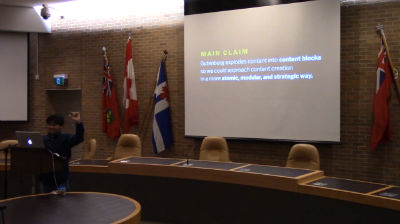
Jesse Emmanuel (Jem) Rosario: Gutenberg and the Content Design Opportunity
WordCamp Toronto 2018Speaker: Jesse Emmanuel (Jem) RosarioDecember 28, 2018 — Gutenberg’s imminent arrival creates both excitement and uncertainty in WordPress users. On the one hand, its resemblance to distraction-free editors—Medium, for example—is a step forward. On the other hand, its impact on site building is massive. Aside from whether Gutenberg will be compatible across every single WordPress site, we also wonder if it spells the end of page builders or even WordPress consulting. This session is a forum for those questions.
We’ll assess Gutenberg’s opportunities and challenges and how we might prepare for it. We’ll especially look at Gutenberg’s content design opportunity and how it enables better content creation through atomized content. By modularizing content into blocks, we have the opportunity to approach content creation from the bottom-up—something that’s more explicit in Gutenberg than in the current WordPress editor. Whatever your views regarding Gutenberg, come to this session for a nuanced look on what it has to offer and prepare for its imminent arrival.An overview of Gutenberg’s editing interface and authoring experience.
Discuss and plan for Gutenberg’s strengths, weaknesses, opportunities and threats with respect to adoption and site development.
A broad introduction to content design and how Gutenberg explicitly builds it into the authoring experience. -

Francesca Marano: Help Your Readers – Format all the Things!
WordCamp London 2017Speaker: Francesca MaranoJune 6, 2017 — WordPress professional, community junkie, business explorer. She make WordPress things happen from Torino, Italy: Polyglots and Community team member, Meetup and WordCamp organizer.
She said People read on screen differently than on paper and formatting the text will help them get to the end of it.
She shows how to leverage the options available in WordPress and it will teach you how to fix some common problems with a few HTML tags. -

Caitlin Cheevers: Blog on a Budget – How to Utilize Free and Low-Cost Plugins to Grow Your Blog Without Breaking the Bank
WordCamp Cincinnati 2016Speaker: Caitlin CheeversJanuary 15, 2017 — In this discussion, I’ll show money-saving hacks using free or single-cost plugins to create free or low-cost versions of premium services promoted to bloggers as the “end-all, be-all” solution to their blogging problems.
First, we’ll talk email list: how to use Mailchimp for free (or $9/mo if you’re willing to invest a little bit) rather than the more expensive options like ConvertKit (which starts at $29/mo). Then we’ll go through how to spend $20 one time to grow your list with fake Leadpages popup boxes and landing pages (normally $25 per month or more!).
Next we’re going to create an editorial calendar for your WordPress posts and email list. We’ll talk about free plugins you can use rather than CoSchedule ($15+ per month).
Finally, we’re going to discuss design. We’ll talk two money-saving solutions: how to use free programs or Adobe Creative Cloud ($50 per month if you want to invest) rather than hiring a graphic designer, and how to use a $20 plugin to customize your WordPress web design rather than paying hundreds for a custom site!
-

Alison Knott: Engage Your Audience Now – Purposeful Content Design For Beginners
WordCamp Montreal 2016Speaker: Alison KnottDecember 16, 2016 — Let’s talk about design in a different way: is the purpose of your site clear to those who visit it? How does their experience differ when they visit on a small phone versus a laptop? Is it clear how you want people to engage with your content, or do you assume they know what to do? In this presentation, designer Alison Knott will help you evaluate your site’s purpose from a design and usability perspective. If you have trouble getting readers to engage with your content, or want to be more objective with the look of your site, this talk is for you!
-

Dawn Pedersen: Content Design – Getting The Most From Your Content And Images
WordCamp Sacramento 2015Speaker: Dawn PedersenJanuary 2, 2016 — This session takes you beyond the cut and paste addition of content to your WordPress site, and digs into the details of content formatting and image management to create beautiful pages and posts visitors actually want to read. You’ll learn:
Best practices to make your content feel easy, fast, and interesting to read
Tips on working with images to attract attention and keep page load speed fast
Visual considerations the best content designers take into account that give their site design and content presentation an edge

An  Joint
Joint
