
Archive for 2018
-
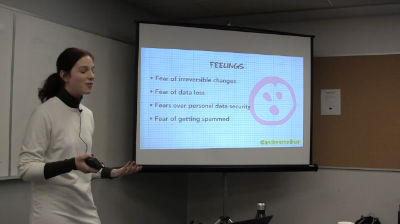
Andrea Zoellner: Copywriting for Better UX
WordCamp Toronto 2018Speaker: Andrea ZoellnerDecember 28, 2018 — When we think about UX, we’re often so focused on fonts, colors, and flow to think about those small bits of text that guide users through almost every part of a web interface—the microcopy. Gutenberg makes it easier to craft engaging multimedia content and improve the user experience of your site. But what about the less sexy parts of a website like menu labels and buttons, error messages and interface instructions? These words may be tiny but they can make a significant difference in the usability of your design and affect crucial aspects of your site such as its conversion rates.
This presentation offers copywriting and communication tips that will immediately improve your user interface microcopy so your users experience is a more delightful and less frustrating one. The talk will focus on interface copy for end-users and note where elements can be edited with Gutenberg.
Copywriting tips, UX design basics, tips to improve website design -
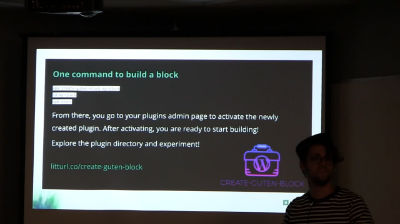
Anthony Burchell: Building Gutenberg Blocks, the Playlist Block Story
WordCamp Toronto 2018Speaker: Anthony BurchellDecember 28, 2018 — In this talk, I will outline the story and what we learned from building the Playlist block for the Gutenberg editor. We will explore both the epic wins and failures in the course of building our first block. If you are learning Gutenberg or React and have hit road blocks in understanding the flow, data or tools available, this talk will clear the air on many of those issues. We’ll explore local development tools and design patterns used in block creation.
If there is one takeaway from this talk, it is that Gutenberg isn’t scary. -
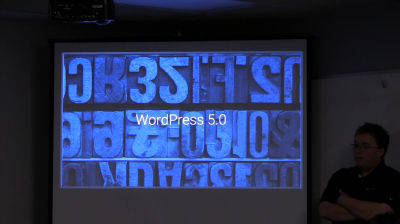
Mike Demo: Who Moved My Editor? Addressing Gutenberg Facts and Fears
WordCamp Toronto 2018Speaker: Mike DemoDecember 28, 2018 — Change is hard. For a developer, changing our workflow is especially difficult. In his book, Who moved my cheese?, Dr. Spencer Johnson uses an allegory to teach healthy coping mechanisms for change. When it comes to choosing a CMS, developers rely upon the tools with which we’re most familiar. Traditionally, WordPress doesn’t make breaking changes. But with the upcoming release of the Gutenberg editor in WordPress 5.0, how can we realistically adjust both our attitudes and our workflows?
What if WordPress forks? What if it forks several times? How do page builders fit into a Gutenberg world? Will my favorite plugins adapt and how? Will my clients’ sites break?
It’s okay to ask questions. Learning to anticipate, monitor, and adapt to change leads us to a healthy place of positive acceptance.
In this talk, we will spend some time discussing the actual risk-benefit assessment of WordPress 5.0. You will leave with a better outlook — guaranteed.Don’t fear forking
Truth vs fiction
It will be OK -
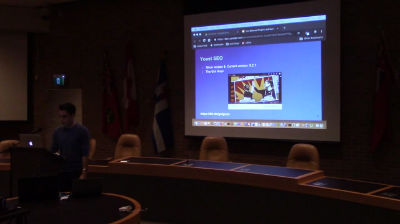
Thiago Loureiro: Our Beloved Plugins and Gutenberg
WordCamp Toronto 2018Speaker: Thiago LoureiroDecember 28, 2018 — The goal of this session is to show how some of the most popular WordPress plugins are responding to, interacting with and supporting Gutenberg as well as what’s in their roadmaps. The plugins discussed include SEO (YOAST), page builders (Beaver Builder / Elementor / Divi), custom fields (Advanced Custom Fields), gallery sliders (NextGEN Gallery), forms (Ninja Forms) and others (TinyMCE Advanced, WooCommerce, etc.).
– Although it’s release is scheduled for 2018-11-19, the Gutenberg beta is supported by some major plugins – New features that Gutenberg enables in these plugins – Ideas on how Gutenberg can be used to enhance the editing experience -
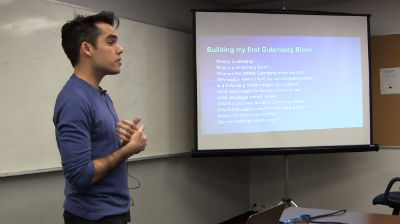
Thiago Loureiro: Building my first Gutenberg Block
WordCamp Toronto 2018Speaker: Thiago LoureiroDecember 28, 2018 — This technical session is for developers as well as users with at least a little coding experience. After a brief introduction to what Gutenberg is and what it can do, the presentation will show simple bits of code and demonstrate how these bits of code translate into a Gutenberg block.
Building a Gutenberg block is very simple
Gutenberg blocks make the editing experience a lot richer -
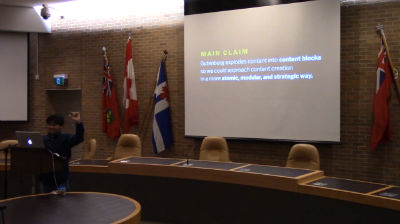
Jesse Emmanuel (Jem) Rosario: Gutenberg and the Content Design Opportunity
WordCamp Toronto 2018Speaker: Jesse Emmanuel (Jem) RosarioDecember 28, 2018 — Gutenberg’s imminent arrival creates both excitement and uncertainty in WordPress users. On the one hand, its resemblance to distraction-free editors—Medium, for example—is a step forward. On the other hand, its impact on site building is massive. Aside from whether Gutenberg will be compatible across every single WordPress site, we also wonder if it spells the end of page builders or even WordPress consulting. This session is a forum for those questions.
We’ll assess Gutenberg’s opportunities and challenges and how we might prepare for it. We’ll especially look at Gutenberg’s content design opportunity and how it enables better content creation through atomized content. By modularizing content into blocks, we have the opportunity to approach content creation from the bottom-up—something that’s more explicit in Gutenberg than in the current WordPress editor. Whatever your views regarding Gutenberg, come to this session for a nuanced look on what it has to offer and prepare for its imminent arrival.An overview of Gutenberg’s editing interface and authoring experience.
Discuss and plan for Gutenberg’s strengths, weaknesses, opportunities and threats with respect to adoption and site development.
A broad introduction to content design and how Gutenberg explicitly builds it into the authoring experience. -

Brian Rotsztein: Current Trends in SEO For Businesses and Bloggers
WordCamp Toronto 2018Speaker: Brian RotszteinDecember 28, 2018 — The basics behind search engine optimization (SEO) and high rankings in Google haven’t changed much in the last decade. While both on-site SEO and off-site SEO tactics remain important, newer areas of focus have come into play. Topics such as content quality, website speed, security, design, the Knowledge Graph, artificial intelligence, algorithm updates and Google mandated changes should be considered by anyone looking to stay up to date with SEO. This session will discuss some of the latest trends that site owners and managers should be aware of.
-
Adrian Tobey: Democratizing Digital Marketing. Why We Need To Create A Better User Experience.
WordCamp Toronto 2018Speaker: Adrian TobeyDecember 28, 2018 — Lead generation, page builders, email marketing, customer management and advertising are marketing tools that have exploded in number and popularity because of SaaS, the cloud, has made them inexpensive to build with low initial subscription costs. With a 100 different cloud based platforms offering 14 day free trials, rarely does someone looking for the latest and greatest in marketing tools think of WordPress.
That’s a problem because WordPress provides some of the best marketing tools and the lowest costs. With WordPress, you can build sophisticated eCommerce stores, send emails, and create automated follow-up. For example, there are literally hundreds of lead generation strategies and WordPress offers website builder the most effective SEO markup.
So why are people going to the cloud when they could be getting the same or better for less or free with WordPress? It’s because the cloud currently offers a better user experience.
With the advent of Gutenberg, a new era is beginning for WordPress, one that marks a new focus on providing a greatly improved user experience. With it, you can make your vision come a reality.
In this session, whether you’re a developer or not, I’m going to share with you tips and strategies that will help you create a better user experience for your plugin, your theme or your site so you can compete with the SaaS tools and make WordPress a better place for everyone. -

Sandy Feldman: Making websites accessible and complying with the AODA
WordCamp Toronto 2018Speaker: Sandy FeldmanDecember 28, 2018 — This session is about creating accessible web sites. I will talk about:
Ontario’s accessibility requirements
Some tips for creating accessible code
Free tools to test for accessibility
WordPress themes that are accessibility ready and
Gutenberg and accessibilityPeople with disabilities can’t use Gutenberg effectively. Larger organizations who implement it may face legal fallout.
The WordPress accessibility community is rallying to make WordPress do the right thing by disabled users. I will talk about those efforts, as well as the efforts of the Gutenberg team to improve its accessibility.
Attendees will learn about:how blind people use the web
creating accessible web sites
the guidelines that help you know what to do
free tools to test for accessibility and
accessibility ready WordPress themesAccording to the Accessibility for Ontarians with Disabilities Act (AODA) beginning January 1, 2021 all public websites and web content posted after January 1, 2012 must meet WCAG 2.0 Level AA. Learn about meeting this requirement.
https://www.ontario.ca/page/how-make-websites-accessible.
Beginning January 1, 2014: new public websites, significantly refreshed websites and any web content posted after January 1, 2012 must meet Web Content Accessibility Guidelines (WCAG) 2.0 Level A.
Beginning January 1, 2021: all public websites and web content posted after January 1, 2012 must meet WCAG 2.0 Level AA other than criteria 1.2.4 (live captions) and 1.2.5 (pre-recorded audio descriptions). -
Doug Sheppard: Fast and furious: using Redis as a WordPress object cache
WordCamp Toronto 2018Speaker: Doug SheppardDecember 28, 2018 — WordPress makes dozens (or hundreds) of SQL queries every time it serves a page. Every single one of them involves MySQL, and many of them hit the disk. Learn how Redis can turn those hundreds of queries into a handful, speeding up your site and reducing the load on your database.
Along the way, you’ll learn about WordPress transients (a way of storing data temporarily in the WordPress database), see the world’s most technically-compliant cache, and learn secondhand about server crashes (so you don’t have to learn firsthand).
In the session, you will receive the preliminary results of experiments to evaluate the impact of Gutenberg on a site’s database load. For example, does the way Gutenberg blocks are stored or the standardization of blocks reduces the hits on the server?
In this talk, you’ll learn:How WordPress transients work
setting up an external object cache with Redis
simple Redis monitoring

An  Thingamajig
