
Author Archive
-

Lekan Adepoju: WordPress is better when you can code
WordCamp Lagos 2018Speaker: Lekan AdepojuApril 30, 2019 — I will be sharing my experience on how learning even a little bit of code can make WordPress even easier to use as well create more unique designs and also overcome road blocks while making you productive. This talk sheds more light on why WordPress is available to all. There are a lot of people out there writing series of code to make WordPress as simple as it is and easy to use. Hence, learning to code just to make WordPress even better isn’t a bad idea at all.
-

David Greenwald: How to clean up the WordPress Database
WordCamp Portland 2018Speaker: David GreenwaldApril 30, 2019 — Is your website running slowly? If you’ve had a WordPress site for a few years, it could be the MySQL database—the silent killer of WordPress performance. For many of us, the database is the most intimidating optimization challenge, leaving it to make sites bloated, expensive, and ready to crash under high traffic. But it’s actually not that scary. Using WordPress plugins and phpMyAdmin, we’ll build the skills to diagnose database issues, go over some common problems and weird edge cases, and learn how to safely fix and maintain the database for top performance.
-

Andrew Taylor: Holy Blockamole – Tips On Learning Block Development
WordCamp Portland 2018Speaker: Andrew TaylorApril 30, 2019 — New development workflows can be scary. Want to create your first custom block but don’t know where to start? This talk will help you get started on your journey to modern JavaScript WordPress development by sharing resources, tips, and lessons learned from developing custom WordPress blocks.
-

Corey McKrill: Gutenberg and WordCamp.org’s Shortcodes
WordCamp Portland 2018Speaker: Corey McKrillApril 30, 2019 — One of the exciting things about Gutenberg blocks is that they can serve a similar purpose to many shortcodes that generate a “block” of content, but with more flexibility and a much more user-friendly interface. Creating Gutenberg versions of your shortcodes is also a good step in future-proofing your plugins and sites. This talk shows how some of the custom shortcodes from WordCamp.org have been adapted into Gutenberg blocks.
-
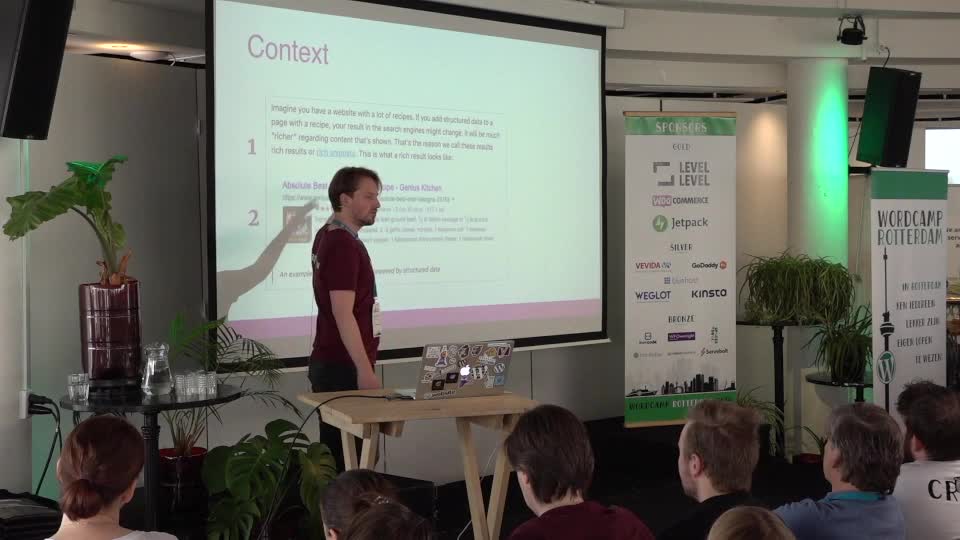
Jesse van Hulsbeek: Hoe houd je je online publiek betrokken?
WordCamp Rotterdam 2019Speaker: Jesse van HulsbeekApril 30, 2019 — Of je gebruikers nu je pagina’s lezen, je product gebruiken, of door je website navigeren: er is één gouden regel. Wat je maakt moet helder en begrijpelijk zijn voor je publiek. Dit klinkt simpel, maar blijkt in de praktijk verrassend lastig. Gebruikers worden afgeleid. Haken af op moeilijke woorden of vakjargon. Raken gefrustreerd door functionaliteiten die niet intuïtief zijn. En geven het op. Vaak heeft dit te maken met de manier waarop mensen omgaan met nieuwe informatie.
In deze presentatie laat ik zien hoe we leren en informatie verwerken, zodat jij het gat tussen jou en je gebruikers kunt dichten. We bekijken wat wij bij Yoast hebben gedaan om onze producten duidelijker en bruikbaarder te maken. En je krijgt veel praktische tips die je meteen op je eigen site of product kunt toepassen. -

Mesa debate: ¿Hacia dónde va el futuro de WordPress?
WordCamp Madrid 2019Speakers: Isa Gómez, José Ramón Padrón, Carla Saiz, Fran González, Iván Expósito, Roberto Vázquez, Nilo Vélez, Álvaro Gómez VelascoApril 27, 2019 — En esta ronda de expertos debatiremos acerca del futuro de WordPress bajo distintos puntos de vista, tratando de desentrañar qué nos espera en la creación y publicación web los próximos años.
-

-

Juan Hernando: 12 cosas que debes hacer después de una WordCamp
WordCamp Madrid 2019Speaker: Juan HernandoApril 27, 2019 — ¿Deberes? ¡Oh, no! No temáis, no son difíciles y tienen un objetivo claro: seguir aprovechando vuestra presencia en la WordCamp más allá del domingo.
¿Pensabas que todo se iba a acabar con una simple despedida? ¿Crees que vas a tener mono de WordCamp y no sabes cómo harás para calmarlo? ¿Te da miedo dar algunos pasos para integrarte algo más en esta comunidad de WordPress?
Aquí os traigo una serie de consejos, recomendaciones y experiencias para que podáis decir que vuestra WordCamp Madrid os ha cambiado la vida (para bien, ¡claro!).
Cumple con los 12 puntos de esta presentación y no creerás lo que pasará después…
-

Jaime Gármar: Empieza con buen pie al instalar WordPress
WordPress Meetup TorrelodonesSpeaker: jaimegarmarApril 27, 2019 — Hablaremos de unos sencillos pasos y herramientas a tener en cuenta en cualquier instalación de WordPress.
Son cosas básicas pero que solemos olvidar hacer nada más ingresar por primera vez en el panel de administración de la web, ¡y que son imprescindibles para empezar con buen pie en una web con WordPress!
-

Victor M Ramirez: What Does a $100,000 WordPress Website Look Like?
WordCamp Madrid 2019Speaker: Victor RamirezApril 27, 2019 — Before joining Dow Jones as a Lead Software Engineer, I built almost a dozen websites valued at over $100,000 each. Many people asked me how I did this and what I included. They’re surprised to learn it wasn’t just code.
I’ll cover case studies as a teaser – MakerBot.com, TodayTix.com, Wibbitz.com.
From speaking to hundreds of biz owners I have created a blueprint for building sites for small biz that have $100k in value (that they have not even thought of). I will share the blueprint in a non-technical & technical way.
Example: Website support feedback loops. Immediate feedback on support submissions, ticket tracking, CRM integration, & More.
Key Takeaway: How to build & sell websites beyond just a WordPress install and deliver up to $100,000 in value.
This is for people trying to sell these sites or business owners trying to understand what a $100k site looks like.

An  Creation
