
Language: English
-

Tricia Clements: Where’s the content? Effective Video use in your WordPress Blog
WordCamp Atlanta 2018Speaker: Tricia ClementsAugust 9, 2018 — “You’ve spent hours (maybe months) creating a gorgeous website or maybe you paid someone else to design it for you, but what’s next? How do you consistently add content to your site? Learn tips and hacks to use video to create content for your blog, social media, newsletters and much more.
Never run out of content again!
-

Christina Hills: How to Make Your WordPress Site Come Alive with Pictures p2 of 2
WordCamp San Diego 2018Speaker: Christina HillsAugust 9, 2018 — Everyone likes to look at pictures, it’s what makes your website attract readers. In this session for the person who is not a professional graphic designer, Christina Hills will show you some easy tips to make working with images much easier for you. Best practices for the featured image and how to get it to show up correctly when you share on Social Media. How to organize, compress, and store your images in your media library, for faster load times. Plus where to find high quality, low cost (and free) images to make your website stunning. You will walk away with practical tips and tools you can use right away whether you are a business owner, free lancer, or just starting out learning WordPress.” (this talk falls under beginner/intermediate)
-

Christina Hills: How to Make Your WordPress Site Come Alive with Pictures p1
WordCamp San Diego 2018Speaker: Christina HillsAugust 9, 2018 — Everyone likes to look at pictures, it’s what makes your website attract readers. In this session for the person who is not a professional graphic designer, Christina Hills will show you some easy tips to make working with images much easier for you. Best practices for the featured image and how to get it to show up correctly when you share on Social Media. How to organize, compress, and store your images in your media library, for faster load times. Plus where to find high quality, low cost (and free) images to make your website stunning. You will walk away with practical tips and tools you can use right away whether you are a business owner, free lancer, or just starting out learning WordPress.” (this talk falls under beginner/intermediate)
-

Vineet Talwar: WordPress Backups. Disaster management and recovery
WordCamp Poznań 2018Speaker: Vineet TalwarAugust 9, 2018 — We will talk talk about the different aspects of backups. What to backup? Where to backup? How to backup? Goes without saying that the audience would want to know the tools that can be used. We will hear about the tools and techniques to do both automatic and manual backups.
Finally we will move a little deeper into the technicalities – leveling up and elaborating upon backups using WP-CLI and a talking about a brief discussion on Git for code management and making automated cron jobs that takes backups with the help of WP-CLI and stores them securely on Amazon S3.
-

Zac Gordon: JavaScript for WordPress Workshop PART 3
WordCamp Seattle 2017Speaker: Zac GordonAugust 9, 2018 — In this workshop we will learn about JavaScript fundamentals like the DOM, Events and JSON all using native JavaScript. Then we will introduce the WordPress REST API and look at how to use it in both WordPress themes and stand alone JavaScript applications. Come get a foundation level understanding of this important topic of JavaScript and API driven WordPress development.
Some experience with jQuery or JavaScript is encouraged.
COME PREPARED!
Make sure you come prepared! Come early to make sure you’re ready to go.For this workshop you will want to have the following:
Laptop
A working local WordPress install with SSL on your laptop (Zac suggests using Local by Flywheel or DesktopServer for easy setup)
A Code Editor -

Zac Gordon: JavaScript for WordPress Workshop PART 2
WordCamp Seattle 2017Speaker: Zac GordonAugust 9, 2018 — In this workshop we will learn about JavaScript fundamentals like the DOM, Events and JSON all using native JavaScript. Then we will introduce the WordPress REST API and look at how to use it in both WordPress themes and stand alone JavaScript applications. Come get a foundation level understanding of this important topic of JavaScript and API driven WordPress development.
Some experience with jQuery or JavaScript is encouraged.
COME PREPARED!
Make sure you come prepared! Come early to make sure you’re ready to go.For this workshop you will want to have the following:
Laptop
A working local WordPress install with SSL on your laptop (Zac suggests using Local by Flywheel or DesktopServer for easy setup)
A Code Editor -

Zac Gordon: JavaScript for WordPress Workshop PART 1
WordCamp Seattle 2017Speaker: Zac GordonAugust 9, 2018 — In this workshop we will learn about JavaScript fundamentals like the DOM, Events and JSON all using native JavaScript. Then we will introduce the WordPress REST API and look at how to use it in both WordPress themes and stand alone JavaScript applications. Come get a foundation level understanding of this important topic of JavaScript and API driven WordPress development.
Some experience with jQuery or JavaScript is encouraged.
COME PREPARED!
Make sure you come prepared! Come early to make sure you’re ready to go.For this workshop you will want to have the following:
Laptop
A working local WordPress install with SSL on your laptop (Zac suggests using Local by Flywheel or DesktopServer for easy setup)
A Code Editor -

Nik Cree: How to Create Your Entire Website Content Easily And Effortlessly
WordCamp Brisbane 2017Speaker: Nik CreeAugust 9, 2018 — How To Create Your Entire Website Content Easily And Effortlessly, In 7 Days Or Less, Without Writing A Single Word, For Less Than $1,000
-

Peter Wilson: Impostor Syndrome Make It While You Fake It: Peter Wilson
WordCamp Brisbane 2017Speaker: Peter WilsonAugust 9, 2018 — Impostor syndrome: Make it while you fake it
Wikipedia defines impostor syndrome as a “concept affecting successful individuals unable to internalise their success with a persistent fear of being discovered as a fraud”.
tl;dr: imposter syndrome is your internal monologue telling you that you’re no good at your job.
https://2017.brisbane.wordcamp.org/session/impostor-syndrome-make-it-while-you-fake-it/
-
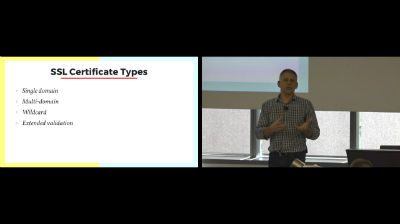
Warren Denley: Better An Put “S” On It: Warren Denley
WordCamp Brisbane 2017Speaker: Warren DenleyAugust 9, 2018 — Better Put An “S” On It
The Why, What and How of implementing SSL on your site.
https://2017.brisbane.wordcamp.org/session/better-put-an-s-on-it/

An  Joint
Joint
 WordPress.tv