
Language: English
-

Edmund Turbin: Production-ready WordPress: Deploy your code using version control and continuous integration
WordCamp Utrecht 2017Speaker: Edmund TurbinDecember 25, 2017 — It is common practice to move code through a series of servers in a multi-tiered development workflow. This talk will discuss best practices for deployment from local development environment to production servers. We’ll dive in to in how to push changes from collaborative version control tools to build, deploy and deliver WordPress. Learn basic concepts around deployment, testing and dependency management and see how it all ties together.
-
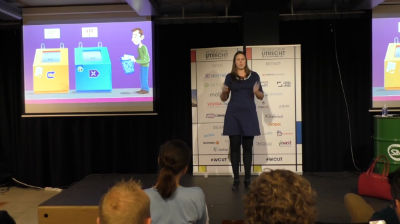
Marieke van de Rakt: Tips to improve your site’s structure (and your SEO!)
WordCamp Utrecht 2017Speaker: Marieke van de RaktDecember 25, 2017 — Optimizing your site structure should be an important aspect of your SEO strategy. Structuring your site is of crucial importance for your SEO. But how do you improve a site’s structure? Where do you start and how do you keep an eye on the structure of your site if your site is growing?
In this talk, I’ll help the audience to improve their site’s structure in a few simple steps.
-

Yvette Sonneveld: Creating Ideal Client Profiles Made Easy
WordCamp Utrecht 2017Speaker: Yvette SonneveldDecember 25, 2017 — People do business with people they know, like and trust. The tricky thing is, how do you get your social media audience, website visitors and e-mail subscribers to know, like and trust you and/or your team?
Several marketing organization have done in-depth research. And they all agree that using ideal client profiles, also called buyer persona, helps you create content to do just that.
HubSpot says that using ideal client profiles made websites 2-5 times more effective and easier to user by targeted users.
A Marketing Sherpa case study found that ideal client profiles added the following value:
a 900% increase in length of visit,
a 171% increase in marketing-generated revenue,
a 111% increase in email open rate,
and a 100% increase in the number of pages visited.According to ITSMA, buyers are 48% more likely to consider solution providers that personalize their marketing to address their specific business issues.
And yet, only 44% of business to business marketers actively uses buyer persona. That is sad, because getting started is not very complicated.
During this presentation, you’ll:
– Discover what commonly made mistakes to avoid and what to do instead.
– Find out what data to collect and where to find it.
– Make a head start diving into your ideal clients’ dreams, goals, fears and frustrations using a tool I recently developed. -

Warren Holmes: Grow All The Things
WordCamp Harare 2017Speaker: Warren HolmesDecember 25, 2017 — I’ll show you how to blow away your clients with strategies and tips to help them have a successful presence on the internet – these are all the tips and tricks I’ve learnt along the way taking WooCommerce to the most used eCommerce platform in the world.
-

Sizo Sinyolo: Starter Pack For Women
WordCamp Harare 2017Speaker: Sizo SinyoloDecember 25, 2017 — As much as the world is evolving, one thing is still lagging behind which is the number of women advancing in the technological world. Since the last WordCamp Harare i then realized that gender affects your clientele and women’s approach to finding clients and venturing into the freelance business should be designed a bit different from usual. On this talk I offer the skills that i realized can make freelance women standout and be able to compete with the rest in such an evolving economy. The talk also highlights my experiences in the year trying to get into the industry. However as the talk concludes it will give a general overview of how one can rise into the industry and compete in website making using WordPress.
-

Beaton Mabaso: A Website Is A Conversation
WordCamp Harare 2017Speaker: Beaton MabasoDecember 25, 2017 — After all is said and done and you have website up and running……. it runs smoothly, loads quickly, SEO is tweaked…… and then what comes after?
If Code is Poetry…. A website is a conversation.
**Tips and hacks to managing your WordPress powered blog or Website Content and growing and maintaining site visitors**
-As I have learned from my personal blogging journey -

Taco Verdonschot: WordCamp Utrecht Is Amazing, and You Have No Idea Why
WordCamp Utrecht 2017Speaker: Taco VerdonschotDecember 21, 2017 — When you first experience the WordPress Community through a WordPress Meetup or WordCamp, chances are that you’re impressed. Impressed by the number of attendees. Impressed by the quality of the presentations. Impressed by the relaxed and friendly atmosphere. But there are many more things that make a WordCamp amazing. After this presentation, you’ll understand why WordCamp Utrecht is a true masterpiece, and not just another conference…
-

Akshat Choudhary: WordPress Security: Signal vs Noise
WordCamp Utrecht 2017Speaker: Akshat ChoudharyDecember 21, 2017 — There is wide variety of advice and solutions when it comes to WordPress security. In this talk I will separate the signal from the noise. For example, should you rename your login page, change database prefix or even use a firewall. We will go deeper into each such point to explain whether they will be effective or not.
-

Arnoud Engelfriet: General Data Protection Regulation
WordCamp Utrecht 2017Speaker: Arnoud EngelfrietDecember 21, 2017 — On May 25th 2018 there will be a new European law regarding privacy aspects: the General Data Protection Regulation.
In this session Arnoud Engelfriet explains briefly the consequences of the GDPR and answers questions. -

Aki Björklu: How I Learned to Stop Worrying and Love WordPress
WordCamp Stockholm 2017Speaker: Aki BjörkluDecember 20, 2017 — Professional development with WordPress (and PHP for that matter) is an oxymoron for most classically trained developers.
WordPress is the second most dreaded technology according to the 2016 Stack Overflow survey, second only to Visual Basic. Why is this? What is so wrong with it, really? As it turned out – after fighting the “issue” for years myself – nothing really. It is just that the philosophy is so different. The list of things I’ve had to unlearn has been a very long one and the process a bit painful even.

An  Brainchild
