
Language: English
-
WordPress Community InterviewWith Sandro Gilando
WordPress Community Interview SeriesSpeaker: Sandro GilandoOctober 16, 2017 — Sandro Gilando attended his WordCamp this past June at WordCamp Kent. Although well versed in SEO practices, Sandro was new to WordPress.He attended the 2 day WordCamp and sat through the WP 101 sessions which were presented by Melinda Helt of the Training Team.
Although I did not meet Sandro at the WordCamp, I happened to see a mention of a podcast talking about WordCamp Kent and that is how I contacted Sandro. You can listen to his podcast here: https://www.stitcher.com/podcast/60-second-marketing/e/50612855.
-
Hristo Pandjarov: WordPress Is No Good For Really Big Projects? Yeah, Right!
WordCamp Nijmegen 2017Speaker: Hristo PandjarovOctober 15, 2017 — I have often come across this notion that WordPress isn’t ready for big projects by default and that a lot of customization is needed for it to work at a truly large scale. However, my personal experience with setting up and helping maintain several really big projects has made me heartfully disagree with this statement. In this talk I will show you how a truly scalable and redundant system can be created without the need to change anything in WordPress. Here are few of the topics I will cover:
— Multiple Web Nodes
How to properly use load balancers and how to set WordPress on multiple web nodes without making any application modifications.
— Multiple Database Nodes
How to have a redundant master-slave DB replication without WordPress even knowing about it.
— Shared Storage
How to organize your files on multiple nodes, replicate them and keep them in sync in the most efficient way.
— Handling Sessions
How to handle sessions properly and how to overcome other potential issues with huge sites hosted on high-availability, multi-node WordPress setups. -

James Strang: Introduction to Ad Ops
WordCamp Toronto 2017Speaker: James StrangOctober 15, 2017 — Get a quick intro into the online advertising world. Then, get a crash course in putting advertisements on your website. Learn what free plugins are available, and how you can best work with them.
-
Yvette Sonneveld: Voluntourism – How Being A WordCamp Volunteer Gets You Places
WordCamp Nijmegen 2017Speaker: Yvette SonneveldOctober 14, 2017 — • Discover how giving back to the community that helps you pay your bills can also help you travel the world and build connections you never dreamed of;
• Get to know at least 3 ways how voluntourism helps you let go of insecurity and build a healthy sense of self-confidence;
• Take home 4 best practices to make the best of voluntourism. -
Manuela van Prooijen: How To Grow Your WordPress Business By Saying ”No!”
WordCamp Nijmegen 2017Speaker: Manuela van ProoijenOctober 14, 2017 — Many starting WordPress business owners underestimate how long it takes to build a strong foundation for their business. Often, out of desperation, they will take on any job, at any price, no questions asked. Ending up financially and emotionally drained. This is probably a reason why so many businesses close down in their first two years.
Having experienced this myself the hard way, I discovered the power of the tiny word “No!”, the most powerful key we hold to end this rat race.Saying “No!” is counterintuitive. And it is certainly is not an easy thing to do. But practicing to say “No!” can keep you from disliking your business and the people you do business with. The moment you stop saying ‘Yes” to every opportunity that arises, your WordPress business can grow bigger than you could have imagined.
The “No!” strategy is all about doing the work you are passionate about and are good at, and with the right clients. It really boils down to doing less of the work you dislike, isn’t profitable or does not fit your beliefs.
Learn to say “No!”
I feel the time is right to share some insights about why and how I learned to say no to certain work and clients. I will share my six-step process that helped me grow my WordPress business over the years …And remember:
“If it’s not a hell yeah, it’s a no.” -
Alain Schlesser: OOP Plugin Development Basics
WordCamp Nijmegen 2017Speaker: Alain SchlesserOctober 14, 2017 — Building WordPress plugins in an object-oriented way presents some particular challenges, due to the fact that the WordPress APIs you’re coding against are mostly procedural in nature.
In this session, we’ll go over a real-world plugin to see how the code should be structured, and how best to hook into the WordPress lifecycle when you want to take full advantage of the benefits of OOP PHP.
-
Juliette Reinders Folmer: The Biggest WP Core Patch Ever
WordCamp Nijmegen 2017Speaker: Juliette Reinders FolmerOctober 14, 2017 — If you’re looking at the WordPress core code, you wouldn’t easily believe that WordPress actually has clear and consistent coding standards.
While the standards are in the Core developers handbook, most of the WordPress code base does not comply and patches to fix this were not being accepted.Until now.
So let me tell you a little story about trac ticket 41057 and how we created the biggest patch to go into WordPress core ever. …
-
Laurent Maillard: Stop Selling Websites, Start Selling Value. The Key To Recurring Revenue
WordCamp Nijmegen 2017Speaker: Laurent MaillardOctober 14, 2017 — If you sell a website as the end product, you will always be treated as a commodity where price is the most important element when picking a service provider.
In this talk, I want to share the 5 things every WordPress agency or freelancer should add into their service offering to start selling value to their clients and therefore generate recurring revenue.
I’ve started as a WordPress shop selling 1k € website and have now build a service offering that help me generate around 10k € in recurring revenue every single month.
In this talk I want to share what I’ve learned the hard way and give the audience very actionable ways to start generating more recurring revenue.
-
Thorsten Frommen: Using PSR-7 Middleware In Your RESTful WordPress Projects
WordCamp Nijmegen 2017Speaker: Thorsten FrommenOctober 14, 2017 — In the PHP world in general, there is a standard (recommendation) when it comes to HTTP messages: PSR-7. Despite things like Calypso, Gutenberg and the growing JavaScript codebase in general, WordPress is written in PHP. Thus, wouldn’t it be nice to do what the rest of the PHP world is doing? Isn’t there some way to leverage all the existing PSR-7 middleware and incorporate them into the WordPress REST API? Well, there is.
In this talk, Thorsten will give an overview of the PSR-7 HTTP message interfaces. After that, he will compare these with the structures of WordPress Core, and analyze whether or not they match with the PSR-7 interfaces. Finally, Thorsten will provide a closer look into an example implementation of PSR-7-compliant WordPress REST requests and responses, respectively, and explain their inner workings.
-
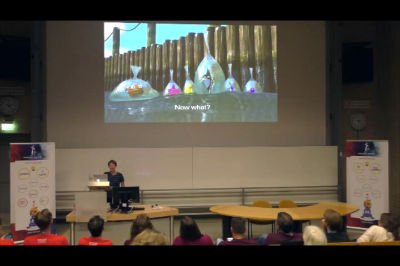
Monique Dubbelman: Dear WordPress Community: we’ve turned WP Admin into a monster!
WordCamp Nijmegen 2017Speaker: Monique DubbelmanOctober 14, 2017 — A few events recently occurred: a WordPress developer posted a screenshot on Twitter of the WP Admin of a website he’d just taken over. It was also the day I handed over a site to one of my clients. While I was explaining them where to find what in WP Admin, it struck me: there seemed to be no logic in a lot of the menu-items at all!
While we’ve all been busy designing websites with a focus on the front end, we seemed to have lost track of usability when developing extra functionality for the back end of WordPress, WP Admin. New menu items created by plugins, seem to be all over the place, not to mention the notifications that come with them.
Even though most of us are working with WordPress on a daily basis, taking over a website developed by another company isn’t always easy. So imagine what it is like for someone with less experience.
This talk is a first analyses on the WP admin of a WordPress website, that has the most popular plugins installed. It also presents findings of research done amongst plugin developers, on how they decide how and where the menu of a plugin should appear. Finally, I’m encouraging WP Admin users to participate in an online user test, that will help us to create a foundation for a more user friendly WP Admin.

An  Contraption
