
Language: English
-

Vlad Lasky: Tips for Fixing A Hacked WordPress Site
WordCamp Sydney 2016Speaker: Vlad LaskyApril 27, 2017 — WordPress’s popularity has made it a prime target for hackers. Many WordPress site administrators only learn way too late about the important of pre-emptive security hardening after they have become victims of an attack and have suffered the consequences – loss of visitors, search engine ranking and damage to data.
Vlad Lasky from Aussie WP Expert shares his strategies and approaches to recovering compromised WordPress sites.
-
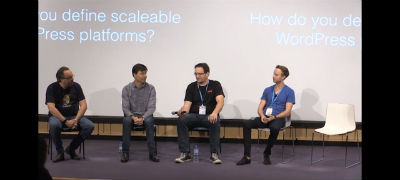
Panel: Best Practices In Building Scalable WordPress Platforms
WordCamp Sydney 2016Speakers: Dee Teal, Rheinard Korf, Dion Beetson, Peter Wilson, Jeremy KelaherApril 27, 2017 — WordPress is being used in more and more enterprise level projects, so what are the best practices for building these systems ensuring they scale and perform correctly?
Our panel of experts are:
– Dee Teal (MC)
– Rheinard Korf
– Dion Beetson
– Peter Wilson
– Jeremy Kelaher -

WordPress Community Interview With Titus & Stephanie Brinley
WordPress Community Interview SeriesSpeaker: Titus & Stephanie BrinleyApril 24, 2017 — Titus Brinley is an 8 year old who uses WordPress. He attend the Kid Camp at WordCamp Miami and took part in a panel discussion.
-

Peter Malick: Adventures in Woo. From Novice to Ninja
WordCamp San Diego 2017Speaker: Peter MalickApril 21, 2017 — In 2013 I took on the job of creating an eCommerce site for Westlake Pro, a Pro Audio retailer in Los Angeles. What started as a fairly modest MVP launch, ballooned into a 10,000+ product giant, that also included a blog, and recording studio design site. Along the way, we learned a lot about what not to do, and we also had a few successes. If you are considering building your first WooCommerce site, join me for Adventures in Woo.
-

Dwayne McDaniel: WP-CLI – Don’t Fear the Command Line
WordCamp San Diego 2017Speaker: Dwayne McDanielApril 20, 2017 — The why, the what and the how for the powerful command line tool to help you greatly speed up basic and advanced WordPress tasks. Walk away with the basic knowledge to install WP, update sites and do basic commands like ‘search-replace’ with confidence from the terminal.
-

Chris Rogers: How to Add an Online Store, Training, and/or Membership Site
WordCamp Louisville 2016Speaker: Chris RogersApril 20, 2017 — I will discuss what works for me, what doesn’t, typical costs, and where to get more info on the subject.
-

Adam W. Warner: WordPress Security for Beginners – Simple Steps to Build Your Master Plan
WordCamp Louisville 2016Speaker: Adam W WarnerApril 20, 2017 — Security can seem intimidating and complex for many of us, but we shouldn’t (can’t) let that stop us from making sure we’re doing everything we can to secure our WordPress sites. After all, our websites are often part of our livelihood.
In this session Adam will discuss the “big picture” of website security and break down the fundamental tasks needed for a strong security plan, in order of importance. Adam will provide an actionable checklist on what you can start doing today to better secure your WordPress websites.
After attending this session, audience members will have a better understanding of website security as a whole and what steps they can take to mitigate risk. Attendees will be able to start building their WordPress security master plan immediately.
-

Chris Ford: User Experience is More Than Hamburger Menus
WordCamp San Diego 2017Speaker: Chris FordApril 20, 2017 — Product companies are keenly aware of how important user experience is in the success of their theme or plugin. Designers and developers debate the merits of the hamburger icon, talk about content hierarchies, and strive to create an experience that surprises and delights their end users. We carefully craft, test, and iterate because usability is a make or break component of any digital product. One of the most difficult user experience hurdles to overcome is teaching people how to use them. An intuitive user interface, well defined hierarchy of information, and clear calls to action are a vital component of a positive user experience–but what happens when your product is more complex than you can describe in a five screen on-boarding animation? Bridge the usability gap with education. By educating your users, you’re creating a positive, empowering experience. Education empowers them to use your product without waiting for a response to a support ticket. There’s instant gratification. Who doesn’t love that? Whether it’s written documentation, video tutorials, or hands-on workshops and webinars, explaining complex concepts in a way anyone can understand can be the difference between a product people love and one they…don’t. In this presentation Chris will walk you through how your company can leverage education as a powerful force for improving the user experience of your product.
-

Matt Cromwell: How to WordPress – The Big Picture
WordCamp San Diego 2017Speaker: Matt CromwellApril 20, 2017 — Thinking of WordPress as just software restricts your ability to learn it quickly. WordPress is software, it’s a learning platform, it’s a Community, and it’s freedom — literally. Matt will show you how to get the most out of WordPress in your job, in your personal growth, and in your life.
-

Chris Ford: User Experience is More Than Hamburger Menus
WordCamp San Diego 2017Speaker: Chris FordApril 18, 2017 — Product companies are keenly aware of how important user experience is in the success of their theme or plugin. Designers and developers debate the merits of the hamburger icon, talk about content hierarchies, and strive to create an experience that surprises and delights their end users. We carefully craft, test, and iterate because usability is a make or break component of any digital product. One of the most difficult user experience hurdles to overcome is teaching people how to use them. An intuitive user interface, well defined hierarchy of information, and clear calls to action are a vital component of a positive user experience–but what happens when your product is more complex than you can describe in a five screen on-boarding animation? Bridge the usability gap with education. By educating your users, you’re creating a positive, empowering experience. Education empowers them to use your product without waiting for a response to a support ticket. There’s instant gratification. Who doesn’t love that? Whether it’s written documentation, video tutorials, or hands-on workshops and webinars, explaining complex concepts in a way anyone can understand can be the difference between a product people love and one they…don’t. In this presentation Chris will walk you through how your company can leverage education as a powerful force for improving the user experience of your product.

An  Joint
Joint
