
Language: English
-

Tanya Moushi: The Human Side of the Web
WordCamp Phoenix 2016Speaker: Tanya MoushiOctober 27, 2016 — This talk provides a framework for differentiating yourself by running a business with humanness, and understanding what clients actually want: care.
-

Luminus Olumide Alabi: Woocommerce Workshop
Speaker: Luminus Olumide AlabiOctober 27, 2016 — Woocommerce Workshop, by Luminus Olumide Alabi at WCBelfast 2016
-

Aaron D. Campbell: Why Open Matters
WordCamp Phoenix 2016Speaker: Aaron D. CampbellOctober 27, 2016 — WordPress is open-source and we keep hearing about the open web, but what does it mean? Why does it matter? If it’s so important, how can we help? Come find out why a concept that’s been written about for nearly a thousand years is so important to the modern web!
-
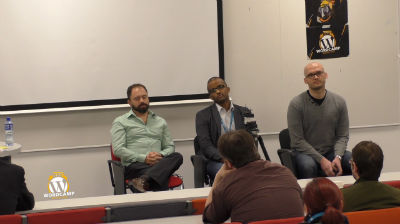
Ahmed Khalifa, Juan Felipe Rincon and Marcin Kilarski: SEO Panel Discussion
WordCamp Belfast 2016Speakers: Ahmed Khalifa, Juan Felipe Rincón, Marcin KilarskiOctober 27, 2016 — Panel discussion, bringing together our fantastic speakers: Ahmed Khalifa, Juan Felipe Rincon, Marcin Kilarski
-

Paul Goodchild, Juan Felipe Rincón and Stephen Kinkaid: Security and Speed Panel Discussion
WordCamp Belfast 2016Speakers: Paul Goodchild, Juan Felipe Rincón, Stephen KinkaidOctober 27, 2016 — Panel discussion on WordPress Securityand Speed
With our speakers Paul Goodchild (WordPress security plugin author), Juan Felipe Rincón (Google Search Quality team) and Stephen Kinkaid (Big Wet Fish). -

John Gough: You Can Make Templates Look Good
WordCamp Phoenix 2016Speaker: John GoughOctober 27, 2016 — Here’s the tl;dr version: you can make an off-the-shelf theme look as good as a fully custom design if you know what you’re doing. We can safely say that most people who use WordPress have used a consumer template at some point. Some use them build a personal site, make a few modifications, and never touch it again. Freelancers and agencies set new templates up on a monthly or weekly basis for clients. There are WordPress developers whose main source of income is from templates they’ve developed and sold through sites like ThemeForest or Template Monster. Using a prebuilt theme has huge advantages: time savings for developers by using prebuilt CMS features, client confidence from knowing beforehand how a site will look and behave, and user-friendly interfaces that have often been tested and improved over multiple versions. But despite their ubiquity, there is plenty of resistance to using templates. Many clients and designers think that a site that “looks like a template” is cheap, unrefined, and should be inexpensive – regardless of how much time was invested into feature development or customizations. So how do you get the benefits of using a theme, and still satisfy your freelance clients and website’s visitors with a unique, fresh design? In this talk we’ll go through the major hurdles and show you how to overcome them with confidence: – What does a “template-y” site even look like? We’ve heard that feedback before. We may have even said it as we surfed the web. But what styles, elements, fonts, colors, or UI patterns are distinctly “template-y”? Knowing is half the battle. – How to choose the “best” template for your project Most people browse template sites looking for something that looks like the site they want to build, but that’s the wrong approach. A prebuilt theme is a tool, first and foremost, and you wouldn’t buy a saw based on the color of the blade. You pick the right tool for the job. – The right kind of planning “Well begun is half done” Aristotle famously said. Once you’ve picked a theme and are familiar with its capabilities and limitations, you can plan based on what’s possible, rather than trying to make a site that fits into the demo layout. Let’s talk about how to do that in a modular, time-saving way. – Let’s talk specifics We’ve talked about what not to do, and how to get started off on the right foot. Now we’ll go through side-by-side comparisons using real templates to show you how common components can be used to deliver outstanding results. By the end of the talk, you’ll be able to sit confidently down in front of your next project with a better approach to planning and design, and produce a better website. Wow your clients! Impress your friends! And keep all the time-saving benefits of an excellent prebuilt theme, but don’t sacrifice how it looks or performs.
-

Thomas Stirling: Creating the Perfect Client Experience
WordCamp Ann Arbor 2016Speaker: Thomas StirlingOctober 27, 2016 — In this talk I present my findings from interviews with over 15 WordPress agency founders and ask them what steps they have done to improve their client process, from selling a project for top dollar to handling design concerns and poorly-constructed feedback. We designers and developers can all learn from one another on how best to structure the relationship, continue to deliver outstanding results and avoid headaches.
-

Andy Fragen: Develop and Deploy Outside the Repo
WordCamp Phoenix 2016Speaker: Andy FragenOctober 27, 2016 — Some plugin or theme projects won’t ever be in the official Plugin or Theme Directories. Still, it would be great to be able to send client’s updates. Wouldn’t it? We’ll talk about little about development but mostly about direct deployment from your git host.
-

-

Ash Rhodes: Five Ways to Get Legit Traffic for Your Site. Number Four Will Shock You!
WordCamp Phoenix 2016Speaker: Ash RhodesOctober 27, 2016 — A “listicle” style presentation on the best practices for traffic generation. Current plan is to cover: Frequent updates, Interesting titles, Tagging/Categorization to maximize the resources of the WordPress.com Reader, Commenting/Personal Branding, and using Publicize/Social Media/Personal Network.

An  Joint
Joint
