
Language: English
-

WordPress Community Interview With Matt Cromwell
WordPress Community Interview SeriesSpeaker: Matt CromwellAugust 1, 2016 — Matt is the Head of Support and Community Outreach at WordImpress, who built the Give Donation Plugin. He also is plugin and theme developer.
Matt is married with four children and also dabbles in U.S. history, politics, religion and music.
-

WordPress Community Interview With Jeff Matson
WordPress Community Interview SeriesSpeaker: Jeff MatsonAugust 1, 2016 — Jeff is a Documentation Mercenary at @rocketgenius AKA @gravityforms. He contributes to the WordPress and BuddyPress projects and is the creator of the notifybot plugin.
-

Peter Suhm: Git for WordPress udviklere
WordCamp Denmark 2016Speaker: Peter SuhmJuly 31, 2016 — Hvis du er WordPress udvikler, er det næsten stensikkert at du har hørt om Git. Sammen med services som GitHub or Bitbucket har Git taget verdens webudviklere med storm. Det gælder også WordPress udviklere.
Git gør WordPress udvikling meget mere fornøjeligt og du bør lære at bruge det. Ikke nok med at Git sikrer dig at du har en backup af din kode og alle dens ændringer, så muliggør det også teamwork og solide deployments.I det her oplæg vil jeg opsummere nogle af de tips, tricks og værktøjer som er inkluderet i min videoserie “Git for WordPress developers”. Omkring 2000 udviklere har allerede set materialet på enten git4wp.com eller wppusher.com, og den her præsentation bygger på alt det feedback som jeg har fået tilbage fra dem.
-

Julien Melissas: How the Internet Works
WordCamp Asheville 2016Speaker: Julien MelissasJuly 29, 2016 — Have you ever thought about how the Internet actually works? WordPress running “on the iInternet” is only one small piece of the puzze. How about “The Cloud”? Routers? Modems? Datacenters?
This is a lightning-fast overview of what happens when you connect to the Internet, all the way to when WordPress loads its page up and sends it back to you. We’ll learn that the Internet isn’t just a “series of tubes” and how small of a role your WordPress site plays in that big, messy puzzle. There is usually a method to the madness.
-

John Dorner: Installing a Local Development Environment
WordCamp Asheville 2016Speaker: John DornerJuly 28, 2016 — A local development environment is a safe way to practice and test changes to your site without effecting your live site.
Come learn why and how to install a local development environment on both Windows and Macs.
This session is for beginners and we’ll look at using XAMPP and talk about other environments such as MAMP, WAMP, Vagrant and others.
Take aways:
– Why to install a local environment.
– How to install XAMPP.
– What are some of your other choices. -

Joan VanOrman: 5 Steps to an Actionable Marketing Plan
WordCamp Asheville 2016Speaker: Joan VanOrmanJuly 28, 2016 — FOCUS is a 5 step marketing approach to an actionable and creative marketing program. A program that is tailored in syle and content for each business. I’ll share information and examples on each of the 5 FOCUS steps and share examples from business and non-profit organizations. Many businesses are “reluctant marketers.” This approach presents marketing tools in 5 easy, fun, and actionable steps.
Take aways:
– Learn a fun, effective and actionable marketing approach.
– Discover creative marketing and public relations tools to consider for your business.
– How to conduct a quick and effective audit on your current marketing program. -

Mike Pead: Turbo Speed your WordPress Website
WordCamp London 2016Speaker: Mike PeadJuly 28, 2016 — Don’t frustrate your visitors with slow page loading speeds. Learn how to make your WordPress website load faster with some easy speed optimisation tips. This talk will teach you how to test your loading speed; why and how you can cache your pages; how to reduce the number of files loaded on each page visit; and other tips and tricks. Note this talk is mostly aimed at those running their websites on shared hosting packages, however the tools and techniques covered will be applicable for all types of website.
-

Derick Rethans: Debugging – Past, Present and Future
WordCamp London 2016Speaker: Derick RethansJuly 28, 2016 — In this talk I will go over all the past, present and future debugging techniques. The talk start by giving an overview on PHP’s (ancient) standard features for debugging, additional (userland) libraries and functionality in frameworks.
After the introductions we move on to the meatier stuff and I will talk about live-action debuggers, such as Xdebug and PHP Storm.
For the future, I will be talking about a project that allows you to “step back” while debugging as well; introspect what your script’s or application’s exact execution paths was; and trace variable modifications.
-
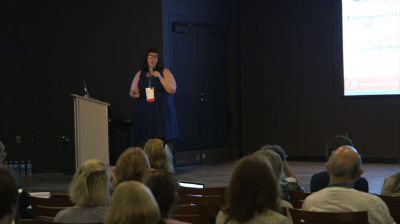
Sarah Benoit: How to Integrate Social Media with WordPress without Losing Your Mind
WordCamp Asheville 2016Speaker: Sarah BenoitJuly 28, 2016 — Choosing plugins can be a daunting task, especially for those of us that can’t hack or custom build a plugin to make it better. Learn social media best practices for 2016 and how to integrate social media into your WordPress site in a way that is useful and relevant to your audience, as well as effective and beneficial for you.
-

Evan Volgas: The WordPress REST API – What It Is, Why it Matters, and What You Need to Know About It
WordCamp Asheville 2016Speaker: Evan VolgasJuly 26, 2016 — WordPress 4.4 was released on Dec 8, 2015. It was the first WordPress release to include the infrastructure for a REST API directly in the core codebase. If you’re not familiar with what that means, then the following claim will probably sound like gobbledy gook to you: the inclusion of a REST API for WordPress is arguably one of the most significant changes to be made to the core codebase in years. This talk will help you understand why.
This talk will be aimed at WordPress professionals of all stripes. Whether you are a developer, designer, business owner, or blogger, you should be paying attention to the REST API in WordPress and why it’s so important (and so powerful) for the future of WordPress applications.
In this talk, we’ll discuss what APIs and what it means for them to be RESTful. We’ll talk about why APIs are important in the first place and what having a RESTful one in the core of WordPress means, in real terms. Last, we will talk about the status of the REST API and the efforts that are underway to integrate it more fully with the core.
If you’re a business owner, designer, blogger, or WordPress developer who’s maybe heard of the WordPress API but you don’t really know what it is or why it’s important, you’ll probably get the most out of this talk.
If you are a polyglot developer with a fair amount of experience working directly with RESTful APIs, this talk will probably be too basic for you.
If you’re completely new to WordPress and haven’t done much more than publish a few blog posts and install a few plugins, there’s a chance this talk will be a bit intimidating for you (although honestly I hope it won’t be and you should be brave and come anyway and make me explain anything that didn’t make sense to you… I’m more than happy to do so).
Takeaways:
What is an API and why do we care about them?
How is the REST API in WordPress different from all those other APIs they have floating around in the WordPress Core? Is this one different somehow or is it just another API? (Hint: it’s very much the former.)
What does a RESTful API for WordPress mean for me as a designer? As a blogger? As a business owner or entrepreneur? As a developer?

An  Ruckus
