
Language: English
-

Panel Discussion: Generating Success from Your WordPress Site and Getting Exposure in a Crowded Market
WordCamp Calgary 2014Speakers: Tony Tighe, Erin Rosar, Irene Seto, Ernest BarbaricAugust 21, 2014 — It can be difficult standing out within the crowded online world. How do you gain exposure and accomplish your online goals? What is the best way to attract attention and new viewers to your web site? Join a panel that covers a wide spectrum of different background to help provide ideas on how to attract the attention of media, the social media sphere, online readers and customers in discussing how to make your site standout.
-

Michael Tighe: Designing with Intent
WordCamp Calgary 2014Speaker: Michael TigheAugust 21, 2014 — Do you have goals for your website?
What about a plan for how different pages on your site help accomplish those goals?
Do your plans and design considerations change on different devices?
Join Mike Tighe for an exploration and discussion of how smart design, planning, and consideration for user experience can make a huge difference in your (hopefully Responsive) WordPress site.
Topics covered:
Lots of examples!
– Goals and conversions
– Responsive design
– Design, empathy, and making happy users
– Good markers for success
– Dos, don’ts, and pet peeves that make Mike want to swear -

Joe Rozsa: Congratulations! You’re Having a WordPress Website!
WordCamp Philly 2014Speaker: Joe RozsaAugust 21, 2014 — Many new users get frustrated when they first start using WordPress because they’ve either not been told or shown how to do various things. When I give presentations, I like to draw parallels with real-life situations. So this session would take on a spin of having a new baby and all the things that new parents need to learn and/or figure out. I’ll walk new users through the process of all the things new “parents” will need for their WordPress site.
-
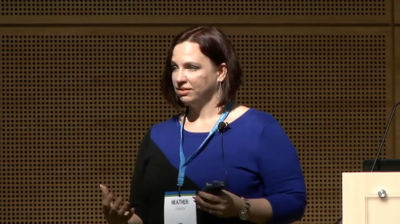
Heather Johnson: Translate the Geek – Teaching Clients How to Use WordPress
WordCamp Seattle 2014Speaker: Heather JohnsonAugust 21, 2014 — Technology can be intimidating. From the tools to the geek speak, many clients glaze over when they think about working with WordPress. By embracing the role of geek translator, you can train your clients to work within their site or at least be comfortable in knowing what they want done. Everyone has skills they bring to the table when working with a website but those skills may not be in understanding the terminology or function of WordPress. We will go over some simple steps and resources to help make the process of educating clients about WordPress go more smoothly and be more effective. By utilizing multiple training methods and tailoring your training to his/her level of understanding you can give your client the space in which to build confidence and understanding. Build long-lasting, healthy client relationships (and make money!) by learning how to translate the geek!
-

Siobhan McKeown: Designing WordPress – A Drama in Four Parts
WordCamp Seattle 2014Speaker: Siobhan McKeownAugust 21, 2014 — Design in an open source project isn’t easy. Complaints about “design by committee” abound. Everyone is afraid of “too many cooks”. It takes blood, sweat, and tears to craft a design that gets the approval of a community.
This is the story of WordPress’ admin. It’s a heart-breaking, heart-wrenching tale of how, through immense trials and tribulations, WordPress’ admin was born, and how it became what it is today. How through ten years of trying, WordPress managed to craft not just a design, but a design process
-

It’s Not Always a Pain in the Sass
WordCamp Denmark 2014Speaker: Scott BasgaardAugust 20, 2014 — An introduction to Sass, Grunt and how these tools can help speed up and streamline your WordPress-development workflow.
-

Aram Zucker-Scharff: Introduction to PressForward
WordPress Meetup NYCSpeaker: Aram Zucker-ScharffAugust 20, 2014 — Aram Zucker-Scharff walks through PressForward, a Sloan Foundation-funded open-source WordPress plugin designed to help WP users aggregate content across the internet. The plugin collects and archives content from across the web, allowing users to subscribe to RSS feeds, view lists of articles, read them in full, and then discuss and nominate items as a group.
-

Alec Kinnear: SEO and WordPress
WordCamp Slovakia 2013Speaker: Alec KinnearAugust 20, 2014 — SEO and WordPress. How WordPress can help you get to the top of Google, step by step.
-

Tony Perez: WordPress Security
WordCamp Philly 2014Speaker: Tony PerezAugust 20, 2014 — The key to website security is awareness, is what will be achieved in this talk. Getting down to the basics and sharing insight that very few can share through the experiences we have ascertained at Sucuri. The latest threats and trends will be shared, and of course, some good, hardening takeaways and recommendations.
-

Rhys Wynne: How to Get Your First Child Theme Off the Ground
WordCamp Manchester 2014Speaker: Rhys WynneAugust 20, 2014 — Rhys does an introductory beginner talk on Child Themes, which involves the following:
– What is a child theme?
– When you should use a child theme?
– When you shouldn’t use a child theme?
– Structuring a child theme in your themes folder & common practices.
– The style.css file of a child theme, how to structure it.
– The functions.php file of the child theme.
– Common Issues that beginners ask about.

An  Medley
