
Speakers: Amber Hinds
-

Live website reviews by industry experts
WordCamp Europe 2025Speakers: Taco Verdonschot, Jono Alderson, Marieke van de Rakt, Amber HindsJune 7, 2025 — Taco will bring a team of experts to join him, creating a multi-disciplinary team experienced in various aspects of building a website. In a panel-like setup, the team will invite the audience to share their websites with them. They’ll review a few sites live on stage. From experience, Taco knows that every website has things we can learn from, either because they’re doing things really well, or because there are things to improve. By using real-world examples, we provide direct value to those who are brave enough to give us their site, and to those who secretly wished they had the guts to put their site in our crossfire.
They will make sure that there’s a fine balance between compliments and improvements, and that several websites will be reviewed.
-

Uber for Nurses: The Power of WordPress
WordCamp US 2024Speakers: Amber Hinds, Steve JonesOctober 11, 2024 — WordPress isn’t just for websites and blogs. It’s a powerful CMS that can serve as the backbone of complex web applications, portals, and intranets. Using WordPress saves development time on the backend, allowing you to focus on crafting front-end experiences that guide users through complex processes like applying to receive government services, requesting medical records from a doctor, or requesting a nurse to start an IV at a hospital.
In this session, speakers Amber Hinds and Steve Jones will share lessons from building multiple enterprise WordPress portals and present a case study of designing and developing a portal for Nurse Pro Plus, an on-demand IV services company fulfilling requests at hundreds of hospitals across 12 states.
The portal leverages WordPress’ data structure, user management system, and key plugins to power its backend admin. The front end is an accessible Vue.js application that enables hospital representatives to order IV services, notifies available contract nurses, and allows one to pick up and fulfill the order. Essentially, it’s Uber for nurses.
Attendees will leave inspired to reimagine WordPress as more than just a website builder, but as a key tool for building sophisticated web applications. Takeaways will include helpful plugins when building portals, specific considerations for accessibility, security, and UX, and ideas for overcoming challenges when building WordPress-powered web applications.
-

WordPress Speed Build Battle: A Lightning-Fast Web Design Contest!
WordCamp US 2024Speakers: Jamie Marsland, Amber Hinds, Brian CoordsOctober 10, 2024 — In the WordPress Speed Build Battle, participants have 30 minutes to recreate a famous website. This high-pressure competition tests participants’ ability to quickly adapt, think creatively, and demonstrate their technical skills within a limited timeframe. The website to be recreated is kept a secret until the start of the challenge, adding an element of surprise and excitement.
Audience members will gain valuable insights from observing the challenge. They will learn innovative techniques for using WordPress, discover new ways to approach web design under time constraints, and see firsthand how expert builders tackle unexpected challenges. Additionally, viewers can pick up tips on improving their own WordPress skills and get inspired by the creativity and resourcefulness of the participants.
-

Democratizing Accessibility: Equalize Digital Accessibility Checker
WordCamp US 2024Speakers: Amber Hinds, Steve JonesOctober 10, 2024 — Equalize Digital Accessibility Checker is an accessibility testing plugin that scans pages and posts for accessibility problems and puts reports in the WordPress admin. It was a winner of a 2023 Gaady award for its innovative approach to improving accessibility (fellow winners were Unilever and Studio 24), and is used by enterprise organizations, educational institutions, small businesses, nonprofits, and government agencies around the world, including NASA and The US Department of Veterans Affairs, among others.
Accessibility Checker was created to make it easier and more affordable for everyone to identify accessibility problems on their website. Competitor solutions rely on API connections and charge per page and per scan, frequently costing tens of thousands of dollars per year. This can easily put accessibility testing out of reach for many website owners. Equalize Digital came up with an innovative way to run accessibility scans on the website’s own server, within WordPress. The free, open source version available on WordPress dot org doesn’t limit the number of posts or pages that can be scanned, allowing even very large websites to start finding and fixing accessibility at zero cost. In this way, Equalize Digital Accessibility Checker is democratizing accessibility.
Laws around the world are increasingly requiring accessibility for websites of all types. Accessibility Checker is an ideal tool to showcase as it can help website owners better comply with these laws. Showcasing it may also attract more enterprise organizations to WordPress, as NASA stated that Accessibility Checker was a major contributor to their decision to use WordPress as the CMS for their new website.
-

Panel: Accessibility in the Digital Space
WordCamp Canada 2024Speakers: Amber Hinds, Daniel Paz, Abhishek Garg, Emil Falcon, Michel-Anthony BordeOctober 8, 2024 — Some potential topics may include:
Understanding Accessibility: Importance of digital accessibility, common barriers, and its impact on users.
Legal Requirements: Overview of accessibility laws and standards like the ADA, AODA, and WCAG.
Technological Innovations: Latest tools and technologies promoting accessibility in web development.
Design Principles: Key principles of accessible design for visually impaired, hearing-impaired, and neurodivergent users.
User Experience: Integrating accessibility into UX design and the role of inclusive design.
Testing and Compliance: Best practices for testing websites and digital products for accessibility compliance.
Case Studies: Examples of successful accessible web projects and the strategies implemented.
Future Trends: Emerging trends and the future of digital accessibility.
-

Workshop: Accessibility Testing Workshop
WordCamp Europe 2024Speaker: Amber HindsJuly 15, 2024 — Have you ever wondered if your website is useable for people with disabilities or those using assistive technology? Would you like to make your plugins or themes more accessible? Not sure if your website complies with the European Accessibility Act? This workshop is for you!
Learn how to test websites for accessibility problems using automated testing tools, keyboard testing, and screen readers so you can make your website better for people with disabilities and compliant with the European Accessibility Act. No dev skills are required!
We’ll show ways that anyone can quickly find accessibility problems, many of which can be fixed directly in the content area.
Bring a computer and headphones – this session will be interactive and include time for practicing testing.
-

Accessibility Workshop
WordCamp Birmingham 2023Speaker: Amber HindsJanuary 15, 2024 — Have you ever wondered if your website is useable for people with disabilities or those using assistive technology? Would you like to make your plugins or themes more accessible?
Learn how to test websites for accessibility problems using automated testing tools, keyboard testing, and screen readers so you can make your website better for people with disabilities. No dev skills are required! We’ll show ways that anyone can quickly find accessibility problems, many of which can be fixed directly in the content area.
-

Amber Hinds: Accessibility Plugins: To Use or Not Use
WordCamp Santa Clarita 2021Speaker: Amber HindsNovember 8, 2021 — This presentation discusses the accessibility plugins available on WordPress.org (July 2021) and the pros and cons of each type of plugin by functionality. Gain a better understanding of the accessibility plugin landscape, knowledge of how to test accessibility plugins for accuracy and usability, and which plugins, if any, might be worth installing.
-
Amber Hinds, Kevin McKernan, Mike Selander: Matching Themes With Projects Townhall
WordCamp Denver 2017Speakers: Amber Hinds, Kevin McKernan, Mike SelanderOctober 12, 2017 — There are a lot of ways to control how WordPress looks and “Themes” covers all of them…
Commercially available themes, from ThemeForest for example.
Frameworks such as Genesis from StudioPress
Drag-and-Drop Builders from Beaver Builder to Bold Grid to the Visual Composer plugin.
How do you pick which is the best-fit for your project and your client? -
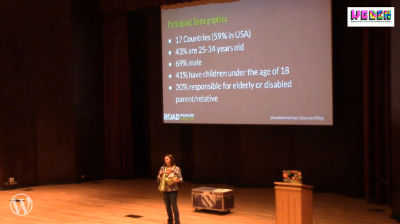
Amber Hinds: Having it all…or not. Work/Life Balance as a WordPress Business Owner
WordCamp Denver 2017Speaker: Amber HindsOctober 8, 2017 — I started my business in 2010 as a way to make money part-time while being a stay-at-home mom to my 1 year old daughter. Now, two kids and 7 years later, I’m running an agency full-time with my husband and trying to have some semblance of work/life balance in a business that never stops and a house with 3 kids.
This talk will be about my own personal experience – struggles and triumphs – over the past 7 years going from part-time freelancer to full-time owner of a business that supports my entire family. We’ll talk about finding purpose and striving for business success, and what that means when you’re a parent of young children.
In addition to sharing my own experience, I will be reaching out to other WP business owner parents and be interviewing them to see how they manage work/life balance, and incorporating their advice and experiences into the talk. These interviews will be recorded so that audience member can watch them after the fact.

An  Thingamajig
