
‘Beginner’ Videos
-
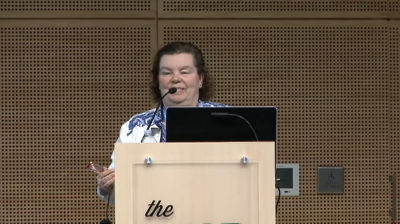
Nancy West Johnson: Create Your First WordPress Website
WordCamp Seattle 2014Speaker: Nancy West JohnsonAugust 10, 2014 — This session is everyone from bloggers to business owners who is an absolute beginner (or just needs a refresher) on their first journey in the wonderful world of WordPress. Join Nancy West Johnson (Rampant Web Designs) to find out how WordPress can help your website project and how to choose which version of the WordPress platform (WordPress.com or self-hosted [aka WordPress.org]) is best for you. We’ll also take a tour of the dashboard and learn five essential settings to get you started. Feel free to bring your laptop and follow along on your own domain.
-

Dustin Filippini: Comprehensive Dashboard Walkthrough
WordCamp Chicago 2014Speaker: Dustin FilippiniJune 29, 2014 — Dustin takes a comprehensive look at the WordPress Dashboard, unlocking new and exciting things that are included within WordPress.
Areas covered:
* What each menu item in a default WordPress install does
* How to change common settings
* How to write posts and pages, add media, and more
* How to add new users
* How to manage comments
* Managing Menus
* Managing Widgets
* What are dashboard widgets?
* What is my user profile? -

Shanta Nathwani: WordPress 101
WordCamp Chicago 2014Speaker: Shanta R. NathwaniJune 28, 2014 — This talk introduces WordPress to people that have never touched the platform. People want to know what their getting into! What kind of commitment does this mean? What things can it do for me on social media? A quick look at the dashboard and take questions that people have. Why would people use WordPress?
-

[日本語] Guide to Learning WordPress from Scratch
WordCamp Tokyo 2013Speakers: Shinichi Nishikawa, Takahiro NakahataJune 12, 2014 — 経験談からリアルに語る!ゼロからWordPressを理解するための勉強法
http://2013.tokyo.wordcamp.org/session/beginner/
パネリストが実際に WordPress の使い方を学んできた経験を元に、これから WordPress を勉強したい方へのアドバイスが詰まったディスカッションを行います。「WordPress はそもそも自分のやりたいことに合ったツールなのか?」という疑問に答える説明から、身につく勉強法、参考になったサイトや書籍など、リアルで役に立つアドバイスが聞けるはず。さらに、WordCamp Tokyo でのタイプ別おすすめセッションも教えます!
このセッションでは、パネリストそれぞれが体験したステップアップの流れやターニングポイントなどを知ってもらうことで、今後 WordPress を理解していくための方法を具体的に実感してもらうのが狙いです。モデレーター: 西川伸一
登壇者: 中畑隆拓 -

Syed Balkhi: KidsCamp Atlanta – Fundamental Decisions regarding your WordPress setup
WordCamp Atlanta 2014Speaker: Syed BalkhiJune 2, 2014 — A simple and easy to understand format geared specifically for kids who are interested in the basics of a WordPress site as well as an introduction to how a site is created from HTML, PHP and CSS.
-

Christoph Trappe: Getting Started With WordPress For Beginners
WordCamp Las Vegas 2013Speaker: Christoph TrappeMarch 27, 2014 — This session is geared toward beginners who are in the early stages of setting up their WordPress-powered site. The session is about how I have used WordPress to start my own news startup EasternIowaNews.com and used WordPress at United Way of East Central Iowa, a site that has won a national Content Management Association Spotlight Award in the WordPress category in 2012/13.
-

Stanko Metodiev: WordPress – From the Start
WordCamp Sofia 2013Speaker: Stanko MetodievFebruary 24, 2014 — This presentation is for WordPress beginners where they could see how to install and use WordPress from the very beginning.
-

Suzette Franck: Setting Up And Maintaining Your WordPress Site
WordCamp Phoenix 2014Speaker: Suzette FranckFebruary 1, 2014 — This session is for beginners that are new to WordPress and would like to learn the essentials of how to setup a website utilizing WordPress’ awesome built-in features such as the blog, themes, widgets, and plugins. I will also cover the basics of what you need to do to maintain and manage your site, as well as resources for where to get help in the community and online.
-

MaAnna Stephenson: WordPress Bootcamp
WordCamp Nashville 2013Speaker: MaAnna StephensonDecember 30, 2013 — This talk covers customizing the Dashboard, global settings, custom menus, and more. Plus tips on little known settings that affect your SEO.
-

Raushan Jaiswal: WordPress For Beginners
WordCamp Nepal 2013Speaker: Raushan JaiswalDecember 18, 2013 — WordPress has grown so much lately that it can be daunting for beginners in finding where to start. This talk covers each section of the admin panel and explains what each does.

An  Experiment
