
Language: English
-

Rian Rietveld: Who’s afraid of ARIA
WordCamp US 2018Speaker: Rian RietveldDecember 29, 2018 — WAI-ARIA means Accessible Rich Internet Applications. These are attributes you add to your HTML5 to (for example) inform blind visitors what is happening on your site.
How do you use ARIA and why? And why is the first rule of ARIA: “Don’t use ARIA”?
In this talk Rian will show you how to
– announce changes and error messages
– use the JavaScript function wp.a11y.speak()
– tell if a menu or accordion is closed or open
– give feedback on what’s happening on a one page website
– get the right documentation and examplesDiscover that ARIA isn’t that complicated and is very useful for those visitors that use your site in another way than you do.
-

Adam Silver: The Proper Care, Growth and Feeding of Your WordPress Website in 2019 (and Beyond)
WordCamp US 2018Speaker: Adam SilverDecember 29, 2018 — A website is a living and breathing piece of your overall business & marketing plan. You need to feed it! This presentation will cover why a website isn’t a “set it and forget it” entity.
Learn about content creation types, determine the need for enhanced features (eCommerce, membership, LMS), ways to encourage visitor engagement, website security and site backups and when it might be time to redesign the site itself.
-
Juan Pablo Gomez: CSS Grid, Gutenberg and the future of Layouts
WordCamp Toronto 2018Speaker: Juan Pablo GomezDecember 28, 2018 — Released last year, CSS Grid changes everything for the web and the WordPress communityIt means that, for the first time, we can think of layout on posts and pages as two-dimensional and fully responsive. CSS Grid is not another plugin hack or bootstrap patch. Quite simply, it’s the solution for which designers have been asking. It is here to stay and right now is the perfect time to learn it.
Why CSS Grid? How to use Grid? When to use Grid? Demos! -
Ryan Moore: Building and Automating WordPress Workflows
WordCamp Toronto 2018Speaker: Ryan MooreDecember 28, 2018 — Do you have a complex WordPress eLearning, eCommerce or membership site that uses lots of plugins? You’ve probably run into challenges getting them all working together. When a user makes a purchase, how do you give them access to 2 things? Or, when a user completes 3 actions, how can you automatically trigger a fourth? In this session, we’ll look at ways that tools can help you build and automate workflows like these to make your user experience as seamless as possible as well as keep your admin effort to a minimum. We’ll also look at the implications arising from the release of WordPress 5.0 and Gutenberg.
Some of the common challenges faced by users setting up complex websites that use a lot of plugins or require frequent admin intervention
An approach to solving these problems using plugins, CRMs and other applications -
Christie Witt: Migrating 1,300 websites from HTML to WordPress, a business process case study
WordCamp Toronto 2018Speaker: Christie WittDecember 28, 2018 — We migrated 1,300 websites from HTML to WordPress. Learn how I assessed the business processes beforehand, conducted a company-wide process audit and implemented improvements involving the client services, business account managers, sales, finance, marketing and IT teams. I will also discuss how I built the CRM requirements and worked directly with the CRM developers to track and automate reporting of the various website statuses such as cancellations, suspensions, and brand new website build requests. Finally, learn how I would have evaluated the impact of Gutenberg on the migration had it been released prior to the project.
• How to assess the big picture around website processes • How to work with different teams within a large corporation to educate them on business process updates • How to work with the older generation on selecting website templates for migrations • How a multi-site instance was set up for the migration of 1,300 websites -

Troy Fawkes: The One Stop Marketing Shop: Gutenberg’s Marketing Toolbox
WordCamp Toronto 2018Speaker: Troy FawkesDecember 28, 2018 — Can WordPress be the one stop shop for your marketing needs? Is it going to be there for you as you grow from a small business to a large one or will it let you down along the way? This session covers four critical digital marketing categories and how WordPress & Gutenberg support them through various stages of complexity.
Business owners, marketers, developers and designers will take away:The growth stages of the four critical digital marketing categories: SEO, paid ads, email and marketing automation, conversion rate optimization and UX.
WordPress’s support of your business through your growth stages, with a case study.
Powerful ways to leverage Gutenberg’s modular thinking for marketing. -
Rebeca Godin: WordPress as a Digital Marketing Hub: Gutenberg Edition
WordCamp Toronto 2018Speaker: Rebeca GodinDecember 28, 2018 — How to use your WordPress site and Gutenberg with various digital marketing plugins to grow your business.
We will discuss how your WordPress site is more than a just website. It can be a great platform to turn your website into a digital marketing powerhouse. We will cover plugins for reputation management, email marketing, social media feeds and sharing, retargeting, SEO and analytics. You will learn how to use plugins we recommend to get the desired exposure to get business growth. -
Andrea Zoellner: Copywriting for Better UX
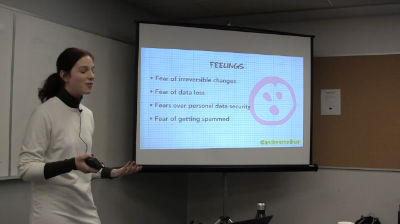
WordCamp Toronto 2018Speaker: Andrea ZoellnerDecember 28, 2018 — When we think about UX, we’re often so focused on fonts, colors, and flow to think about those small bits of text that guide users through almost every part of a web interface—the microcopy. Gutenberg makes it easier to craft engaging multimedia content and improve the user experience of your site. But what about the less sexy parts of a website like menu labels and buttons, error messages and interface instructions? These words may be tiny but they can make a significant difference in the usability of your design and affect crucial aspects of your site such as its conversion rates.
This presentation offers copywriting and communication tips that will immediately improve your user interface microcopy so your users experience is a more delightful and less frustrating one. The talk will focus on interface copy for end-users and note where elements can be edited with Gutenberg.
Copywriting tips, UX design basics, tips to improve website design -
Anthony Burchell: Building Gutenberg Blocks, the Playlist Block Story
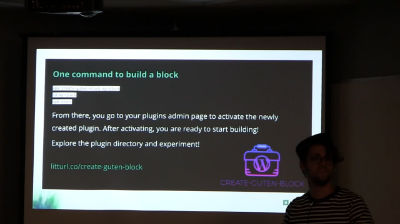
WordCamp Toronto 2018Speaker: Anthony BurchellDecember 28, 2018 — In this talk, I will outline the story and what we learned from building the Playlist block for the Gutenberg editor. We will explore both the epic wins and failures in the course of building our first block. If you are learning Gutenberg or React and have hit road blocks in understanding the flow, data or tools available, this talk will clear the air on many of those issues. We’ll explore local development tools and design patterns used in block creation.
If there is one takeaway from this talk, it is that Gutenberg isn’t scary. -
Mike Demo: Who Moved My Editor? Addressing Gutenberg Facts and Fears
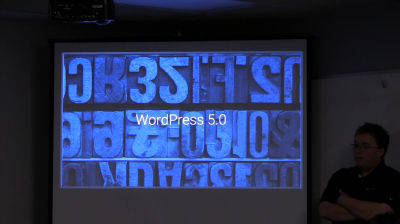
WordCamp Toronto 2018Speaker: Mike DemoDecember 28, 2018 — Change is hard. For a developer, changing our workflow is especially difficult. In his book, Who moved my cheese?, Dr. Spencer Johnson uses an allegory to teach healthy coping mechanisms for change. When it comes to choosing a CMS, developers rely upon the tools with which we’re most familiar. Traditionally, WordPress doesn’t make breaking changes. But with the upcoming release of the Gutenberg editor in WordPress 5.0, how can we realistically adjust both our attitudes and our workflows?
What if WordPress forks? What if it forks several times? How do page builders fit into a Gutenberg world? Will my favorite plugins adapt and how? Will my clients’ sites break?
It’s okay to ask questions. Learning to anticipate, monitor, and adapt to change leads us to a healthy place of positive acceptance.
In this talk, we will spend some time discussing the actual risk-benefit assessment of WordPress 5.0. You will leave with a better outlook — guaranteed.Don’t fear forking
Truth vs fiction
It will be OK

An  Medley
