
Author Archive
-
Donna Botti: Schema.org, Microdata And JSON-LD, Oh My!
WordCamp Lehigh Valley 2017Speaker: Donna BottiOctober 17, 2017 — What is the schema.org structured markup and how does it impact search results, especially as the prevalence of voice search and devices like the Amazon Echo and Google Home increases? How do you use this in a WordPress website? Learn the current recommended practices and pitfalls to watch out for.
-
Ajay Coletta: Moving Beyond The Customizer
WordCamp Rhode Island 2017Speaker: Ajay ColettaOctober 17, 2017 — So you made changes to your WordPress theme using the built-in Customizer, but you would like the ability to make more changes to the look & feel of your theme, well this session is for you.
I will discuss the benefits of creating & modifying Child themes and show you how you can easily inspect and modify the css styles that control the bulk of overall design.
And if you want to dig deeper into theme customization, I will discuss the benefits of starter/foundational themes like Genesis.
-
Joe Casabona: How I Built It: An Online Learning Website With WooCommerce & LearnDash
WordCamp Lehigh Valley 2017Speaker: Joe CasabonaOctober 17, 2017 — In this talk, I will take you through the requirements, decision making, and steps I took to build WP in One Month, an online learning websites built on top of WooCommerce and LearnDash.
-

Michelle Ames: Little Things Make A Difference
WordCamp Toronto 2017Speaker: Michelle FrechetteOctober 17, 2017 — So you can build a technically wonderful website, but does it appeal to your audience? Does it have finesse? Who is it designed for: the owner, the designer/developer, or the customer/user? Are forms user-friendly? This talk will show you the things that make a website more complete, user-friendly, and user-appealing. Topics will include favicons, custom 404 pages, form buttons, footers, colors, SSL certificates, and more.
-
Paul Barthmaier: Plug In To The Customizer
WordCamp Lehigh Valley 2017Speaker: Paul BarthmaierOctober 17, 2017 — I am cultivating a number of classes which use the Customizer API beyond the typical theme settings. I’ve also begun to build custom controls to allow for further customization of the Customizer. In this talk, I’d like to walk thru how to use the API, demonstrate the existing tools available and then show how to expand on them to better suit your specific needs.
-
Laura Byrne-Cristiano: Contributing To WordPress — It’s Not Just For Programmers
WordCamp Lehigh Valley 2017Speaker: Laura Byrne-CristianoOctober 17, 2017 — Whether you’re a budding developer, a pixel-perfect designer, or just like helping out, the WordPress community is always looking for people to help make WordPress even better. Hear how you can contribute to the WordPress community, even if you aren’t highly skilled.
-
Zach Lebar: How To Speak “Conversational Developer”
WordCamp Lehigh Valley 2017Speaker: Zach LeBarOctober 17, 2017 — Many of us here aren’t developers. We might have a fuzzy notion of what they do, or why they’re important. When we run into an issue while using WordPress, we might know that it’s a developer who can fix the problem, but do we know how to explain the issue to them? Do we understand the answer they’re giving?
There’s a lot of technical jargon that many developers assume as common knowledge to anyone using WordPress. How is your backend configured? What theme are you running, and is it based on a framework? Is it a Genesis-based theme? Are you working with HTML5, CSS3, or SASS? What version of PHP is your server running? Are you on a shared host, a dedicated VPS, or a managed solution? Are you seeing a server error or a PHP error?
The avalanche of questions and terminology can be completely overwhelming.
In this talk, I’ll break down some basic terminology, explain the foundational concepts of how a WordPress site works, and try to help you bridge the language gap between you and your developer.
-
Laura Willis: Creating A Powerful Personal Brand For Connection, Communication & Success
WordCamp Rhode Island 2017Speaker: Laura WillisOctober 17, 2017 — Are you ready to take your next step? Do you want to have a competitive edge? Do you want to do more work that you love and have more success while doing it?
Learn how uncovering your personal brand can have a direct impact on getting more of what you want; it’s a combination of art and science.
In this interactive, hands-on workshop with Laura Willis you’ll learn:
What a personal brand is and why it’s important
Why passion is critical and contagious
Who your “target audience” is and the value you bring to them
Identify how you “show up” and the perception you create
Understand the science and power of connection and how it works
Where it fits into all of your communications
When you uncover your authentic personal brand, you get clearer about the vision you have for your life, how you want to live it and achieve it. -
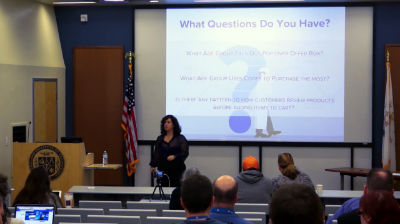
Jennifer Shaheen: What’s Your Data Story?
WordCamp Rhode Island 2017Speaker: Jennifer ShaheenOctober 17, 2017 — Every time a visitor comes to your website or views your social media content, they’re telling you what they think about your business, products you’re selling and content you’re sharing. This information doesn’t show up in the comment section! Valuable insights are waiting for you in your website and social media analytics.
Key Takeaways:
– Data reveals what products and messaging attracts customer attention.
– Learn how to discern your visitors unique path to purchase, including any stumbling blocks that may be slowing your sales.
– Learn how to identify data duplication and other common system configuration errors that compromise the validity of analytic data.Intended Audience Type: Marketers, Content Managers
Intended Audience Experience: Beginner to Intermediate
Attendees should know the basics of Google analytics and metrics. -

Lucas Cherkewski: Demystifying HTML: An Introduction For Bloggers
WordCamp Montreal 2017Speaker: Lucas CherkewskiOctober 17, 2017 — HTML: for those of us who aren’t comfortable with code, we may have shied away from it in the past. Maybe you’ve seen it when you click the text/HTML tab in the WordPress editor, but quickly clicked back to the visual mode. Whatever your familiarity with HTML, we’ll use this talk to break down some of your fears. You’ll learn what HTML is, how it’s used, and why it’s worth learning. Together, we’ll see that HTML isn’t too bad at all—that it’s actually a powerful tool to help us better our websites. By the end, you’ll be familiar with HTML and know where to go to learn more.

An  Invention
