
Language: English
-

David Brattoli: WordCamp Kent 2020 Day One Opening Remarks
WordCamp Kent 2020Speaker: David BrattoliJune 19, 2020 — opening remarks for day one of WordCamp Kent 2020
-

Jocelyn Mozak: Five Essential Questions To Ask On A Sales Call
WordCamp Kent 2020Speaker: Jocelyn MozakJune 19, 2020 — This talk recommends five essential questions to ask on a sales call. Make better use of your time and improve your chances of success.
-

-

Vili Mileva Yankova: Benefits realisation through project management
WordCamp Europe 2020Speaker: Vili Mileva YankovaJune 19, 2020 — About 90% of start-ups fail. What if better project and benefits management could lower that number? Vili’s presentation will discuss how benefits realisation through good project management can increase success.
Each project starts with a business case and a benefits management plan – i.e. the reason why a project is undertaken, or a product is being built. However, many projects may last up to a few years and they may end up providing a product or service that no longer delivers the sought-after benefits, thus wasting time and resource. Benefits realisation management is the key to successful business-driven projects and products. -
Chris Lema: eCommerce and storytelling: the shift away from catalogs and carts
WordCamp Europe 2020Speaker: Chris LemaJune 19, 2020 — The early days of eCommerce were shaped by a paradigm of catalogs and carts. We grew up with eBay and Amazon shaping how we thought about eCommerce stores and the development of plugins for WordPress followed this trend.
Recently we’ve seen a shift of new merchants going direct to consumers (DTC). This change is more than a shift in distribution and not simply a cosmetic change. We’re moving away from tons of products and variations and towards single (and few) product options and stronger storytelling. Product pages have changed. And designers and developers working with new merchants will be invited to enter this new paradigm and develop a different kind of eCommerce project. -

Kirsty Burgoine: Accessible CSS – honouring dark mode!
WordCamp Europe 2020Speaker: Kirsty BurgoineJune 19, 2020 — CSS is incredibly powerful for styling, but did you know it can also dramatically affect how accessible and inclusive your website is as well? Many operating systems now have advanced settings to allow users to customise and personalise their digital experiences.
By using newly introduced standards, we can also honour these visual preferences in our web pages using CSS.
In this talk, Kirsty will show you how to honour a users visual preferences and how simple changes can affect the overall user experience for everyone, not just those with specific accessibility requirements. -

Merary Alvarado: Accessibility – digital transformation or social digital transformation?
WordCamp Europe 2020Speaker: Merary AlvaradoJune 19, 2020 — Merary will be hosting a practical session covering the most relevant considerations for developers, testers, designers and project managers in relation to accessibility best practices.
In this interactive session, attendees will be able to emulate people with disabilities in various scenarios, audit apps (Android/iOS), websites, digital documentation and design techniques using modern concepts and tools. We will cover all Web Accessibility Guidelines (WCAG 2.1), WAI-ARIA best practices and Inclusive Design methodologies. -
Mel Choyce: Art direction with Gutenberg
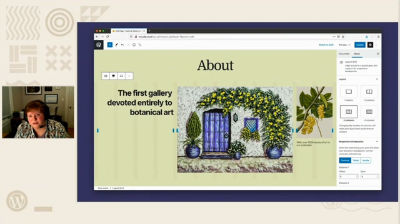
WordCamp Europe 2020Speaker: Mel ChoyceJune 19, 2020 — The New York Times release of Snowfall in 2012 took the web industry by storm. Media-rich and captivating, its design evoked wonder, fear, and desperation in the face of an avalanche. Snowfall was one of the first great art-directed digital experiences in this era of the modern web.
Art direction isn’t a new concept, though. Look at any magazine or print publication—designers have long been creating evocative media experiences. Recent web technologies have made the dream of unconstrained art-directed experiences on the web possible. In this talk, Mel will explore how we can use the new WordPress editor, Gutenberg, to create gorgeous art-directed websites. -

-


An  Contraption
