
‘Analytics’ Videos
-

Sara Cannon: Smart Design
WordCamp NYC 2014Speaker: Sara CannonNovember 18, 2014 — Fast, simple, SMART. Mobile devices have forever changed the way we interact with content. Now we have to consider many things such as HiDPI graphics, responsive design, speed, UI/UX patterns, touch target sizes, gestures, and more. All while not losing track of what’s important: Content. This presentation discusses the influence of mobile on design trends and learn implementation techniques of smart design.
-

Jason White: 10 Commonly Missed SEO Opportunities for WordPress Awesomeness
WordCamp NYC 2014Speaker: Jason WhiteNovember 14, 2014 — In this session Jason covers the most commonly found missed opportunities when it comes to optimizing WordPress websites for search engine success. Geared to offer something for all levels, this session discusses the importance of site speed, SEO optimization plugins, site maps, mobile considerations, social integration (and how to optimize for social), schema markups, authorship, blogging and maintenance.
-

Chip Oglesby: Using Google Analytics with WordPress
WordCamp Asheville 2014Speaker: Chip OglesbyAugust 28, 2014 — In this talk looks at the basics of what you should be tracking on your site and why.
-

Sonja Leix: Don’t Just Build Pretty Websites – UX In The Real World
WordCamp Philly 2014Speaker: Sonja LeixAugust 21, 2014 — Everybody’s talking about User Experience, but how can you release your inner UX mojo today to improve the usability and experience of your website? Time to share some practical, real-world examples and tips to boost your WordPress design skills. Don’t just build pretty websites, make smart design decisions and add UX best practices to your workflow. Ask smart questions like: Do I really need a large slider on my homepage? Are there clear nav menus and Calls-to-Action to guide my visitors? How does my site displays on other devices? A good UX job continues after launch. Use mad tools to analyze and improve your UX Design.
-
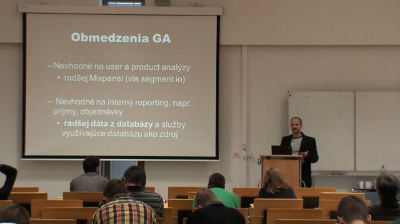
Branislav Pokrivčák: Keď Google Analytics nestačí- pokročilá analytika pre WordPress a WooCommerce
WordCamp Slovakia 2014Speaker: Branislav PokrivčákAugust 6, 2014 — Keď Google Analytics nestačí- pokročilá analytika pre WordPress a WooCommerce
-

Yesenia Sotelo: Use Google Analytics to Improve Your WordPress Website
WordCamp Chicago 2014Speaker: Yesenia SoteloJuly 20, 2014 — Let’s say goodbye to being overwhelmed by the information in Google Analytics. This session covers just the data points that are most applicable to your website. And discusses what each data point is actually telling us about the areas of our website that need improving. Armed with our new data know-how, we walked through WordPress-specific ideas that you can use to start improving your site. (And to keep all of us focused on the data that matters, you’ll receive a link to a dashboard template that you can “save as” and use directly in your Google Analytics account.)
-

Julie Kosbab: Site Analytics In WordPress: Building For Success
WordCamp Minneapolis 2014Speaker: Julie KosbabMay 19, 2014 — It’s ridiculously easy to slap some Google Analytics code on a WordPress site, and step away. But there is a lot more that developers and site managers/owners SHOULD do with analytics to show more obvious development ROI, make getting data easier and allow for ongoing growth without loss of data.
In this session, Julie Kosbab helps developers and site managers integrate data collection with WordPress’ features to create powerful insights. Ideas which apply to both commercial and custom themes throughout the WordPress site lifecycle.
-

Monte Martin: Optimizing for Business Performance
WordCamp Grand Rapids 2013Speaker: Monte MartinOctober 8, 2013 — So how do you determine if your site is living up to potential? This talk tackles that question and discusses ways to gather and analyze information about how visitors interact with a site. It also discusses how to use that information to answer important questions that will help you optimize sites for (business) performance.
-

How to Install Jetpack Site Stats on your WordPress site
Speaker: Jerry BatesMarch 18, 2013 — Understanding the kind of traffic you have on your website is the first critical step in making it better optimized for visitors and search engines. We show you how to add Jetpack to your WordPress website, and how to configure site stats to display analytics directly in the dashboard of your site.
-

Melinda Samson: Google Analytics 101 Workshop
WordCamp Melbourne 2011Speaker: Melinda SamsonMarch 16, 2013 — During this introductory walk-through, you’ll discover how to use Google Analytics and what the key statistics mean, including Total Visitors, Unique Visitors, Bounce Rate and Time on Site.

An  Ruckus
