
‘Gutenberg’ Videos
-

Panel: Gutenberg Q and A
WordCamp Los Angeles 2018Speakers: Lara Schenck, Leo Postovoit, Matt Cromwell, Roy SivanJanuary 2, 2019 — We know you have questions about Gutenberg. We all do! This session aims to answer those we can in an informal discussion meant for all levels of expertise. Together we will determine answers or explain how to get them answered.
-

Prem Tiwari: Gutenberg the future of WordPress
WordPress Meetup BengaluruSpeaker: Prem TiwariJanuary 2, 2019 — Talked about “Gutenberg the future of WordPress” at WordPress bengluru Meetup.
-

Internationalization in the age of Gutenberg
WordCamp London 2018Speaker: Pascal BirchlerDecember 31, 2018 — As software engineers and designers we need to make sure that our solutions can be used by as many people as possible. One important factor for this is internationalisation.
With tools and best practices rapidly changing, and new solutions like Gutenberg emerging, it’s time to look at how to properly internationalise and localise modern web applications.
In this presentation, I’m going to explain the concept behind internationalisation, localisation, and why we need to do more than just “making things translatable”.
I will highlight existing tools, interfaces, and best practices to get internationalisation right in the UIs we create and the code we write, no matter if it’s PHP, HTML, CSS, or JavaScript.”
-

Panel discussion: Gutenberg
WordCamp Edinburgh 2018Speakers: Marcus J Wilson, Edd Hurst, Mark WilkinsonDecember 31, 2018 — Gutenberg is WordPress’s new content editor. It’s a game changer for developers, for WordPress businesses, and for content creators. This laid-back panel discussion will explore Gutenberg from each of those perspectives, featuring Mark Wilkinson on development, Edd Hurst on business, and Marcus J Wilson on content.
-

Laurence Bahiirwa: Gutenberg – How do we tell your story
WordCamp Kampala 2018Speaker: Laurence BahiirwaDecember 31, 2018 — How do continue writing quality works? How do we move to the new Editor in WordPress?
-

Miina Sikk: How we extended Gutenberg core blocks to build in AMP support
WordCamp US 2018Speaker: Miina SikkDecember 29, 2018 — As developers we have an opportunity to start working with the new Gutenberg editor and bring it into projects where it can positively impact the editorial workflow. In this talk I’ll be sharing our team’s experience in extending Gutenberg core blocks with our work on the AMP for WordPress plugin.
In working with Gutenberg, often block functionality needs to be customized. We’ve found that it makes more sense to reuse and extend existing editor blocks as opposed to creating new ones. From a user experience perspective it’s important to avoid confusing users by just duplicating blocks and cluttering up the block inserter.
Through real examples I will showcase our experience extending core blocks as we added custom features to the AMP plugin. I’ll also address some issues and pain-points we ran into during the process and share the workarounds used.
Since Gutenberg is still a work in progress, this presentation is not intended as the absolute truth for extending core blocks, however it is a practical example of how we were able to add AMP features to a plugin by extending the core editor blocks. If you’re interested in developing for Gutenberg you’ll be able to learn from our experience and pick up practical tips for moving forward.
-
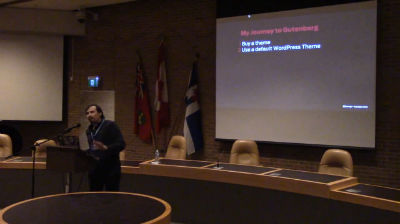
Juan Pablo Gomez: CSS Grid, Gutenberg and the future of Layouts
WordCamp Toronto 2018Speaker: Juan Pablo GomezDecember 28, 2018 — Released last year, CSS Grid changes everything for the web and the WordPress communityIt means that, for the first time, we can think of layout on posts and pages as two-dimensional and fully responsive. CSS Grid is not another plugin hack or bootstrap patch. Quite simply, it’s the solution for which designers have been asking. It is here to stay and right now is the perfect time to learn it.
Why CSS Grid? How to use Grid? When to use Grid? Demos! -

Troy Fawkes: The One Stop Marketing Shop: Gutenberg’s Marketing Toolbox
WordCamp Toronto 2018Speaker: Troy FawkesDecember 28, 2018 — Can WordPress be the one stop shop for your marketing needs? Is it going to be there for you as you grow from a small business to a large one or will it let you down along the way? This session covers four critical digital marketing categories and how WordPress & Gutenberg support them through various stages of complexity.
Business owners, marketers, developers and designers will take away:The growth stages of the four critical digital marketing categories: SEO, paid ads, email and marketing automation, conversion rate optimization and UX.
WordPress’s support of your business through your growth stages, with a case study.
Powerful ways to leverage Gutenberg’s modular thinking for marketing. -
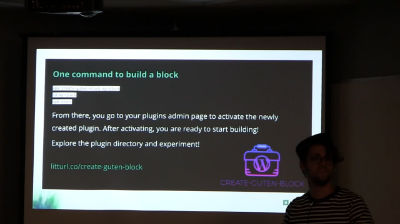
Anthony Burchell: Building Gutenberg Blocks, the Playlist Block Story
WordCamp Toronto 2018Speaker: Anthony BurchellDecember 28, 2018 — In this talk, I will outline the story and what we learned from building the Playlist block for the Gutenberg editor. We will explore both the epic wins and failures in the course of building our first block. If you are learning Gutenberg or React and have hit road blocks in understanding the flow, data or tools available, this talk will clear the air on many of those issues. We’ll explore local development tools and design patterns used in block creation.
If there is one takeaway from this talk, it is that Gutenberg isn’t scary. -
Mike Demo: Who Moved My Editor? Addressing Gutenberg Facts and Fears
WordCamp Toronto 2018Speaker: Mike DemoDecember 28, 2018 — Change is hard. For a developer, changing our workflow is especially difficult. In his book, Who moved my cheese?, Dr. Spencer Johnson uses an allegory to teach healthy coping mechanisms for change. When it comes to choosing a CMS, developers rely upon the tools with which we’re most familiar. Traditionally, WordPress doesn’t make breaking changes. But with the upcoming release of the Gutenberg editor in WordPress 5.0, how can we realistically adjust both our attitudes and our workflows?
What if WordPress forks? What if it forks several times? How do page builders fit into a Gutenberg world? Will my favorite plugins adapt and how? Will my clients’ sites break?
It’s okay to ask questions. Learning to anticipate, monitor, and adapt to change leads us to a healthy place of positive acceptance.
In this talk, we will spend some time discussing the actual risk-benefit assessment of WordPress 5.0. You will leave with a better outlook — guaranteed.Don’t fear forking
Truth vs fiction
It will be OK

An  Invention
