
Language: English
-
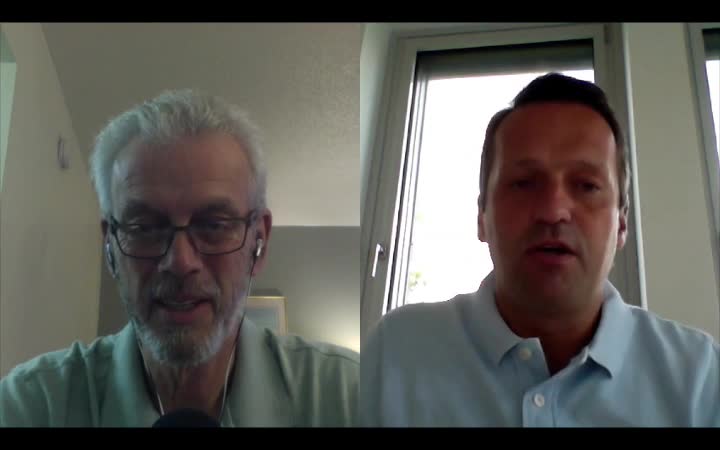
WordPress Community Interview With Florian Gottschall
WordPress Community Interview SeriesSpeaker: Florian GottschallJuly 3, 2017 — Florian Gottschall is a professional videographer who fell in love with his trade at an early age. He attended the University of Applied Sciences in Landshut (Bavaria) and has had his own business since 2011. He became involved with WordPress in 2010.
Florian and a group of volunteers attended WordCamp Europe and spent their time recording videos of attendees, volunteers, speakers, etc. The videos can be seen on WordPress TV and the YouTube channel.
Because of his commitment to WordPress, Florian has offered WordCamps and Meetups a free subscription for the Vinubis video editor plugin. Feel free to contact him on the plugin website.
-

Saurabh Shukla: Talent Retention In The Indian WordPress Ecosystem
WordCamp Mumbai 2016Speaker: Saurabh ShuklaJuly 3, 2017 — Saurabh explained how to create a culture that keeps developers stimulated and satisfied, especially in the view of international players with deeper pockets.
-

Om Malik & Matt Mullenweg Q&A
WordCamp Europe 2017Speakers: Matt Mullenweg, Om MalikJuly 1, 2017 — A 50 minute session with Matt Mullenweg, co-founder of WordPress: it includes a 30 minutes interview by Om Malik, founder of Gigaom, and 20 minutes of QandA from the audience.
-
Sam Hotchkiss: WP Plugin Development Best Practices
WordCamp Mumbai 2016Speaker: Sam HotchkissJuly 1, 2017 — Sam will speak on Best Practices in Plugin Development!
-

Ramya Pandyan: The Future Of A Blogger
WordCamp Mumbai 2016Speaker: Ramya PandyanJuly 1, 2017 — At every WordCamp there are many bloggers who attend and wonder, what exactly is the future of blogging. One future that can be imaged is the role of a Community Manager.
The role of a community manager is not very clear at times. They are responsible for but not dictators of the communities they manage. There are all kinds of people issues that come up and questions of security, access, control etc.
Ramya Pandya talks about how these communities collaborate merging communities or even new communities being created at WordCamp Mumbai.
-

Rahul Bansal: Scaling WooCommerce For High Transaction Stores
WordCamp Mumbai 2016Speaker: Rahul BansalJuly 1, 2017 — WooCommerce is a very powerful plugin. But businesses who build online stores using it face problems when the number of people accessing the store increases.
Rahul Bansal will tell us about specific techniques which can be used to serve huge number of users efficiently. You’ll be able to apply many of his recommendations to other WordPress sites as well, where logged-in users make a bulk of traffic.
-
John Blackbourn: A Deep Dive into the User Roles and Capabilities API
WordCamp Europe 2017Speaker: John BlackbournJune 30, 2017 — The user roles and capabilities API is one of the most powerful APIs in WordPress. With it you can allow, deny, and customise access to features in WordPress to a fine grained level. In this presentation, I’ll talk through the basics and go on to explain some of the more interesting and advanced use cases of working with roles and capabilities.
-

Morten Rand-Hendriksen: CSS Grid Changes Everything (About Web Layouts)
WordCamp Europe 2017Speaker: Morten Rand-HendriksenJune 30, 2017 — CSS Grid is now live in all major browsers, and with it everything we know about web layouts changes! Imagine drawing a grid in the browser and placing content in one or any number of cells without having to change the HTML or source order. And imagine changing that grid on the fly using media queries or JavaScript while keeping the HTML markup clean and accessible. That’s what CSS Grid does, and that’s why you should be using it today.
The CSS Grid Layout Module introduces a native CSS grid system, provided at the viewport level, that achieves what CSS frameworks and popular grid systems could only dream about: Responsive, flexible, pure CSS grid layouts, independent of document source order, that allow us to treat the browser as a true design and layout surface.
In this talk you’ll get an intro to CSS Grid and learn how it changes pretty much everything when it comes to layouts on the web. Through examples, code snippets, and practical demos you’ll learn how to use CSS Grid in a theme for modern responsive layouts, and you’ll also learn how to handle older browsers without Grid support in a clean and straight-forward way.
CSS Grid is here, and you can start using it today. This talk shows you how to do it right. -

Alice Orru: How I Started Working on Customer Support for a Popular WordPress Plugin as a Total Newbie
WordCamp Europe 2017Speaker: Alice OrruJune 30, 2017 — Did you ever think that working with WordPress is something that only developers and tech-savvy people can do?
Are you convinced that your being a newbie on WordPress won’t allow you to help people?In this talk I’ll be sharing my experience on how I started working for a WordPress start-up; how I was struggling with my own impostor syndrome all the time, but still succeeded helping people and answering their technical questions.
In a few months, I will be celebrating my second year with WP Media. I don’t recognise anymore that Alice who was so scared of answering tickets on HelpScout.
This is the beginning of my journey from not understanding customers’ questions to getting my first “Great” ratings on HelpScout.Are you curious to hear the rest?
-

Fairy Dharawat: Humor As A Content Writing Tool
WordCamp Mumbai 2016Speaker: Fairy DharawatJune 30, 2017 — Humor often gives us perspective. A lot of things that are difficult to convey can be done through humor. WordPress professional and fans all over write a lot. You could be a blogger, working on support, a developer or a CEO. Many of you will acknowledge that using humor is very important in your writing.

An  Contraption
